Categories
Technology

5 tips to avoid getting lost in Minecraft in 2022

Since Minecraft worlds are so massive and generate for millions of blocks in every direction, losing your way can happen on occasion. This is especially true for newer players who may not have their bearings quite yet.

youtube-cover

Fortunately, there are several strategies to employ that can prevent players from getting lost. Some tactics require items, while others simply demand players to use a little know-how.

Either way, any and all of these tricks are super helpful for both beginners and veterans who may just be returning to the game after a lapse in playing.

Note: This article is subjective and reflects the opinions of the writer.


Minecraft: Tips to remember to avoid getting lost

1) Keep a compass on hand

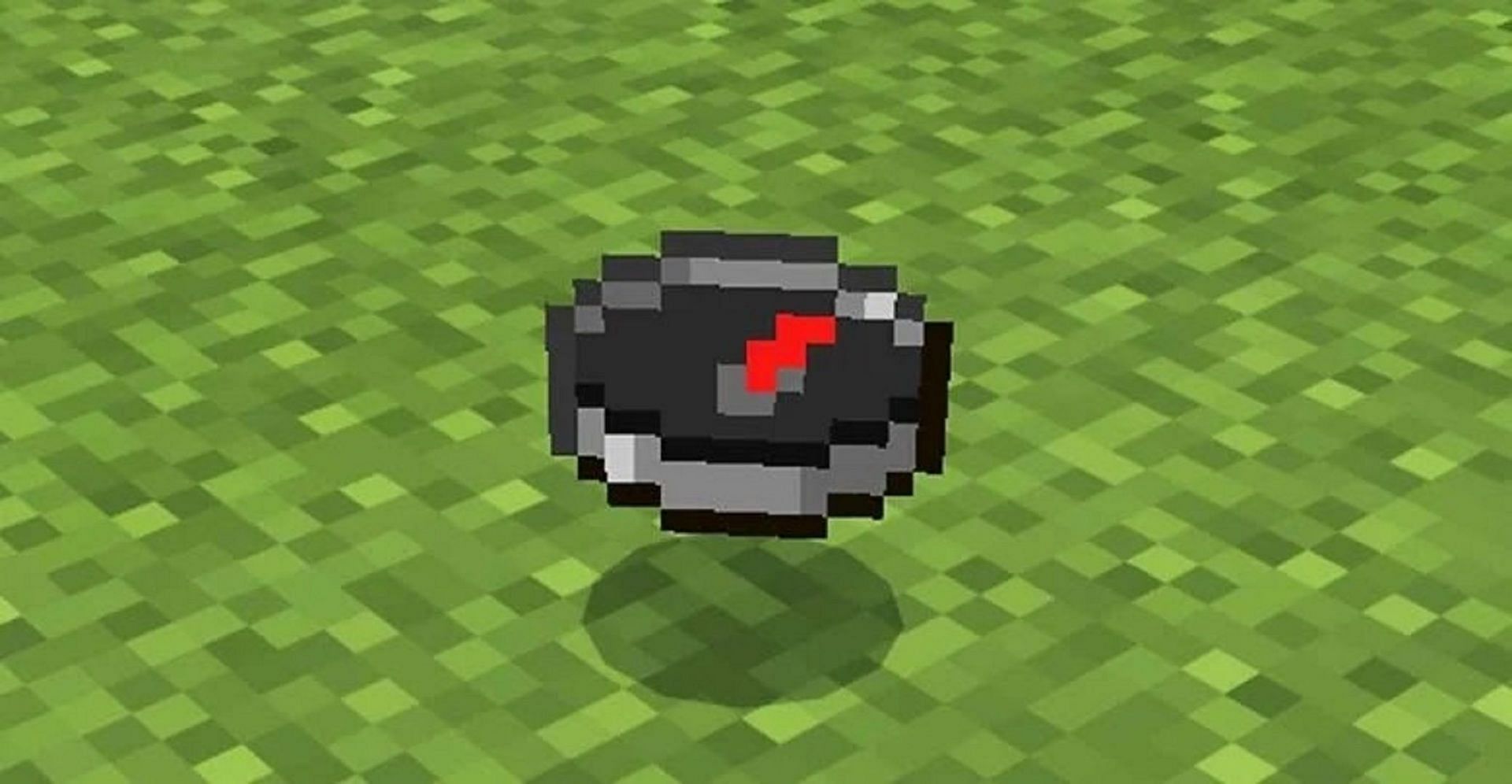
A compass in Minecraft (Image via Mojang)

The compass is one of the most helpful items in Minecraft, and it costs very little to make.

Created via four iron ingots and a piece of redstone dust, compasses will always point towards the world spawn. This ensures that players can return to the point where they first arrived in the world.

Furthermore, players can link compasses to lodestone blocks in order to point them to certain locations if the world spawn isn’t preferred.

Compasses can be looted from certain generated structures, including villages, strongholds, shipwrecks, and ancient cities.


2) Using a map

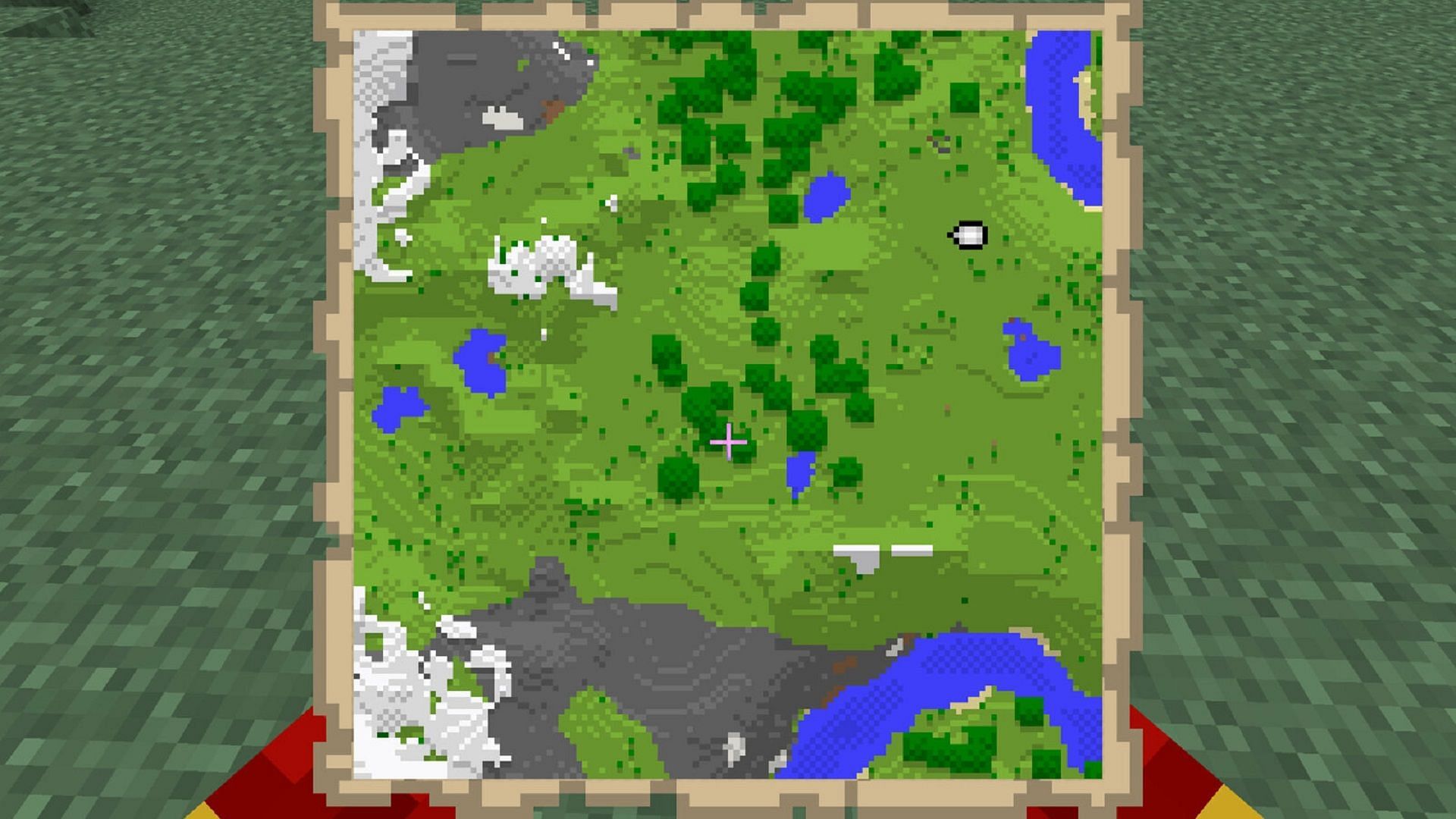
Maps are excellent at keeping track of one's surroundings (Image via Mojang)
Maps are excellent at keeping track of one’s surroundings (Image via Mojang)

Players can create maps in Minecraft either by combining nine pieces of paper in Bedrock Edition or eight pieces of paper and a compass in Java and Bedrock Edition. Maps begin blank, but when players use the item, the map will begin to fill.

As players progress through the area that the map details, they’ll uncover more of the area. Initial map sizes are limited, but players can use cartography tables to increase the amount of ground that maps cover. These items can even keep track of buildings and other locations of note, making them invaluable for beginners in particular.

youtube-cover

3) Mark Your Way

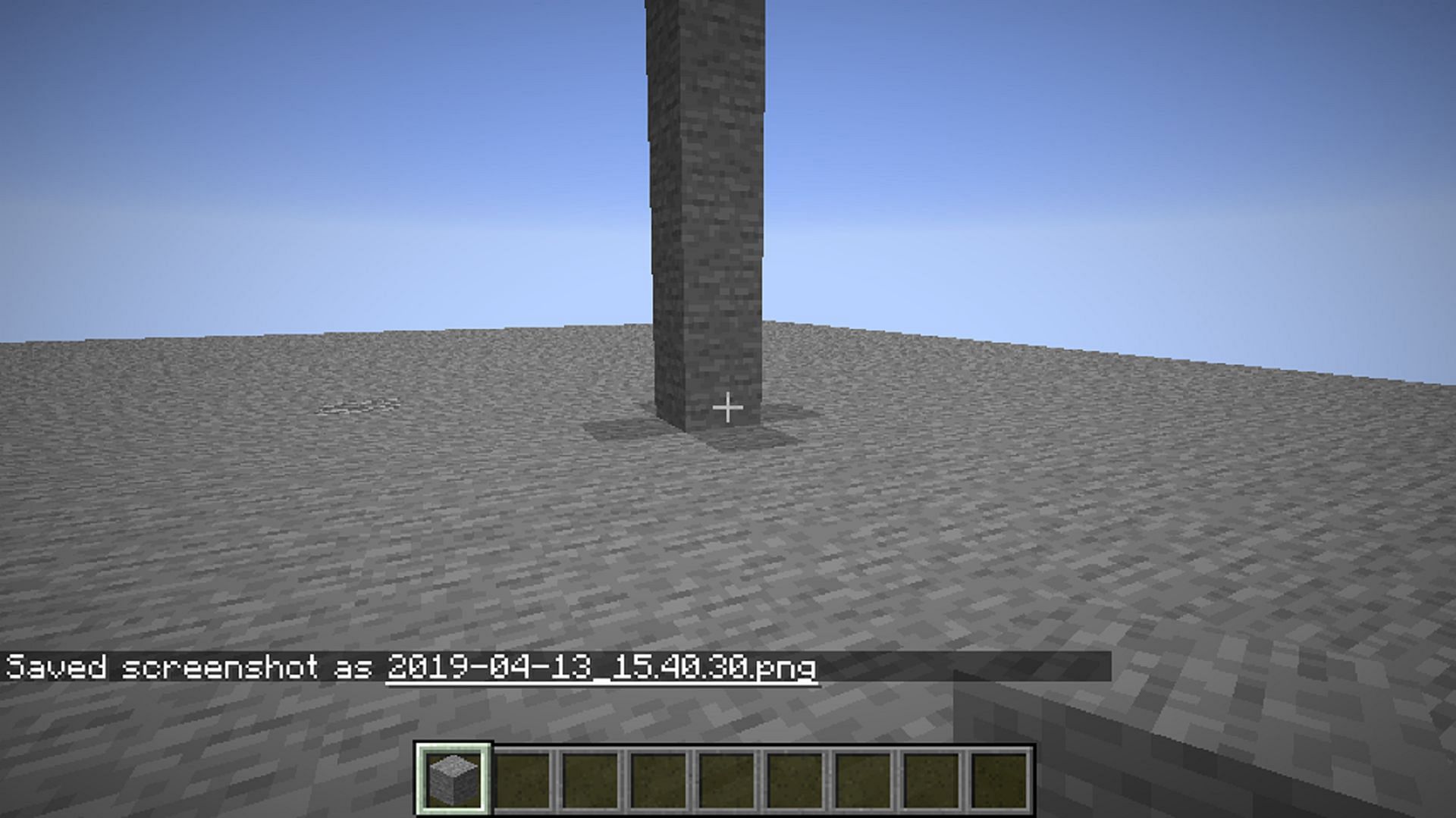
Tall towers can mark a player's path (Image via Mojang Bug Report)
Tall towers can mark a player’s path (Image via Mojang Bug Report)

As players travel through their Minecraft world, it never hurts to keep some extra easy-to-collect blocks on hand. Specifically, these can be used to create tall structures or other large landmarks for players to look back on if they get lost.

Granted, these landmarks’ effectiveness will depend on how closely they’re built together and how far a player’s render distance is set, but they can be incredibly helpful.

For example, if a player is lost in a forest biome, they can climb to the top of a nearby tree, look to the sky for their last-placed tower, and make their way back to it.


4) Use Console Commands

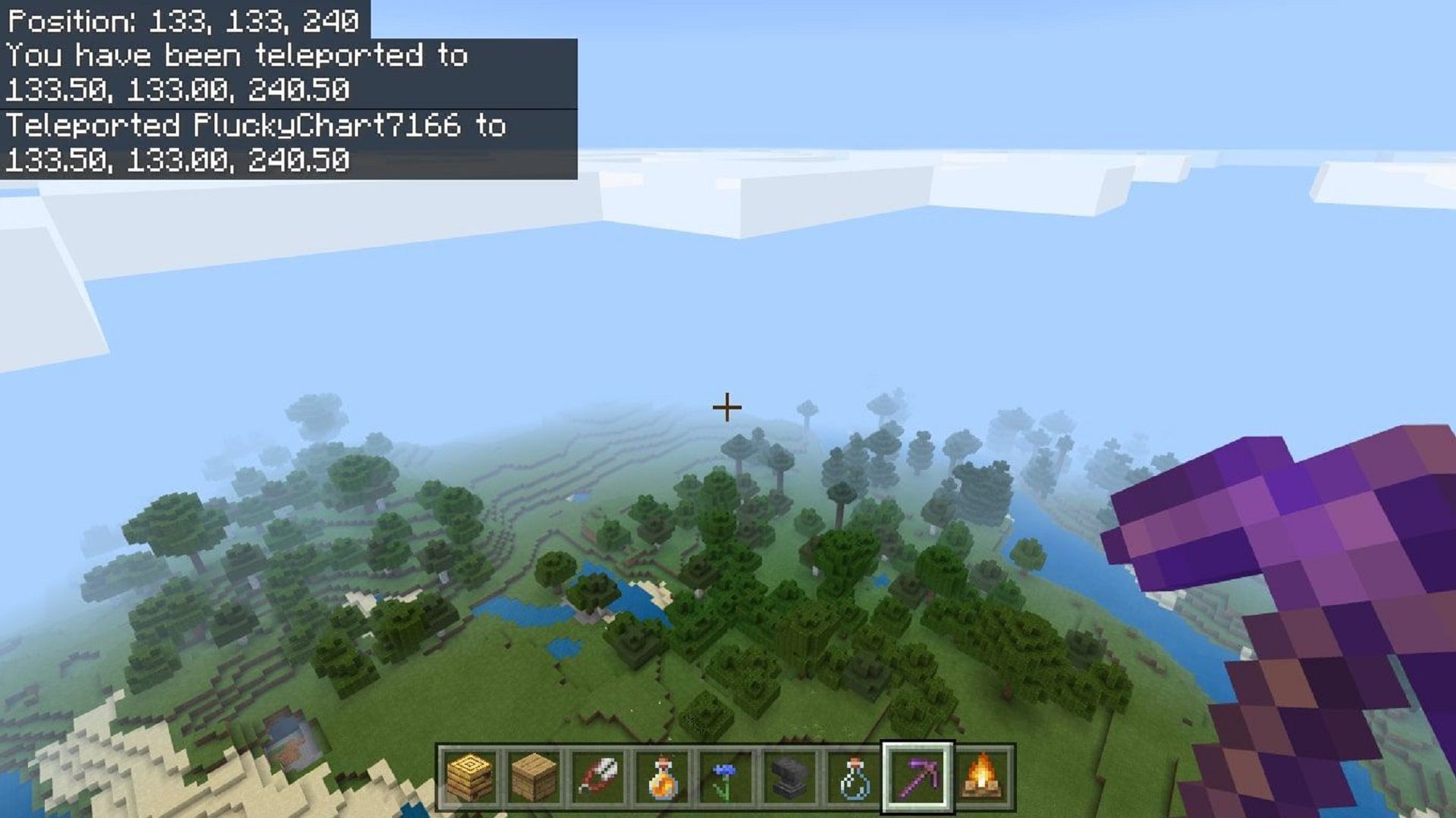
Console commands can return players to a certain point (Image via Mojang)

If Minecraft players don’t mind having cheats enabled, they can use console commands to keep their bearings no matter where they find themselves in the world.

Players can use commands like /locate to find specific biomes or structures they may be looking for. They can also use the /teleport or /tp command to immediately appear at certain coordinates.

It’s even possible to return to the world spawn or a player’s set spawn point like a bed by using “/tp @s” and then entering the coordinates of the player’s spawn. If players get lost in their Minecraft world, teleporting and other helpful commands can greatly help.

youtube-cover

5) Use Map Mods

JourneyMap is a fantastic map mod (Image via frankv_/CurseForge)

If all else fails, it may not be a bad idea to download a map mod and install it to avoid getting lost. Awesome mods like JourneyMap provide players with a minimap to help them keep their bearings while also featuring a larger version viewable in a web browser.

On the larger map, players can mark points of interest or spawn points, and the map is refreshed automatically over time so that players always have up-to-date information on their surroundings.


.

Categories
Technology

Overwatch’s Paid Loot Boxes Are Finally Going Away

Overwatch’s Loot Boxes may not have been the first in video game history, but they quickly became one of the most important, even if we were sick of them as early as June 2016, which was…one month after the game’s release.

While somewhat novel at the time, they helped pave the way for even worse examples, like Battlefront II’s disastrous implementation, and as profitable as they were for publishers they were also so unpopular with fans (and with governments and regulators who accuse them of encouraging kids to gamble) that many series — including Overwatch itself — have begun to move away from them.

That’s right, Overwatch 2 won’t be using Loot Boxes, instead opting for a more direct way of purchasing stuff:

There will be no Loot Boxes in Overwatch 2. Instead, the modernized live service will give our players the power to shape their own experiences. Players can acquire the items they want directly through the Battle Pass and an all-new and consistently updated in-game shop. Our team will create and deliver seasonal content every nine weeks to ensure there’s always something fresh and exciting waiting for everyone.

And with the sequel due out soon (it’s currently slated for an October release), that means the end is near for Overwatch 1’s Loot Boxes. Blizzard announced earlier today that after August 30, players won’t be able to buy them anymore, bundling the news with a plea for users to go and buy some Loot Boxes one last time:

Earn and purchase Anniversary Loot Boxes throughout the event! Each Loot Box has a chance to contain items from past Anniversary and seasonal events; don’t wait too long to snag those skins you’ve been eyeing for the past year, though–Loot Boxes will no longer be available for sale after the end of the Anniversary Remix Vol. 3 event on August 30. However, you will still be able to earn standard loot boxes after the end of the event.

So there’ll still be some to earn, just not to buy. Interestingly, Blizzard adds that any Loot Boxes that players are sitting on “will open automatically before the launch of Overwatch 2“.

RIP, Loot Boxes. You will not be missed.

Categories
Technology

Visual Studio Code 1.70 eases title bar customization

Credit: Dreamtime

Visual Studio Code 1.70, the latest release of Microsoft’s popular code editor, promises easier title bar customization and Git merge conflict resolution, among a host of other improvements.

Introduced August 4, VS Code 1.70 can be accessed from visualstudio.com for Linux, Windows, and macOS.

Also known as the July 2022 update, VS Code 1.70 brings easier title bar customization, with developers now able to right-click to the title bar to open a context menu that toggles the menu bar. For Windows users expecting the system context menu, the menu still can be triggered by right-clicking the VS Code icon in the top left corner of the window, or by pressing. Alt+Space.

Also in VS Code 1.70, the three-way merge editor, for quickly resolving Git merge conflicts, is enabled by default. The merge editor features improved context menus, new commands to accept all changes from one side, enhanced diff colors, and a greater emphasis on conflicting versus non-conflicting changes.

Microsoft also introduced command line options to bring up the merge editor in VS Code. The company said it is beginning to explore alternative diffing algorithms to improve the precision of merge conflicts.

.

Categories
Technology

Google Sues Sonos, Escalating Ongoing Smart Speaker Dispute

This site may earn affiliate commissions from the links on this page. Terms of use.

(Credit: GettyImages)

Google and Sonos have been at each other’s proverbial throats for the entirety of the pandemic, and tensions are not easing anytime soon. If anything, the patent dispute between the companies is escalating. Google has now filed a patent infringement lawsuit against Sonos, alleging that the audio firm has copied proprietary voice assistant technology.

The new legal challenges were filed in California federal court this week, citing seven Google patents related to smart assistant technology. Google has been active in this area for years before it launched the revamped Google Assistant platform in 2016 alongside the first Pixel phones and Google Home speaker. However, most of the patents at issue in this case are from the last few years, and all of them are hyper-specific, low-level technology patents with titles like “Device Designation for Audio Input Monitoring” and “Apparatus and Method for Seamless Commissioning of Wireless Devices.” It also tossed in an old wireless charging patent for fun.

Google and Sonos collaborated on several occasions, including from 2016 through 2019 to add support for Assistant on Sonos products. Sonos accused Google in early 2020 of infringing on its patented technology for controlling networked audio devices. It has seen some success in the case, which has forced Google to remove volume controls and instant setup features from its Chromecast and Assistant speaker devices.

Google’s Assistant-powered smart home gear is less smart after the Sonos lawsuit.

The US International Trade Commission (ITC) ruled earlier this year that Google violated five Sonos patents, just in time for Sonos to release a voice control feature. That, along with Google’s ITC loss, may have precipitated the new legal volley. Google tells Gizmodo that it has no choice but to file a lawsuit as Sonos has launched an “aggressive and misleading campaign against our products at the expense of our shared customers.” Although, Google made the decision to remove features rather than license technology from Sonos. That’s made its ecosystem more frustrating, especially if you have more than one Cast-enabled device on your network.

Sonos isn’t taking this lying down, telling Reuters that Google’s case is an “intimidation tactic designed to retaliate against Sonos for speaking out against Google’s monopolistic practices, avoid paying Sonos a fair royalty for the roughly 200 patents it is currently infringing, and grind down a smaller competitor.” It’s fair to note, however, that Google rarely uses patents offensively like this. That suggests there’s real animosity between the companies, and a cross-licensing deal is therefore unlikely. If Google wins its case, it could force Sonos to pay license fees or remove offending features from its devices.

Nowread:

Categories
Technology

Intel shares 48 benchmarks to show its Arc A750 can compete with an RTX 3060

Intel has released 48 benchmarks that show its upcoming Arc A750 GPU should be able to trade blows with Nvidia’s RTX 3060 running modern games. While Intel set its expectations low for its Arc GPUs last month, the company has now tested its A750 directly against the RTX 3060 across 42 DirectX 12 titles and six Vulkan games.

The results look promising for what will likely be Intel’s mainstream GPUs later this year. Intel has tested the A750 against popular games like Fortnite, Controland Call of Duty: Warzoneinstead of the cherry picked handful of benchmarks the company released last month.

“These are all titles that we picked because they’re popular,” explains Intel fellow Tom Petersen, in Intel’s benchmark video. “Either reviewers are using them or they’re high on the Steam survey, or new and exciting. These are not cherry picked titles.”

Intel’s Arc A750 vs. Nvidia’s RTX 3060 at 1080p.
Image: Intel

We’ll have to wait for independent benchmarks, but based on Intel’s testing, the A750 looks like it will compete comfortably with Nvidia’s RTX 3060. “You’ll see we’re kinda trading blows with the RTX 3060,” says Petersen. “Sometimes we win, sometimes we lose.” Intel’s performance is, on average, 3 to 5 percent better than Nvidia’s when it wins on titles running at 1080p.

Over on the 1440p side, it looks like Intel wins on more of the benchmarks. On average it’s a win of about 5 percent across the 42 games. Intel has also tested six Vulkan titles, where it seems to be trading blows with the RTX 3060 once again.

“We’re mostly winning at 1080p, and mostly winning at 1440p with Vulkan,” Petersen claims. “On average I’d say this is more like a 3 to 5 percent, maybe a little bit more towards the 5 percent win on Vulkan.”

Intel’s Arc A750 vs. Nvidia’s RTX 3060 at 1440p.
Image: Intel

Intel has only focused on modern APIs here, and not older DirectX 11 games. Early testing of Intel’s Arc A770 GPU — a step above the A750 in the Arc lineup — showed a big performance gap between DirectX 11 and DirectX 12 games. Intel is still working on its Arc GPU drivers, and it could be some time before the company is able to improve DirectX 11 performance.

Intel performed these latest benchmarks on identical systems running its Core i9 12900K CPU and 32GB of DDR5 memory. Intel used its own engineering driver and Nvidia’s 516.59 driver for the comparisons. Arc GPUs will require 10th Gen or newer Intel processors, or AMD Ryzen 3000 and above CPUs, all with motherboards that support Resizable BAR (or, as AMD brands it, Smart Access Memory). Resizable BAR is a key requirement for performance on Arc GPUs.

We’re still waiting for Intel to release its Arc A750 GPU later this year, but these latest benchmarks do show it could be ready to compete for the all-important mainstream. Intel hasn’t announced official specifications or pricing for its Arc A750 yet, but leaked slides put it in between $299 and $399.

Intel will need to reach a price point that can compete with Nvidia’s $329 pricing for the RTX 3060, particularly now that GPU stock has greatly improved and there is the option of AMD’s Radeon RX 6600 XT at $379.

All eyes will now be on Nvidia’s plans for its RTX 40-series of GPUs. Nvidia recently slashed the prices of its high-end RTX 30 series GPUs, and the discounts could indicate an RTX 40-series launch is due in the coming months. Rumors had suggested the RTX 4090 could launch last month, but July came and went without any new GPUs.

If Nvidia’s latest preliminary earnings are anything to go by (a $1 billion-plus drop in gaming revenue), it’s unlikely that the RTX 40-series will be priced low when they eventually launch. Nvidia still likely has plenty of RTX 30-series cards after a drop in crypto demand, so Intel could be well placed to compete later this year if it can get its drivers and pricing in check.

Categories
Technology

All Bug Out! 2022 Field Research Tasks and rewards in Pokemon GO

Pokemon GO’s Bug Out! event has returned this year, and trainers can now catch both old and new Bug-type Pokemon. Trainers have access to various new sets of research tasks to complete, including Field Research.

youtube-cover

Field Research in Pokemon GO differs from the game’s Special Research, as it is obtained primarily from spinning Pokestops. The tasks that trainers receive are randomized from a pool, and each task has its own rewards linked to it.

Below, trainers can find a list of what is required for the event’s Field Research and what will be rewarded when the research is completed.


Every Pokemon GO Field Research Task and reward for Bug Out! 2022 listed

Mega Scizor makes its debut in Bug Out!  2022 (Image via Niantic)
Mega Scizor makes its debut in Bug Out! 2022 (Image via Niantic)

This year, the majority of Bug Out!’s Field Research Tasks require Pokemon GO trainers to catch Pokemon. Trainers will also want to practice their throwing mechanics, as some research tasks require certain throw qualities to be completed.

There are also a few miscellaneous tasks to consider. However, they’re fairly simple to complete in-game and won’t be as complex as searching for and catching Pokemon.

Overall, trainers will need to complete 11 different Field Research Tasks.


All Field Research Tasks and Rewards for Bug Out! 2022

  • catch 5 pokemon – Caterpie or Weedle encounter
  • Catch 10 Pokémon – Volbeat, Illumise, Dewpider, Wimpod, or Venipede encounter
  • Catch 15 Pokémon – Burmy encounter, including any of its variants
  • Catch Ten Bug-type Pokemon – Volbeat or Illumise encounter
  • Make Two Excellent Throws – Never encounter
  • Make Three Great Throws – Grubbin encounter
  • Make Three Great Throws In a Row – Paras or Dwebble encounter
  • Make Three Nice Throws – Venonat or Kricketot encounter
  • Make Three Nice Throws In a Row – Silcoon or Cascoon encounter
  • Take Three Different Snapshots of Different Bug Pokemon You’ve Caught – Ledyba, Spinarak, or Yanma encounter
  • trade pokemon – Karrablast or Shelmet encounter
  • Use Ten Berries to Catch Pokemon – Combee or Sewaddle encounter

youtube-cover

The good news for Pokemon GO trainers who are looking to complete this research is that they can use the rewards they obtain to complete other tasks. For example, if players obtain a Venipede from a task, they can capture it and take a picture of it for their snapshot task.

Additionally, during the reward catch encounters, excellent/great/nice throws should also count towards Field Research requirements. The throw requirements may be the toughest out of all the event tasks, as hitting Bug-type Pokemon with accurate throws can be tricky due to their size.

Trading may also be tricky, but Niantic, fortunately, released the Campfire app recently that allows Pokemon GO players to coordinate better if they reside in a similar area. If trainers don’t have any friends nearby, it may not be a bad idea to check out Campfire and look for any trainers in the community that may be nearby.


.

Categories
Technology

Yet another Microsoft RCE bug under active exploit • The Register

August Patch Tuesday clicks off the week of hacker summer camp in Las Vegas this year, so it’s basically a code cracker’s holiday too.

Let’s start off with Microsoft’s 121 security holes, which are the most interesting of the ever-growing, second-Tuesday patch party. Plus, they include one that Redmond lists as under active attack and a second that it says is also publicly known.

Of the 121 Microsoft bugs, 17 are considered critical. Both of the bugs listed as publicly known are ranked as “important” holes to fix. But since they pose the greatest risk to orgs, which are now basically in a race to patch versus cybercriminals, we suggest starting with these two.

First, CVE-2022-34713, a remote code execution vulnerability in Microsoft Windows Support Diagnostic Tool (MSDT) that’s under active attack. It received a 7.8 CVSS severity score and it has a low attack complexity, so it’s safe to assume other miscreants will find and exploit this hole in the near future.

To exploit this bug, an attacker would need to trick a victim into opening a specially crafted file, likely either via a phishing email or malicious website that contains a file designed to exploit the vulnerability.

“An attacker would have no way to force users to visit the website,” Microsoft explained. “Instead, an attacker would have to convince users to click a link.”

However, as we’ve witnessed with the recent Twilio breach and others, this doesn’t normally require a whole lot of convincing on the part of these wily criminals.

After convincing users to click a malicious file, such as a Word document, the application calls MSDT using the URL protocol, and can then run arbitrary code on the victim’s machine with the privileges of the calling application.

“The attacker can then install programs, view, change, or delete data, or create new accounts in the context allowed by the user’s rights,” Microsoft noted in a blog about an earlier MSDT flaw.

And yes, this issue of MSDT bugs under active exploit has been an ongoing issue for the software giant.

“It’s not clear if this vulnerability is the result of a failed patch or something new,” the Zero Day Initiative’s Dustin Childs noted. “Either way, test and deploy this fix quickly.”

The second Microsoft vulnerability listed as publicly known, tracked as CVE-2022-30134, is an information disclosure bug in Microsoft Exchange. It received a 7.6 CVSS score.

An exploit would require convincing a user with an affected version of Exchange Server to access a malicious server, which would then allow the attacker to read targeted email messages.

According to Redmond, turning on Extended Protection for Exchange Server prevents this attack.

Meanwhile two critical bugs in this month’s roundup, both remote code execution flaws in Windows Point-to-Point Protocol, received near-perfect 9.8 out of 10 severity scores. However, both CVE-2022-30133 and CVE-2022-35744 can only be exploited by communicating via Port 1723, according to Microsoft.

This means blocking traffic through this port works as a temporary workaround. However, “disabling Port 1723 could affect communications over your network,” Redmond warned.

There’s also a trio of critical Exchange Server escalation of privilege bugs, CVE-2022-21980, CVE-2022-24516 and CVE-2022-24477, that, according to Immersive Labs’ Director of Cyber ​​Threat Research Kev Breen “warrant an urgent patch “if your company runs local exchange servers.

All three received an 8.0 CVSS score and could allow unauthenticated users to take over all of the mailboxes on the server.

“Exchanges can be treasure troves of information, making them valuable targets for attackers,” Breen told The Register.

“With CVE-2022-24477, for example, an attacker can gain initial access to a user’s host and could take over the mailboxes for all exchange users, sending and reading emails and documents,” he explained. “For attackers focused on business email compromise this kind of vulnerability can be extremely damaging.”

Enabling Extended Protection also protects against these flaws.

Adobe issues five fixes for 25 bugs

Adobe issued five fixes for 25 vulnerabilities today that affect both Windows and macOS users.

We’d suggest starting with the security update that addresses three critical and four important bugs in Acrobat and Reader. “Successful exploitation could lead to arbitrary code execution and memory leak,” the software provider warned.

Additionally, Illustrator’s four critical and important vulnerabilities and FrameMaker’s six critical and important bugs could lead to arbitrary code execution and memory leak if left unpatched.

One critical bug in Premiere Elements could allow an unauthorized user to escalate privileges.

And finally, the vendor released patches for Commerce and Magento Open Source that fix seven critical, important and moderate vulnerabilities. Miscreants could use these bugs to execute arbitrary code on victims’ machines, escalate privileges and bypass security features.

According to Adobe, none of these flaws have been exploited in the wild.

Intel fixes secret-spilling CPU bug

Intel, a more recent entrant to the second-tuesday patchapalooza, today released 27 advisories to fix 59 vulnerabilities.

One of these addresses an architectural error in certain recent Intel CPUs that can be abused to expose SGX enclave data like private encryption keys.

Dubbed “ÆPIC Leak” by the six researchers who found the hardware bug, CVE-2022-21233 affects the memory-mapped registers of the local Advanced Programmable Interrupt Controller (APIC), which helps the CPU handle interrupt requests from various sources to facilitate multiprocessing .

Intel recommends that anyone using a buggy processor update to the latest version firmware, and said it will soon release SGX software development kit updates, too.

Additionally, chipzilla released microcode updates for affected CPUs supported on the public github repository.

SAP updates to ‘hot-news’ Chromium hole

For its Security Patch Day today, SAP released five new security notes and two updates to previously issued alerts.

This includes one “hot-news” priority bug, which received a 10 out of 10 CVSS score, along with one high priority and five medium-priority fixes.

The most pressing hot-news item is an update to an April SAP Security Note that addressed 52 Chromium fixes for SAP Business Client customers.

Additionally, a high-priority information disclosure vulnerability tracked as CVE-2022-32245 in the vendor’s Business Objects Business Intelligence Platform deserves prompt patching.

It received a CVSS score of 8.2, and relates to the Open Document web app within the BI platform. If left unpatched, it could allow an unauthenticated user to exfiltrate sensitive information in plain text over the network, according to the SAP security researchers at Onapsis.

“This includes any data available for business users,” they added. “The vulnerability could also be exploited to put load on the application, by an automated attack, so data is transferred permanently over the network.”

Hopefully you patched this VMware bug last week

VMware, meanwhile, issued three new security updates today and warned that a critical authentication bypass bug disclosed last week has since been exploited in the wild.

As for the virtualization giant’s new updates: one addresses four “important” bugs in vRealize Operations. The most serious of these, CVE-2022-31672, which received a 7.2 CVSS score would allow a user with administrative network access to escalate privileges to root.

Two others, CVE-2022-31674 and CVE-2022-31673, are information disclosure vulnerabilities. The fourth, CVE-2022-31675, is an authentication bypass bug.

Google fixed RCE over Bluetooth

Finally, rounding out the August patch party, Google patched 37 vulnerabilities affecting Android devices.

“The most severe of these issues is a critical security vulnerability in the System component that could lead to remote code execution over Bluetooth with no additional execution privileges needed,” according to the security bulletin. ®

Categories
Technology

Thinking like cyber-attacker to protect user data

A component of computer processors that connects different parts of the chip can be exploited by malicious agents who seek to steal secret information from programs running on the computer, MIT researchers have found.

Modern computer processors contain many computing units, called cores, which share the same hardware resources. The on-chip interconnect is the component that enables these cores to communicate with each other. But when programs on multiple cores run simultaneously, there is a chance they can delay one another when they use the interconnect to send data across the chip at the same time.

By monitoring and measuring these delays, a malicious agent could conduct what is known as a “side-channel attack” and reconstruct secret information that is stored in a program, such as a cryptographic key or password.

MIT researchers reverse-engineered the on-chip interconnect to study how this kind of attack would be possible. Drawing on their discoveries, they built an analytical model of how traffic flows between the cores on a processor, which they used to design and launch surprisingly effective side-channel attacks. Then they developed two mitigation strategies that enable a user to improve security without making any physical changes to the computer chip.

“A lot of current side-channel defenses are ad hoc – we see a little bit of leakage here and we patch it. We hope our approach with this analytical model pushes more systematic and robust defenses that eliminate whole classes of attacks at the same time,” says co-lead author Miles Dai, MEng ’21.

Dai wrote the paper with co-lead author Riccardo Paccagnella, a graduate student at the University of Illinois at Urbana-Champaign; Miguel Gomez-Garcia ’22; John McCalpin, a research scientist at the Texas Advanced Computing Center; and senior author Mengjia Yan, the Homer A. Burnell Career Development Assistant Professor of Electrical Engineering and Computer Science (EECS) and a member of the Computer Science and Artificial Intelligence Laboratory (CSAIL). The research is being presented at the USENIX Security Conference.

Probing processors

A modern processor is like a two-dimensional grid, with multiple cores laid out in rows and columns. Each core has its own cache where data are stored, and there is also a larger cache that is shared across the entire processor. When a program located on one core needs to access data in a cache that is on another core or in the shared cache, it must use the on-chip interconnect to send this request and retrieve the data.

Though it is a large component of the processor, the on-chip interconnect remains understudied because it is difficult to attack, Dai explains. A hacker needs to launch the attack when traffic from two cores is actually interfering with each other, but since traffic spends so little time in the interconnect, it is difficult to time the attack just right. The interconnect is also complex, and there are multiple paths traffic can take between cores.

To study how traffic flows on the interconnect, the MIT researchers created programs that would intentionally access memory caches located outside their local cores.

“By testing out different situations, trying different placements, and swapping out locations of these programs on the processor, we can understand what the rules are behind traffic flows on the interconnect,” Dai says.

They discovered that the interconnect is like a highway, with multiple lanes going in every direction. When two traffic flows collide, the interconnect uses a priority arbitration policy to decide which traffic flow gets to go first. More “important” requests take precedence, like those from programs that are critical to a computer’s operations.

Using this information, the researchers built an analytical model of the processor that summarizes how traffic can flow on the interconnect. The model shows which cores would be most vulnerable to a side-channel attack. A core would be more vulnerable if it can be accessed through many different lanes. An attacker could use this information to select the best core to monitor to steal information from a victim program.

“If the attacker understands how the interconnect works, they can set themselves up so the execution of some sensitive code would be observable through interconnect contention. Then they can extract, bit by bit, some secret information, like a cryptographic key,” Paccagnella explains.

Effective attacks

When the researchers used this model to launch side-channel attacks, they were surprised by how quickly the attacks worked. They were able to recover full cryptographic keys from two different victim programs.

After studying these attacks, they used their analytical model to design two mitigation mechanisms.

In the first strategy, the system administrator would use the model to identify which cores are most vulnerable to attacks and then schedule sensitive software to run on less vulnerable cores. For the second mitigation strategy, the administrator could reserve cores located around a susceptible program and run only trusted software on those cores.

The researchers found that both mitigation strategies were able to significantly reduce the accuracy of side-channel attacks. Neither requires the user to make any changes to the physical hardware, so the mitigations would be relatively easy to implement, Dai says.

Ultimately, they hope their work inspires more researchers to study the security of on-chip interconnects, Paccagnella says.

“We hope this work highlights how the on-chip interconnect, which is such a large component of computer processors, remains an overlooked attack surface. In the future, as we build systems that have stronger isolation properties, we should not ignore the interconnect,” he adds.

This work was funded, in part, by the National Science Foundation and the Air Force Office of Scientific Research.

/University Release. This material from the originating organization/author(s) may be of a point-in-time nature, edited for clarity, style and length. The views and opinions expressed are those of the author(s).

Categories
Technology

Gotham Knights Reveals New Red Hood Trailer

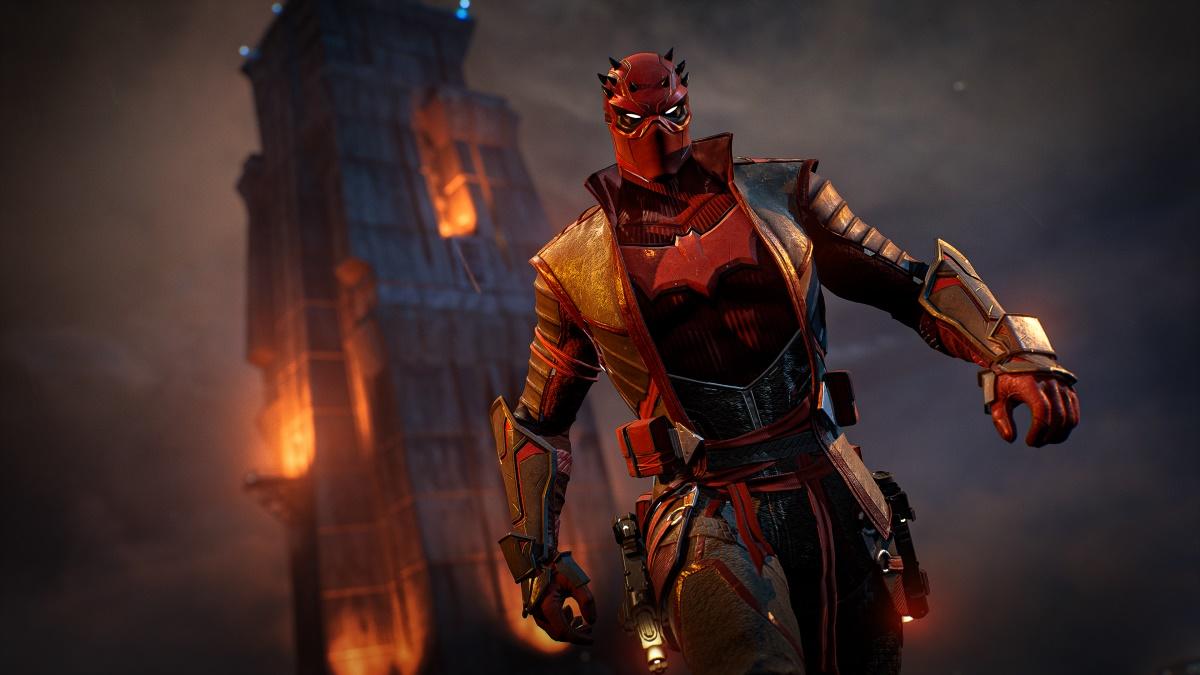
Gotham Knights developer WB Games Montreal has released the fourth and final character trailer for the title revealing new gameplay footage of Red Hood. In all, Gotham Knights features four different playable protagonists in the form of Nightwing, Batgirl, Robin, and Red Hood. While certainly not the first time we have seen Red Hood in action, it does mark the first time a trailer has focusee explicitly on him and him alone.

As previously revealed, Red Hood being brought back to life through the use of the Lazarus Pit has left the character with strange mystical powers. While the previously released gameplay footage indicated that this explained his unique traversal mechanics, the latest trailer seems to imply that his combat abilities have also been affected by his resurrection. You can check out the new Gotham Knights trailer for yourself embedded below:

Gotham Knights is a brand-new open-world, third-person action RPG featuring the Batman Family as players step into the roles of Batgirl, Nightwing, Red Hood and Robin, a new guard of trained DC Super Heroes who must rise up as the protectors of Gotham City in the wake of Batman’s death,” the official description of the upcoming video game reads. “An expansive, criminal underworld has swept through the streets of Gotham, and it is now up to these new heroes to protect the city, bring hope to its citizens, discipline its cops and fear its criminals. Players must save Gotham from descent into chaos and reinvent themselves into their own version of the Dark Knight.”

Broadly speaking, Gotham Knights is set to release for the PlayStation 5, Xbox Series X, Xbox Series S, and PC on October 25th. In case you missed it, the title is no longer set to release for Xbox One or PlayStation 4. There are several different versions available to pre-order from $69.99 to $299.99 wherever such things are sold. You can check out all of our previous coverage of the upcoming DC video game right here.

What do you think about the new Gotham Knights trailer featuring Red Hood? Do you already have an idea as to which of the four playable characters you are most interested in playing when the game releases? Let us know in the comments, or feel free to reach out and hit me up directly over on Twitter at @rollinbishop in order to talk about all things DC and gaming!

.

Categories
Technology

Google files lawsuits against Sonos over alleged patent infringement

Google launched new lawsuits against Sonos, claiming the company violated several of its smart speaker patents in the latest bout of a long-running legal spat.

So far, Sonos has sued Google multiple times, and Google has sued Sonos once in return — this marks the second suit from Google. Moreover, one ruling has been handed down so far in favor of Sonos, which led to Google removing the ability for users to simultaneously control the volume of a group of Google speakers with their phones.

According to TheVerge, the latest lawsuits from Google allege Sonos infringed on seven additional patents. One of the lawsuits focuses on hotword detection and wireless charging — hotword detection refers to a speaker’s ability to wake up and respond to a user query after they say a specific word or phrase. The other lawsuit is about how a group of speakers determines which one should respond to a voice input.

Google filed both lawsuits this morning in the US District Court for the Northern District of California. Moreover, the search giant plans to launch similar lawsuits with the US International Trade Commission — the lawsuits will seek a ban on imports of Sonos products that allegedly infringe on the patents.

Google spokesperson José Castañeda told TheVerge that Google filed the lawsuits to “defend [its] technology and challenge Sonos’s clear, continued infringement of [its] patents.” Moreover, Castañeda accused Sonos of starting an “aggressive and misleading campaign” against Google products.

However, Sonos fired back in its own statement to TheVergecalling the lawsuits an “intimidation tactic” and accusing Google of suing in retaliation against Sonos “for speaking out against Google’s monopolistic practices.”

Source: The Verge