Google has begun the next phase of merging its Duo and Meet video chat apps into one service.
The brand sent out an update on Wednesday, which will change the Google Duo icon to Google Meet. The update is largely aesthetic but is set to roll out for Android and iOS devices over the coming weeks. You can expect to receive a home screen notification explaining how Google Duo has been merged into Google Meet.
Koshiro K/Shutterstock
The brand detailed in June that it has plans to meld the two chat services into a more professional video meeting system, which will be branded under a single name, Google Meet. The transition quickly began in July with Google Google started making changes to the system, moving several Meet features onto Duo, including:
Custom virtual backgrounds for video communication
meeting scheduling
In meeting chat rooms
In-call live-share of content
Real-time closed captions
Video call limit increased from 32 to 100 participants
Google tools integration with Gmail, Google Calendar, Assistant, Messages, and more.
The brand also sent out an update, changing the app icon to “Google Meet (original).”
TechCrunch noted that many frequent Google Meet users likely wouldn’t have noticed the icon shift as a major change. However, once the August update hits devices, they will be forced to notice the transition. The publication also added as the merge continues, you’ll need a Google account to access the unique Meet features. Previously, Duo as a call app only required a phone number.
As the merge culminates around September, everyone will see the new Google Meet icon and app name, and those who want to install Google video messaging service for the first time will have to assess the new Google Meet app, which will be available at the Google Play Store or Apple App Store.
The Google Meet (original) app will be available for some time, but it will eventually be retired, with its users receiving a recommendation to update to the new application.
Google is also updating its Google Meet branding on its Duo on the Web services as of Wednesday; however, transitioning that platform completely to the new system is planned over the next several months, the brand said.
The fate of Google Duo being merged into Google Meet seems to simply be a numbers game, as opposed to scrapping the app altogether. 9to5Google noted in June that Google Duo has 5 billion Android downloads, in comparison to Google Meet, which has over 100 million downloads.
Pet Health Australia has debuted as a brand-new magazine filled with tips, tricks and articles to get the most out of a pet’s life, allowing them to become as healthy as you.
The magazine, produced by The Royals for Australian-made natural pet food company Real Pet Food’s Ivory Coat brand, builds on the agency’s strategy of showing the benefits of diet for pets in a way pet owners can relate to. It follows on from Ivory Coat’s integrated campaign, “For pets as healthy as you”, launched in May.
Connie MacLulich, brand manager at Real Pet Food Company, said: “Pet Health is the perfect encapsulation of Ivory Coat’s mission to deliver better nutrition and a healthier lifestyle for Australia’s pets. The Royals have done a phenomenal job of creating an entire magazine from scratch in what is a bold new phase for the Ivory Coat brand. We couldn’t be more pleased with the end result.”
All content for the 64-page pet lifestyle magazine was written, produced, photographed and designed by The Royals content engineering studio, the independent agency’s content arm, in partnership with the Pet Care experts at Real Pet Food.
With a print run of 10,000 and articles including the golden rules of pet exercise, what to ask your vet, and entering the pet tech world with the latest technology from the Petaverse, Pet Health magazine is being distributed through selected specialty retailers and this month’s Dog LoversShow.
Pet Health is also available for digital download on Ivory Coat’s website – making it easier than ever to ensure your pet is as healthy as you.
While more editions will go to print in coming months, the first issue zeroes in on how to keep your pet healthy and fit with an in-depth analysis of the diets and nutrients needed and the prime exercises to lead an active life with a specialized Fur Intensity Training program.
The Royals executive creative director Sebastian Vizor said: “Ivory Coat has gone to unusual lengths to ensure its food is naturally nutritious with all the ingredients to fuel health and wellbeing. But we found that people didn’t appreciate what that actually means. With humans, many sources of information support men’s and women’s health. Yet, surprisingly none specifically expressed the benefits of our furry friends leading a healthy, active lifestyle, and so the first wellbeing publication for pets was born.”
CREDITS
Client: Real Pet Food Company
Brand: Ivory Coat
Brand Manager, Real Pet Food Company: Connie MacLulich
At Gizmodo, we independently select and write about stuff we love and think you’ll like it too. We have affiliate and advertising partnerships, which means we may collect a share of sales or other compensation from the links on this page. BTW – prices are accurate and items in stock at the time of posting.
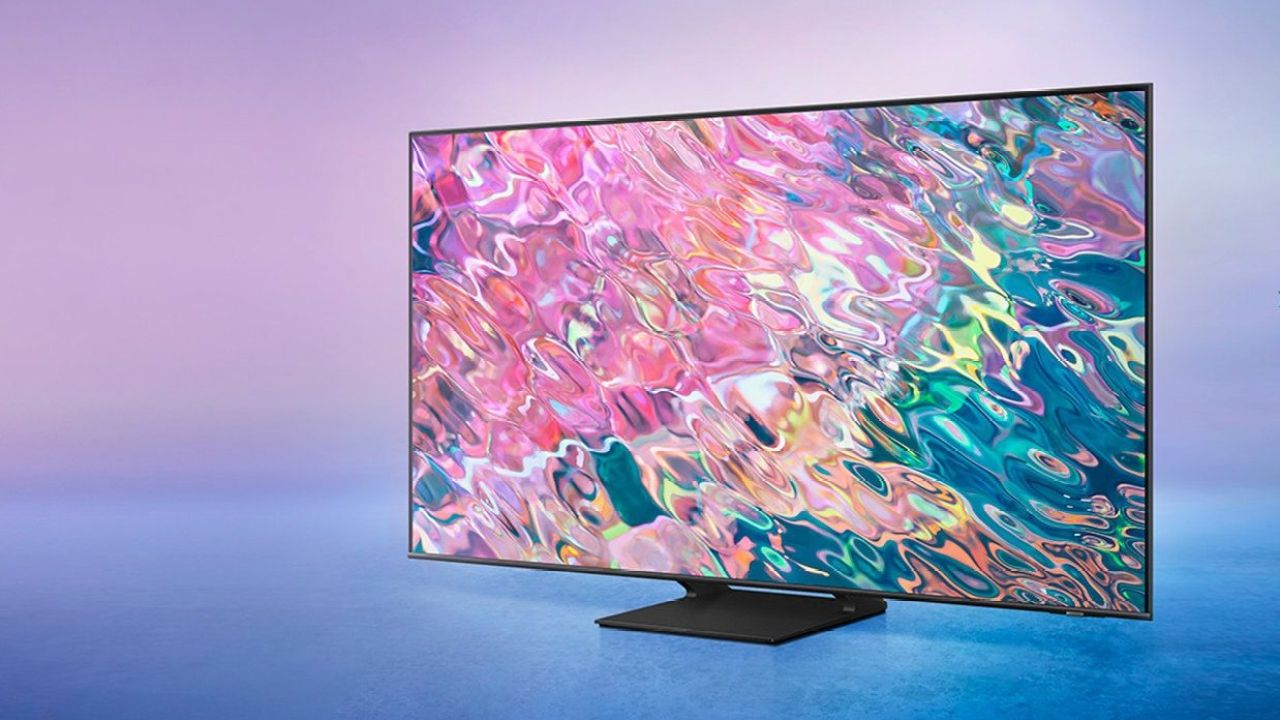
Whether your TV has finally carked it or perhaps you just want to upgrade to a bigger and better screen, eBay’s got your back with up to $860 off its Samsung 4K smart TV range.
Samsung isn’t just a top Apple competitor on the smartphone front. It’s also renowned as one of the world’s top TV brands for introducing its QLED range, which stands for “Quantum Light-Emitting Diode”. While it’s very similar to an OLED, a QLED is just an LED LCD TV that’s added quantum dots to its formula to create a more vivid display. Unlike OLED (which emits its own light), QLED is transmissive, so it relies on an LED backlight contained in the film to produce a better and brighter colour.
If a bright and colorful display is your preference when binging your favorite shows, then a QLED TV is your best bet. In exchange, you may sacrifice contrast — but that might not be so bad if you live in a home that’s filled with lots of natural light, since you won’t suffer from as much glare.
We’ve rounded up the best deals on eBay Australia right now, so you can hook up your living room with a new Samsung TV.
Image: Samsung
At a paper-thin 26mm, this TV almost looks like it’s not there when you look at it from side on. It also features built-in cable management so you suffer less clutter and no bulky bezels to put more emphasis on screen size.
This TV can also transform its boring, blank screen into a stunning 4K photo wall of your favorite memories and people.
Shop it here for $2,349 (RRP $2,499).
Image: Samsung
The only non-QLED TV on this list, this Crystal UHD one will offer an arguably better picture. Since Crystal UHDs offer a wider color gamut, they tend to have better color accuracy than what you can experience with a QLED TV.
That doesn’t mean that a QLED isn’t as great as it is, but QLEDs tend to have screens that are washed over thanks to a bright filter.
This Samsung TV still offers all of the spicks and specs such as voice assistant compatibility, an air-slim design and auto-device detection.
Shop it on sale now for $2,299 (RRP $2,499).
Image: Samsung
While the 85-inch model is about a grand more than the aforementioned 75-inch Samsung TV, going bigger will still let you save $548 off its full RRP if you want to enjoy some sport or a film at maximum screen size.
It’s not missing anything the first model possesses, so it’s up to you to decide if you can afford the extra 10-inches in your TV budget.
Shop it here for now $2,917 (RRP $3,499).
Image: Samsung
Take your viewing experience to the next level with Samsung’s 8K Ultra-HD smart TV. If you want a humorous gaming TV for your console, you won’t be disappointed. If you want to future-proof your TV for the next few years, grabbing an 8K TV now would be a smart plan.
In our review, we found that the graphics and color were bright and clear on its big screen. Since it’s well-known that most QLED TVs don’t handle contrast well, we were pleased to discover that the dark reproduction was solid when playing games like Cyberpunk 2077 or destiny 2.
As for streaming quality, the colors popped out of the screen without seeming oversaturated. We couldn’t find much to fault it for, although it’s RRP isn’t the most affordable. That’s why we were sold when we discovered that eBay had this Samsung TV on sale for a generous $1,364 off.
Shop this Samsung QLED TV on sale here for $3,931 (RRP $4,799).
At Gizmodo, we independently select and write about stuff we love and think you’ll like it too. We have affiliate and advertising partnerships, which means we may collect a share of sales or other compensation from the links on this page. BTW – prices are accurate and items in stock at the time of posting.
Solid State Drives, more commonly referred to as SSDs, are a great way to speed up your computer’s loading times. A portable SSD will also make moving files from PC to PC a breeze, instead of something you need to set aside time for.
However, buying an SSD can be somewhat tricky if you aren’t across all of the confusing technical jargon. With a vast amount of options available, it can be hard to figure out which SSD is right for you, let alone compatible with your PC.
Here’s everything you need to know about SSDs, so you can choose the right one for you.
What is an SSD?
Image: iStock/Believe_In_Me
When SSDs first burst onto the scene, there were two easy ways to tell them apart from their mechanical hard drive ancestors.
Firstly, they were generally smaller than the SATA mechanical drives that were the style at the time, but secondly, and more importantly, they were way more expensive. SSDs promised speed for sure, but you didn’t half pay for it.
As with any technology, time has been very kind to SSD prices, and the quantity of storage you can get for much more modest prices has risen astonishingly in just a few short years. If you break it down to a per-GB price, mechanical drives can still come out as a cheaper option, but that’s a difference that is rapidly reducing in importance, while SSDs become more reliable and stay way faster than mechanical drives will ever be.
Still, if you’re looking into buying an SSD, whether you’re upgrading a desktop rig, configuring a new PC for someone else to build for you or just comparing specifications on pre-built systems, it’s worth knowing what to look for to ensure that you’re getting the best value for money.
The key factor here that you can boil down to is still going to be that cost-per-GB basis, and if you can score a good deal on a lot of SSD storage for not much money, go for it.
As SSDs have evolved, the full picture of what you need to consider when comparing SSDs has become a little more complex. We’ll run through the terms you’re likely to see when SSD shopping, and why they might matter to you more or less depending on your needs.
Understanding SSD jargon
A traditional 2.5-inch SSD with a SATA connector. Image: Samsung
You’re probably aware that traditional computers – as distinct from the astonishing but brain-bending category that is quantum computing – think of everything as ones and zeroes.
Where traditional mechanical drives use platters to store all those single digits, rather like a stack of LPs, SSDs instead store everything in non-volatile flash memory. The reason why SSDs are so much faster has to do with the nature of writing directly onto flash memory that can keep storage even when power is cut.
Where a traditional drive has an access head – again, our LP analogy works pretty well here – that has to seek out bits on the drive, an SSD can simply send that data as an electrical signal directly to where your PC needs it to go. This is a lot faster, a lot more energy efficient and fair more durable too.
It’s important to note that while SSD storage can retain data even when power is dropped, it’s not immortal. Early SSDs also compared poorly to their mechanical counterparts because there’s a limit to how many times you can write, delete and rewrite to flash storage, although this is something that has improved markedly in recent years.
The bigger durability gain for SSDs is that they have no moving parts, which means that they don’t care at all if your laptop is moving while they’re trying to write. You can drop an SSD while it’s writing with few issues unless the impact cracks it or similar, whereas a small bump on a mechanical drive can lead to serious write errors. Many mechanical drives have fancy drive head parking mechanisms to limit this problem, but SSDs have simply never needed that kind of trickery.
Early SSDs, and some still on the market do still borrow from mechanical drives in terms of interfaces, with plenty of drives still using either SATA (internal) or USB (external) connectors for compatibility reasons. It’s great to be able to easily plug in an SSD and have it work, but the downside of these interfaces is slower transfer speeds, with the best SATA only hitting a maximum of 600MB/s.
Newer SSDs use what’s called NVMe (Non-Volatile Memory Express), a term you may see in marketing materials alongside PCI Express (PCIe) when discussing speed. NVMe can more directly address your computer’s processor, which means that it can ping data around at rates that are considerably faster than SATA can handle. At current peaks with an NVMe M.2 drive you could hit 3,500MB/s at peak – way faster than that SATA peak.
If you’re still paying attention, you probably noticed that we snuck in a new bit of jargon there in the form of M.2. That’s also a term you’ll see in SSD marketing materials, and it refers to a connection type and build size for SSDs specifically.
Whereas old school SSDs aped the style of mechanical drives with SATA connections, M.2 form factor drives are even more compact and rely on having the right connectors on a motherboard and typically NVMe on board, although you can get M.2 SATA drives as well. If you’ve got a laptop with an onboard SSD, especially a more modern ultrabook style model, the odds of it having an M.2 drive are very high.
One trap to dodge for laptop upgrades even if you’re sure your current system can take an M.2 drive is to ensure that you can actually take out the existing SSD. Some manufacturers solder their drives directly to the motherboard, thus making internal upgrades impossible.
Yes, Apple, we’re looking straight at you. If you want to run an SSD upgrade on a MacBook, you’ll either need a a lot older MacBook model or make do with an external SSD drive.
How Do I Match An SSD To My Needs And Budget?
We’re going to use a few practical examples here with drives available right now from Amazon and eBay to give you an idea of where certain models fit in the market, and why they might be a good or poor choice depending on your needs and budget . SSDs can be a better or worse fit for your needs, and it’s important to keep an eye on prices over time, because what you can get for a fixed sum is generally improving.
Crucial MX500 SATA 2.5-inch SSD, 250GB
Image: Crucial
pros: It’s cheap and uses SATA, so it could be good if you’ve got an older motherboard without M.2 sockets.
Cons: It’s relatively slow – 560MB/s read and 510MB/s write and low capacity.
Who is good for: If you’re giving a much older PC one last gasp of life, this could be a simple way to make your primary Windows partition quite a bit faster if it’s struggling on an older mechanical drive, with actual document storage in the cloud or on a secondary mechanical drive.
Where to buy: Amazon Australia ($49) | Dick Smith ($65.95) | eBay ($66.90)
WD Black SN770 NVMe M.2 PCIe Gen4 SSD, 250GB
Image: Western Digital
pros: Much faster – read speeds of up to 4,000MB/s and write speeds of 2,00MB/s as a full NVMe M.2 drive.
Cons: No SATA3 compatibility, so you’d need a newer motherboard that supports it to work at all.
Who is good for: Those with motherboards that have unpopulated M.2 slots looking for just a little more storage, although this SSD is also available in 1TB and 2TB capacities (with higher read/write speeds).
Where to buy: Amazon Australia ($78.77) | Dick Smith ($81.87) | eBay ($97)
Sandisk Extreme Portable NVMe SSD (V2), 500GB
Image: Sandisk
pros: Ruggedised external storage with a USB-C connector, so it’ll plug into just about anything, doesn’t need an external power supply. USB 3.2 Gen 2×2 interface gives it read speeds that top out at 1,050MB/s.
Cons: You could get a lot more storage from an external mechanical drive.
Who is good for: If you want a super-light external drive you can shuffle between systems, this could be a good match, although we’d certainly compare priced options in external mechanical drives if we were considering this option.
Where to buy it: Amazon Australia ($153.95) | Dick Smith ($149) | eBay ($159.95)
Western Digital WD Green 2.5-inch SATA SSD, 240GB
Image: W.D.
pros: A good amount of storage for the money, WD’s Green drives use low power modes.
Cons: Stuck with SATA speeds.
Who is good for: Folks upgrading older laptops where it’s still possible to swap out the SATA drive, because WD’s Green drives sell themselves on their low power draw.
Where to buy it: Amazon Australia ($41) | Dick Smith ($65.95) | eBay ($58.95)
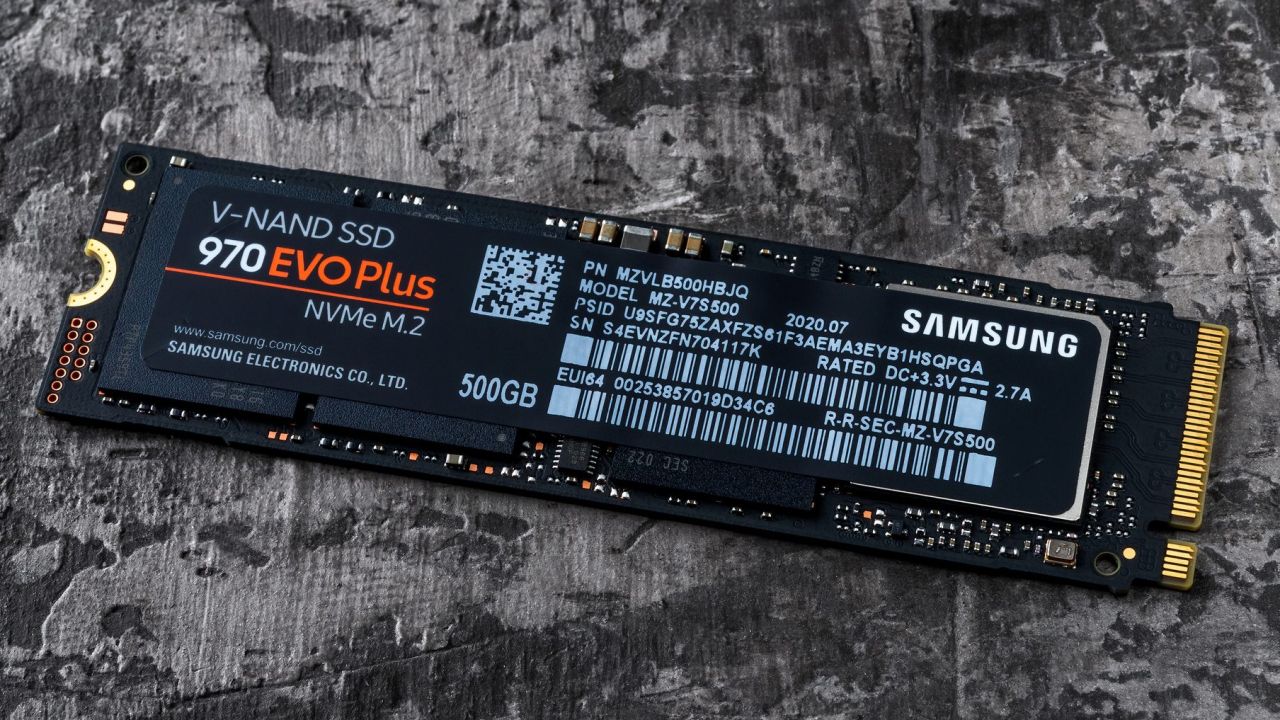
Samsung 970 EVO Plus M.2 NVMe V-NAND SSD, 2TB
Image: Samsung
pros: 2TB is a lot of storage, and Samsung’s V-NAND technology can push up to the full 3,500MB/s on supported systems.
Cons: You have looked at the price, right?
Who is it good for: System builders who want a very fast and high-capacity M.2 SSD.
Where to buy: Amazon Australia ($280.97) | eBay ($297) | mwave ($299)
This article has been updated since its original publication.
Nothing Phone (1) was launched in India last month and went on the first sale on July 21, 2022, followed by second sale last week. The London-based smartphone maker has now announced that the next sale of the handset will take place tomorrow via Flipkart. Nothing Phone (1) To Go on Sale Today in India, Check Offers Here.
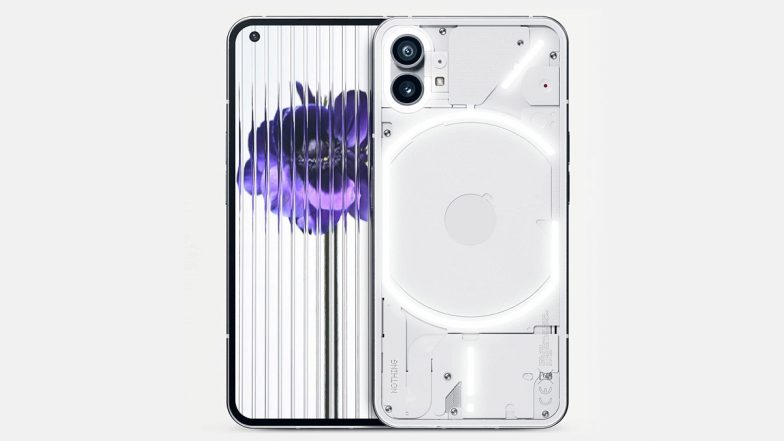
Nothing Phone (1) is priced at Rs 32,999 for the 8GB + 128GB model, whereas the 8GB + 256GB variant costs Rs 35,999. The 12GB + 256GB model retails at Rs 38,999. It comes in black and white colors. Nothing Phone (1) features a 6.55-inch FHD+ OLED display, a resolution of 2400×1080 pixels.
Nothing Series #5. We launch Phone (1).
See how we put on a Nothing Event. Go behind the scenes of our parrot photoshoot. And get a glimpse of what’s next.
It is powered by a Snapdragon 778G+ SoC paired with up to 12GB of RAM and up to 256GB of internal storage. For optics, it gets a 50MP primary camera and a 50MP Samsung JN1 ultra-wide-angle lens. Upfront, there is a 16MP selfie camera. The handset packs a 5,000mAh battery with 33W fast charging support.
(The above story first appeared on LatestLY on Aug 04, 2022 11:34 AM IST. For more news and updates on politics, world, sports, entertainment and lifestyle, log on to our website latestly.com).
In 2021, Valve threw the gaming world a curveball by announcing the Steam Deck, a handheld gaming device most similar to the Nintendo Switch, complete with a small screen and controls on the left and right-hand sides.
The Steam Deck has been available overseas for months. And there’s been no word on when it’s releasing in Australia, outside of “sometime soon”. Well today, Valve has expanded the markets in which you can get your hands on one. Why it’s inching closer to Australia, we once again miss out.
When is the Valve Steam Deck release date?
The Valve Steam Deck released on February 25 in a few markets, with initial preorder models sent to early purchasers on around February 28. Since going on sale, Valve has been emailing reservation holders frequently to tell them they can purchase the Steam Deck. That’s meant a lot of people have been patiently waiting to get their hands on the highly sought-after gadget.
Unfortunately, every market acknowledged by Valve for release was the US, UK, Canada, Germany and France. Today, Valve expanded that. It announced the Steam Deck is coming to new regions, allowing those in Japan, South Korea, Taiwan and Hong Kong to reserve a console.
Steam Deck is coming to new regions! Starting today you can reserve a Steam Deck in Japan, South Korea, Taiwan, and Hong Kong, with the help of Komodo, Steam Deck’s authorized reseller in those regions: https://t.co/jVvhAGq5MA
Valve has outlined some rough estimates as to when you can expect the Steam Deck in other markets, but it’s basically “after Q2 2022”. Sorry Aussies, we don’t have an exact region release date down under just yet.
How to preorder the Steam Deck in Australia
Through some online wizardry, it is in fact possible for an Australian to preorder a Steam Deck from the likes of the US. You’ll need a VPN set to an American location – after setting this, the order page should unlock and you should be able to preorder when stock becomes available. This is the same thing Aussies had to do to get the Valve Index early. So yes, it’s possible to get the Steam Deck in Australia, but it’s best to fully understand what that might mean for small things like access and charging and big things like your consumer protections and warranties.
steam deck price
This isn’t a cheap piece of kit and will set you back several hundred dollars. There are three models available, so you get a fair amount of choice in terms of what you want to get out of the device. We’ll be converting prices from USD to AUD below, but as we know, simply converting the cost of tech in the US into Aussie dollars doesn’t give us the full price (how good* is the Australia tax?).
Consider shipping when making a purchase, too. Also, if storage is super important to you, you can expand it using a MicroSD card.
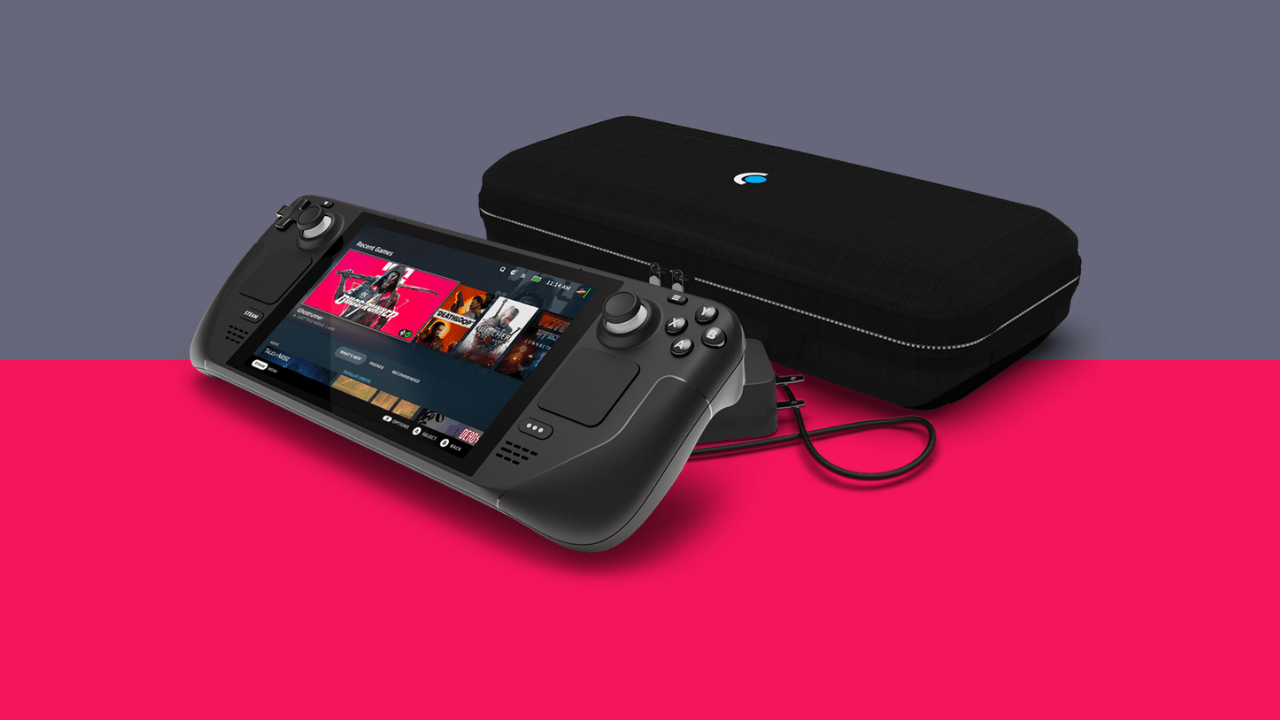
The cheapest option is $US399 (converted, that’s around $555), packed with 64GB eMMC internal storage and a carrying case.
The mid-range model is $US529 (around the $740 mark, straight conversion), packing 256GB SSD internal storage, a carrying case and a Steam Community profile bundle (for your Steam profile).
Finally, the most expensive model is $US649 (converted, $903, so likely tipping $1,000), complete with 512GB NVME storage capacity, anti-glare etched glass, an “exclusive” carrying case, an exclusive steam community profile bundle and an exclusive virtual keyboardtheme.
Here’s a quick teardown video of the Steam Deck
Last year, Valve released a handy little video of a Steam Deck teardown, revealing what it looks like internally.
The company mostly did this as a warning, recommending that users don’t try this at home, but not discouraging system disassembly and modification. You’re allowed to do it, it’s just… be careful.
“Even though this is your PC, or will be once you receive your Steam Deck and you have every right to open it up and do what you want, we at Valve really don’t recommend that you ever open it up,” the narrator says.
What are the Steam Deck specs?
The most interesting question to a PC gamer such as myself – what are the specs? Well, they’re actually really impressive for such a small device. Here’s a quick rundown:
processor: AMD Zen2 APU
GPU: 8 RDNA 2 CUs
Memory: 16GB LPDDR5 on-board RAM
Storage: 64GB eMMC, 256GB SSD or 512GB NVMe SSD (all models are upgradeable with a MicroSD card)
Display: 7-inch 1280 x 800 IPS LCD touch display with a 16:10 aspect ratio, 60hz refresh rate and a 400 nits brightness
connectivity: Bluetooth 5.0 and Dual-band Wi-Fi
Audio: 3.5mm headphone jack, multichannel audio via USB-C, two inbuilt microphones and stereo sound on board
Battery: 40Whr battery providing 2 – 8 hours of gameplay depending on game
Port: USB-C charging and data port
Size: 298mm x 117mm x 49mm, 669 grams weight
Software: Steam OS 3.0
Modes of use: handheld and plugged into a display.
Steam Deck features and design
The Steam Deck is most similar to the Nintendo Switch, in both form factor and features. It’s designed to be a modern handheld gaming console, rectangular in shape with your hands meant to grip the sides of the device, where the buttons are.
The main way that Valve wants people to use the Steam Deck is in handheld mode – using the inbuilt buttons, joysticks and triggers, Valve wants gamers to use the Steam Deck on the go or simply away from their main setup. It also features cloud capability for owned Steam games and MicroSD storage.
However, the Steam Deck can also be used when connected to a display. Much like the Nintendo Switch, the Steam Deck can be played on a monitor or TV. Unlike the Switch, you don’t need a special Dock to do this. Instead, the user simply needs to connect the USB-C port to the display of choice. It’s that simple.
Beyond the two modes of use, the Steam Deck has a range of features. Games can be played from the cloud on the Steam Deck (provided you own them on Steam and have them installed on a computer) and your storage can be expanded by a microSD card. The device is powered by SteamOS, a Linux-based operating system, but can also run Windows 10.
There is a dock coming, though
While you don’t need a dock to connect the Steam Deck to a TV or monitor, Valve is currently developing one. Though you’re unable to preorder it, the dock comes with three USB 3.1 ports, a DisplayPort 1.4 port, HDMI 2.0, and a USB-C cable that connects to the Steam Deck. There’s also an ethernet port that supports gigabit speeds. It’s not necessary, but those ports are handy. As of June 3, the dock was delayed.
steam deck gameplay
While we haven’t gone hands-on with Valve’s handheld just yet, our colleague in the US has. This is a snippet of his review of him:
Valve is rushing to fix bugs, add features, and improve the performance of its software before the Steam Deck lands in customers’ hands. Even today, after weeks of pushing out updates, the software very much remains a work in progress. You should be somewhat relieved knowing things are moving in the right direction. I’m a fan of the overall SteamOS interface.
If you’d like specific gameplay footage, you can find Cyberpunk 2077, Grand Theft Auto V and Elden Ring gameplay below, as recorded by TheRelaxingEnd.
Cyberpunk 2077
Grand Theft Auto V
Elden Ring
If you’re after gameplay footage from Valve itself, here’s the trailer the company put out.
Valve is in the process of verifying games for the Deck, Valve has a running list of what you can expect to play and we’ve broken that down a little further via that link.
Steam Deck accessories
Ordering the device will score you a carrying case for the console, however, that’s about where it ends as far as official accessories go, apart from the earlier mentioned dock.
Although there aren’t any official accessories except for the carrying case, the device is compatible with keyboards, mice, headsets, headphones, Bluetooth devices and wireless devices like controllers. Functionally, it’s capable of all the accessories you’d expect from a PC for basic gaming.
Can I use the Steam Deck for more than just Steam Deck games?
This is an interesting question – Yes, the console can do more than just play Steam Deck (or simply Steam) games. Here’s how it works: Steam doesn’t use Windows, although it does use a Linux-based operating system called SteamOS. SteamOS on the Steam Deck includes a compatibility tool called Proton, allowing any game built for Windows to run on the Steam operating system. It’s a neat trick. Alternatively, if you’re not a fan of SteamOS, the system allows for dual booting into Windows 10 and Valve is even collaborating with AMD to make sure Windows 11 works well on the device.
What’s even neater is that the device allows you to have more than just the Steam Launcher inbuilt, meaning you can have non-Steam games running on it, provided they’re compatible with the hardware.
How does the Steam Deck compare to the competition?
The Steam Deck has some competition, although until the device is commercially available, it’ll be difficult to tell how it compares to these other consoles.
L to R: The Steam Deck, the AYA Neo, the ONEXPLAYER and the GPD WIN 3. Image: Zachariah Kelly/Gizmodo Australia
Compared to other PC-based handhelds, the closest counterpart is the AYA Neo, a crowdfunded PC gaming handheld running Windows 10. This boasts impressive specs similar to the Steam Deck, with two models available at higher prices.
Moving on from the AYA Neo, there are a few other options. The OneXPlayer is much like the AYA Neo, packed with a larger screen and similar specs. The OneXPlayer also runs an Intel CPU and an Intel Iris XE GPU, as opposed to the AMD CPU of the Steam Deck.
Additionally, the GPD Win 3 is a handheld Windows 10 machine intended for handheld gaming (including a sliding screen that reveals a small keyboard), running an Intel CPU instead of the Deck and Neo’s AMD CPU.
Australian availability of these Steam Deck alternatives vary, but if you’re simply after a handheld gaming device, the Nintendo Switch is readily available.
This article has been updated since it was first published, and we’ll keep it updated as we learn more, so make sure you check back.
Bit of a PSA for you: JB Hi-Fi is running a four-day sale on gaming laptops. It starts today and runs over the weekend.
The sale covers a lot of gaming laptops across just about all major brands and knocks 25% off the ticket price.
Asus’s 15.6″ TUF Dash F15 is now under $2000 and packs an i7-12650H up to 4.7GHz, an RTX 3050Ti and a 520GB SSD. Not bad at all.
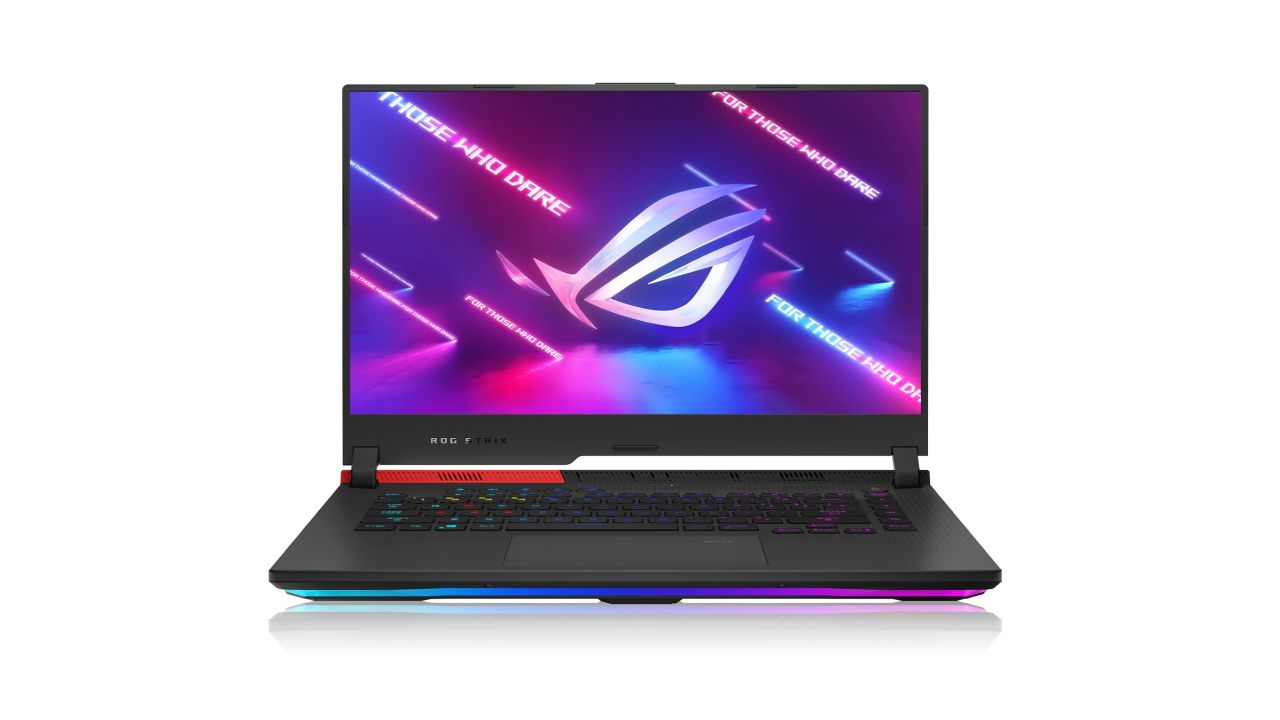
The beefy Alienware Aurora R13, which we reviewed earlier this year, has had nearly $1500 wiped off its price tag (and there’s an i5 version available too if the discounted price still makes your eyes water. I cannot blame you if it does).
At the more financially rational end of the scale, Dell’s G15 15.6″ gaming laptop is now under a grand. The HP Victus 16.1″ also makes a strong argument for itself, with a 144Hz display and the cheapest RTX model on the list.
Among the desktops, the Asus ROG Strix G10DK is the cheapest path to an RTX card in the sale, at a hair over $1600.
There are a ton of gaming PCs and laptops in this sale. If you’re in the market for a new machine (or looking for a uni laptop you can use to run Valorant instead of study), this may present a golden opportunity.
JB’s gaming laptop runs from today until COB on Sunday, August 7th. You can see the full range here.
You can currently drive the new Western Star 57X highway truck from Daimler Truck in American Truck Simulator.
A brand-new Daimler Truck model that emerged in the truck game and on American roadways almost simultaneously is the latest addition to American Truck Simulator.
RELATED: Warcraft III: Reforged Gets A Big Update To Fix The Flawed Graphics And Animations
Thanks to a collaboration between the Western Star 57X and the game’s creator, SCS-Software, you can now include it in your fleet of American Truck Simulator vehicles. The Western Star 57X is a part of the company’s “trilogy of tough” series.
The Western Star® 57X consists of a combination of both worlds. It takes the X Series’ DNA of bold design and dependability and combines it with Daimler Truck North America’s best road platforms, which have been tested over millions of thousands to bring you the most cutting-edge and creative road truck Western Star has ever produced.
RELATED: The Official E3 Cinematic Trailer Just Released For Cyberpunk 2077; Keanu Reeves Confirmed As An In-Game Character
There are various settings and combinations available for the Western Star® 57X. This consists of a day cab and a 72″ sleeper cab, three short chassis options and two long chassis options, five interior trim options, proprietary Detroit® drivetrain options, and a plethora of other enhancements and extras to make your iconic truck stand out!
In its digital rendition of the 57X, SCS has replicated many of the slick-looking high-tech features, such as the computerized dashboard and C-bracket side-view mirrors with integrated turn signals.
In American Truck Simulator, it is now accessible at any Western Star dealer. The base price for the day cab configuration is $118,765, while the level 25 minimum requirement and the base price for the sleeper cab configuration are $189,530 and $189,530, respectively.
We would like to extend a sincere appreciation to our friends at Western Star® for letting us collaborate closely with them and include this truck in American Truck Simulator just after its official debut.
When users want to send data over the internet faster than the network can handle, congestion can occur — the same way traffic congestion snarls the morning commute into a big city.
Computers and devices that transmit data over the internet break the data down into smaller packets and use a special algorithm to decide how fast to send those packets. These congestion control algorithms seek to fully discover and utilize available network capacity while sharing it fairly with other users who may be sharing the same network. These algorithms try to minimize delay caused by data waiting in queues in the network.
Over the past decade, researchers in industry and academia have developed several algorithms that attempt to achieve high rates while controlling delays. Some of these, such as the BBR algorithm developed by Google, are now widely used by many websites and applications.
But a team of MIT researchers has discovered that these algorithms can be deeply unfair. In a new study, they show there will always be a network scenario where at least one sender receives almost no bandwidth compared to other senders; that is, a problem known as starvation cannot be avoided.
“What is really surprising about this paper and the results is that when you take into account the real-world complexity of network paths and all the things they can do to data packets, it is basically impossible for delay-controlling congestion control algorithms to avoid starvation using current methods,” says Mohammad Alizadeh, associate professor of electrical engineering and computer science (EECS).
While Alizadeh and his co-authors weren’t able to find a traditional congestion control algorithm that could avoid starvation, there may be algorithms in a different class that could prevent this problem. Their analysis also suggests that changing how these algorithms work, so that they allow for larger variations in delay, could help prevent starvation in some network situations.
Alizadeh wrote the paper with first author and EECS graduate student Venkat Arun and senior author Hari Balakrishnan, the Fujitsu Professor of Computer Science and Artificial Intelligence. The research will be presented at the ACM Special Interest Group on Data Communications (SIGCOMM) conference.
congestion control
Congestion control is a fundamental problem in networking that researchers have been trying to tackle since the 1980s.
A user’s computer does not know how fast to send data packets over the network because it lacks information, such as the quality of the network connection or how many other senders are using the network. Sending packets too slowly makes poor use of the available bandwidth. But sending them too quickly can overwhelm the network, and in doing so, packets will start to get dropped. These packets must be resent, which leads to longer delays. Delays can also be caused by packets waiting in queues for a long time.
Congestion control algorithms use packet losses and delays as signals to infer congestion and decide how fast to send data. But the internet is complicated, and packets can be delayed and lost for reasons unrelated to network congestion. For instance, data could be held up in a queue along the way and then released with a burst of other packets, or the receiver’s acknowledgment might be delayed. The authors call delays that are not caused by congestion “jitter.”
Even if a congestion control algorithm measures delay perfectly, it can’t tell the difference between delay caused by congestion and delay caused by jitter. Delay caused by jitter is unpredictable and confuses the sender. Because of this ambiguity, users start estimating delay differently, which causes them to send packets at unequal rates. Eventually, this leads to a situation where starvation occurs and someone gets shut out completely, Arun explains.
“We started the project because we lacked a theoretical understanding of congestion control behavior in the presence of jitter. To place it on a firm theoretical footing, we built a mathematical model that was simple enough to think about, yet able to capture some of the complexities of the internet. It has been very rewarding to have math tell us things we didn’t know and that have practical relevance,” he says.
Studying starvation
The researchers fed their mathematical model to a computer, gave it a series of commonly used congestion control algorithms, and asked the computer to find an algorithm that could avoid starvation, using their model.
“We couldn’t do it. We tried every algorithm that we are aware of, and some new ones we made up. Nothing worked. The computer always found a situation where some people get all the bandwidth and at least one person gets basically nothing,” Arun says.
The researchers were surprised by this result, especially since these algorithms are widely believed to be reasonably fair. They started suspecting that it may not be possible to avoid starvation, an extreme form of unfairness. This motivated them to define a class of algorithms they call “delay-convergent algorithms” that they proved will always suffer from starvation under their network model. All existing congestion control algorithms that control delay (that the researchers are aware of) are delay-convergent.
The fact that such simple failure modes of these widely used algorithms remained unknown for so long illustrates how difficult it is to understand algorithms through empirical testing alone, Arun adds. It underscores the importance of a solid theoretical foundation.
But all hope is not lost. While all the algorithms they tested failed, there may be other algorithms which are not delay-convergent that might be able to avoid starvation This suggests that one way to fix the problem might be to design congestion control algorithms that vary the delay range more widely, so the range is larger than any delay that might occur due to jitter in the network.
“To control delays, algorithms have tried to also bound the variations in delay about a desired equilibrium, but there is nothing wrong in potentially creating greater delay variation to get better measurements of congestive delays. It is just a new design philosophy you would have to adopt,” Balakrishnan adds.
Now, the researchers want to keep pushing to see if they can find or build an algorithm that will eliminate starvation. They also want to apply this approach of mathematical modeling and computational proofs to other thorny, unsolved problems in networked systems.
“We are increasingly reliant on computer systems for very critical things, and we need to put their reliability on a firmer conceptual footing. We’ve shown the surprising things you can discover when you put in the time to come up with these formal specifications of what the problem actually is,” says Alizadeh.
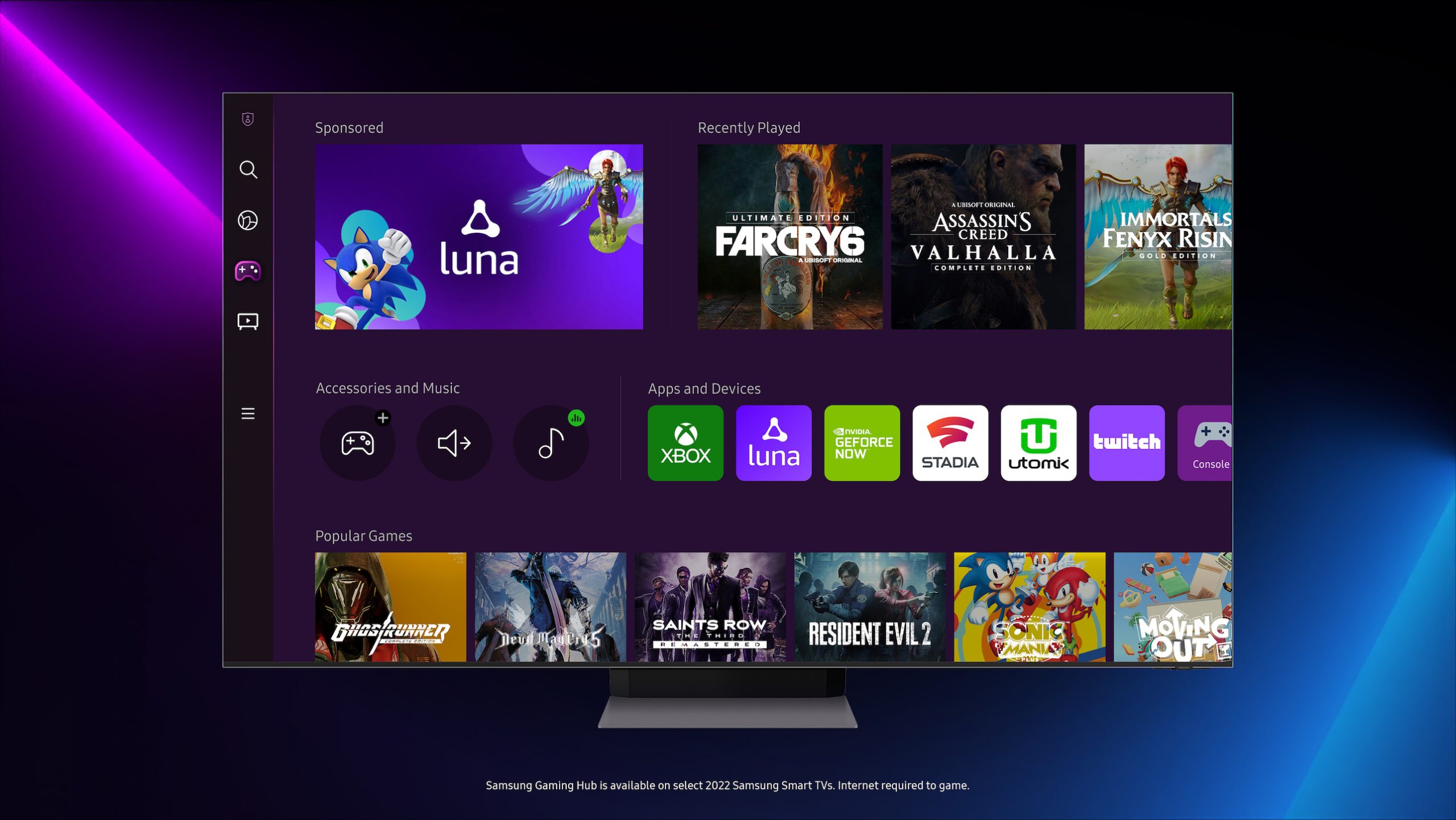
Earlier this year, the Samsung Gaming Hub brought Xbox Game Pass, NVIDIA GeForce Now, Google Stadia and other gaming services to Samsung smart TVs and smart monitors, promising to add new services like Amazon Luna “soon.” Soon, it turns out, is today: Amazon’s cloud gaming service is now available on 2022 Samsung smart TVs.
Samsung says that with Luna, the gaming hub now has more than 1000 games available to play. Most of these games will require an extra subscription fee, though if you’re an Amazon Prime subscriber, you already have access to a small library of games. Very small. Right now Prime users can play four games (Steel Assault, MYST, Control: Ultimate Edition and Garfield Kart: Furious Racing) included with their subscription.
The selection of free with Prime games changes every month, but users can subscribe to additional channels to expand their library. Luna Plus, for instance, includes games like Yakuza: Like a Dragon, Mega Man 11Ghostrunner and Resident Evil VII. Luna’s Retro Channel has a collection of classic games, from Centipede to Street Fighter II. Users can also subscribe to channels featuring Ubisoft and Jackbox game packs, all priced between $4.99 and $17.99 a month. If you do subscribe, your games won’t be locked to your TV: Luna games are playable on PCs, Macs, tablets and smartphones.
How well all these games work, however, depends on your connection speed. Amazon Luna and Xbox Game Pass both recommended minimum internet speeds of 10Mbps to 20Mbps on a 5GHz WiFi connection — and of course, you’ll also need the aforementioned 2022 Samsung Smart TV and a Bluetooth gamepad. If you have all that, Luna’s Free with Prime games are a great way to try game streaming on your TV.
All products recommended by Engadget are selected by our editorial team, independent of our parent company. Some of our stories include affiliate links. If you buy something through one of these links, we may earn an affiliate commission.