
Categories
Technology

Square Enix Shares Fresh New Details For Life Sim RPG Harvestella

NemeaStory 03 H12rymywg
Image: Square Enix

Square Enix is ​​keeping its end-of-year release calendar extremely busy. Even if you discount titles like Star Ocean: The Divine Force and Valkyrie Elysium, its Switch line-up — which includes The DioField Chronicle, NieR: Automata, and Crisis Core: Final Fantasy VII Reunion — is a force to be reckoned with.

But those are all multiplatform releases or ports — and we know we haven’t covered everything there — but there’s one game Square Enix is ​​releasing that is a Switch console exclusive. Harvestella was revealed during Nintendo’s most recent Partner Direct, and it looks like something a bit different for the RPG developer.

Combining life simulation, farming, and RPG elements, this looks like the company’s answer to RuneFactory. With its lovely pastel environments and lush character designs, we’re extremely interested. Today, Square Enix showed off some new details for the game on its blog, focusing on the main town, the game’s job system, character stories, and the different crops you can harvest.

Let’s start off with a summary straight from the blog post then, shall we?

In daily life, you can spend a relaxing day farming, fishing, or raising livestock, before heading to town to socialize and build your relationships with residents. If you want to test your combat skills, you can step into a dungeon to take on hordes of monsters with a variety of weapons and jobs.

Whatever you do, time passes through the seasons, Spring, Summer, Autumn, and Winter. But between each one is a fifth season: Quietus! During this time, crops wither and die, and a deadly dust keeps people trapped indoors.

You’ll need to plan around the changing seasons and the grim inevitability of Quietus, as you attempt to solve the mysteries behind this season of death.

You’ll start your adventure in the town of spring, Nemea. This beautiful lilac-coloured town is full of blossoming flowers all year round, and at night, the cherry blossoms dance in the moonlight. But the appearance of a giant egg on the Spring Seaslight has caused monsters to appear and attack the town’s residents.

Joining forces with a member of the Argus brigade, Asyl, you’ll need to travel to the Seaslight to find out why the egg is causing this discord.

Alongside Asyl, you’ll also meet Istina, a teacher who looks after the children at the town’s orphanage. She has a bit of a hidden past, however, hiding it from the townsfolk and the children, and largely keeping to herself otherwise. But your appearance of her in the town will change all of that for her.

We like Istina. She likes reading and she’s very intelligent, and she enjoys reading aloud to children — especially about all of the world’s different locations. And we also appreciate her trepidation and her quiet nature of her.

We’re also getting a look at a brand new job coming to the game. Joining Fighter, Mage, and Shadow Walker (which is the coolest sounding job ever, if you ask us), there’s the Sky Lancer.

okay maybe Este is as cool sounding as Shadow Walker. It’s essentially a Dragoon class that uses a lance and focuses on wind element attacks. It’s also pretty good at crowd control apparently!

To learn new jobs, you need to work together with another character who has that job. Good thing Asyl is a Sky Lancer, then! We’ll be taking that as soon as we can in our playthrough.

Characters are also pretty important throughout the game, not just in battle. It’s an RPG, remember! And a life sim. Talking to the residents is key. These ‘Character Stories’ will focus on the character’s problems, and completing them will increase your closeness, while also granting rewards and combat boosts!

But you’ll also need to harvest, fish, and ship items out too! And you can whip up some delicious-looking dishes with the ingredients you grow, like strawberry shortcake and Nemea bolognese. And this is just a sampling of what you can make with spring season ingredients! The strawberries are called ‘strawbuddies’, though, and that’s totally worth noting

To make this more like Stardew Valley or Harvest Moon, you can harvest your crops and fish for…fish, and then ship the goods out to make money. You don’t have to cook with them, and sometimes, you’ll want to save up the pennies to buy more goods. And you’ll need to craft some stuff to actually make some other things like wheat.

We’re excited to see what the other seasons bring to the game, and what other jobs we’ll be able to play as in Harvestella. The game launches on 4th November, which means we don’t have very long to wait for this one to sprout!

You can read more about the game over on Square Enix’s blog post below. And make sure youet us know what you think of these new details on Harvestella in the comments!

.

Categories
Technology

Twitter Spaces might soon get a revamped look

Twitter has confirmed they will be revamping Spaces in the near future, but shared no timeframe concerning the same.

TwitterTwitter Spaces might get a revamp in the near future.

Twitter’s Spaces– the platform’s audio chatroom feature– is getting a revamp. The social media platform confirmed changes are indeed underway and that they are working on a new Twitter Spaces tab in the app itself, but did not reveal any information about the same. But some images revealed the company’s plans to group Spaces based on common interests like Music.

A report by TechCrunch suggests Spaces might also get the ‘Your Daily Digest’ treatment, which as it might you thought, will be a collection of Spaces from people you already follow or might want to listen to. While Twitter did not say the images shared by TechCrunch were fake, they pointed out that they were indeed outdated and inaccurate.

Twitter told TechCrunch that the changes reflected an ‘initial version’ of the new experience and that it might change in the coming days. While the company did say they will be announcing the changes in the near future, there is no timeframe as to if and when they will be implemented.

A couple of months ago, Twitter made it easier for those using Spaces to see information like who’s hosting and Topics being discussed on the Space bar.

TWO IS ALWAYS BETTER |
Our two-year subscription package offers you more at less

  • The Indian Express website has been rated GREEN for its credibility and trustworthiness by Newsguard, a global service that rates news sources for their journalistic standards.

© IE Online Media Services Pvt Ltd

First published on: 04-08-2022 at 01:47:45 pm

.

Categories
Technology

‘Dead By Daylight’ dating sim ‘Hooked On You’ gets surprise Steam launch

Behavior Interactive has launched hooked on youa visual novel that offers players the chance to date killers from Dead By Daylight.

During the Behavior Beyond showcase, Behavior Interactive announced that Hooked On You: A Dead By Daylight Dating Sim is available on Steam today (August 3).

A dating game created to address fans’ “deep thirst”, hooked on you is set on Murderer’s Island, where “four dead-sexy killers” from Dead By Daylight are looking for romance – The Trapper, The Huntress, The Wraith and The Spirit.

Behavior Interactive describes The Trapper as “an alpha male whose bulging biceps and singlet swimsuit leave little to the imagination,” while The Huntress will use her “herculean biceps and cute bunny mask” to woo suitors.

Meanwhile, The Wraith “is all fun and play, thanks to his sunny disposition and apropos button up and swim trunk,” while “bikini and Kimono-clad The Spirit is all goth and roll, ready to be charmed and charm with her Katana in tow.”

hooked on you
Hooked On You: A Dead By Daylight Dating Sim. Credit: Behavior Interactive

A new trailer for hooked on you shows that players will be able to befriend and romance these four killers through the dialogue options they select. There will also be a selection of minigames available to play, including chopping food with a machete and playing spin the bottle.

though hooked on you launches with four romanceable killers, Behavior Interactive has shared that it has enough killers to do “a couple more chapters” if it finds demand from fans is high enough.

The studio also says there is a “conversation to be had” on whether the IP holders of third-party killers in Dead By Daylight (EG Silent Hill‘s Pyramid Head, Halloween‘s Mike Myers) would allow Interactive Behavior to include their characters in a game that presents them in such a drastically different light.

In other news, Malcolm McDowell has announced a delay to stealth-shooter Gloomwood.

Categories
Technology

Where to buy Philips Hue smart lights online in Australia

{“menuItems”:[{“label”:”Where to buy Philips Hue smart lighting online”,”anchorName”:”#where-to-buy-philips-hue-smart-lighting-online”},{“label”:”Where to buy Philips Hue smart lighting”,”anchorName”:”#where-to-buy-philips-hue-smart-lighting”},{“label”:”Which of these retailers offer free delivery?”,”anchorName”:”#which-of-these-retailers-offer-free-delivery”},{“label”:”About Philips Hue smart lighting”,”anchorName”:”#about-philips-hue-smart-lighting”},{“label”:”Frequently asked questions”,”anchorName”:”#frequently-asked-questions”}]}

The possibilities of smart home technology grow every day. One of the most exciting innovations in this space is smart lighting. Now with a click of a button or even your voice, you can command your home lighting to turn on and off, change color and more.

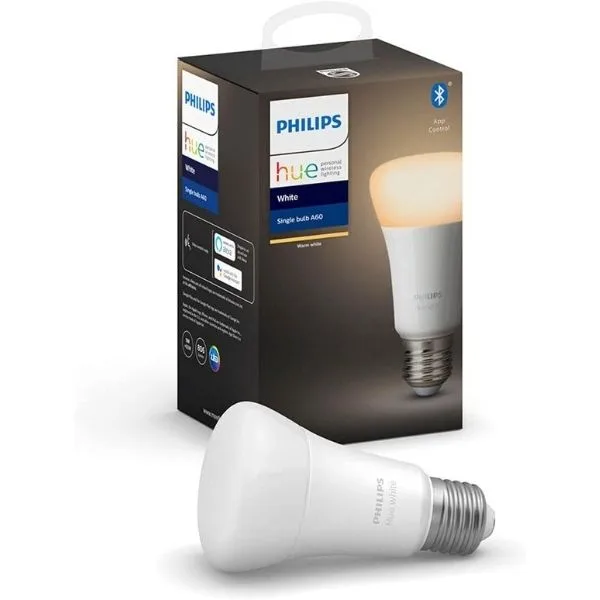
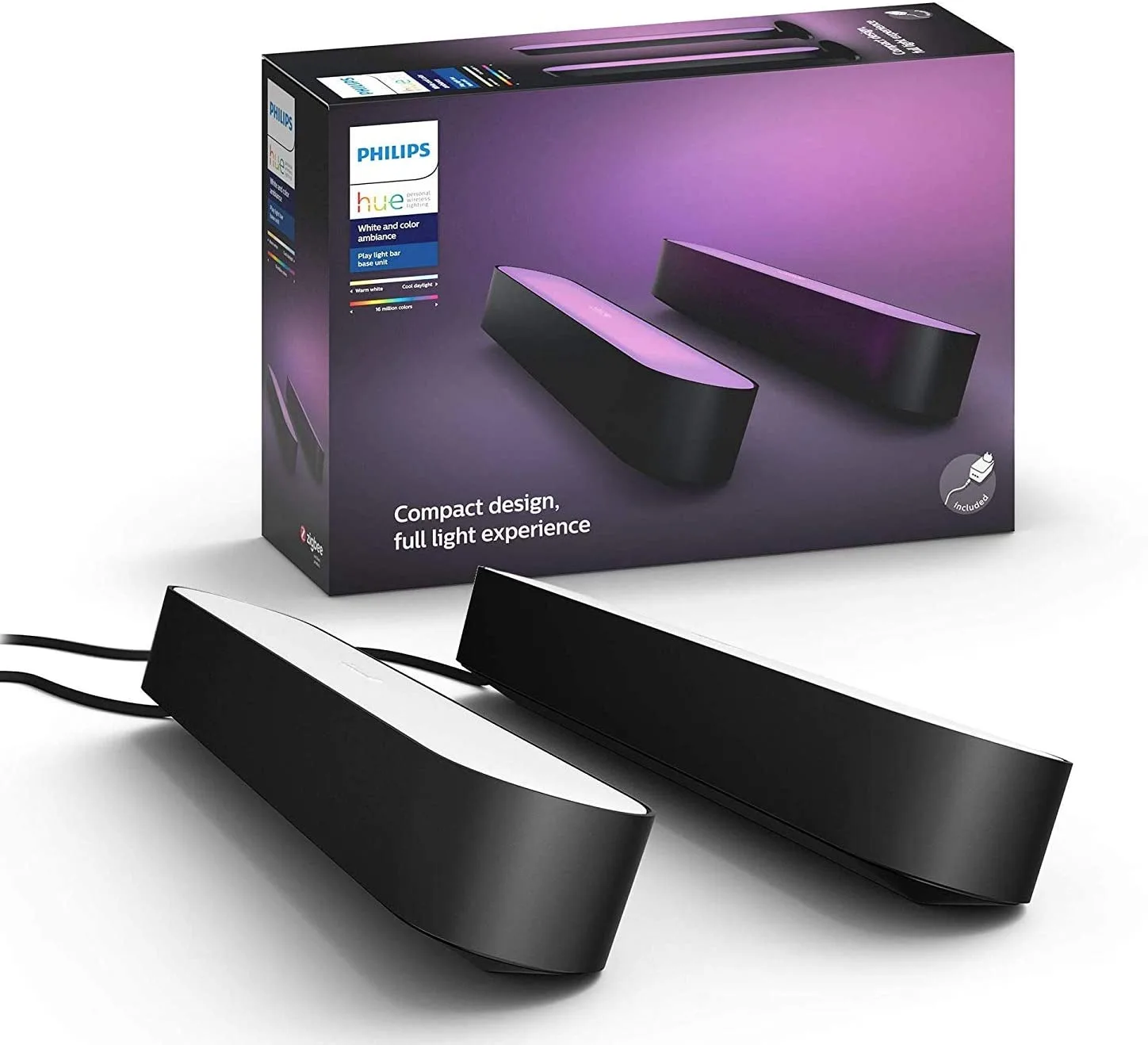
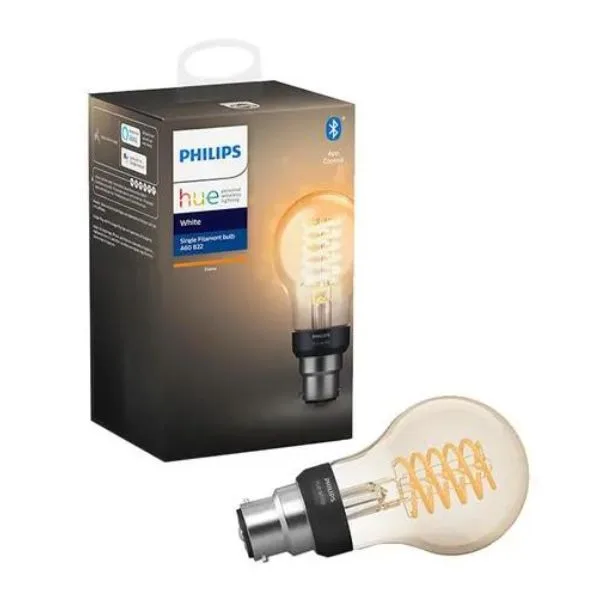
One of the leading names in the smart lighting category is the Philips Hue line. These devices come in a huge range of styles including bulbs, strips, lamps and much much more. If you’re dying to get your hands on these products, we’ve assembled the very best storefronts from which to purchase them.

For more information on 21st Century essentials, check out our guide to 6 products to get your smart home started.

Where to buy Philips Hue smart lighting online

Where to buy Philips Hue smart lighting

Picture not described

eBay

Head over to eBay for competitive prices and deals on Philips Hue smart lighting kits and hubs.

  • Free delivery on eligible items with an eBay Plus membership
  • New products added daily
  • Shop by guaranteed delivery date

Check prices at eBay


Picture not described

amazon

Amazon is the place to go to shop an enormous range of the best Philips Hue smart lighting products. With major discounts seemingly always available, it’s a great option to build up your smart lighting empire.

  • Free delivery on eligible items with an Amazon Prime membership
  • Express delivery available
  • 24/7 customer service
  • easy returns

Check prices at Amazon


Picture not described

The Good Guys

Grab an innovative Philips Hue smart lighting kit from one of Australia’s leading retailers.

  • 1-hour click and collect available
  • Next-day delivery available in some areas
  • Afterpay, Zip and LatitudePay available

Check prices at The Good Guys


Picture not described

Picture not described

Kogan

Kogan is known as a home of excellent electronics deals for good reason. It’s a great option for starting off your Philips Hue journey.

  • Free delivery on eligible items with Kogan First membership
  • Next-day delivery available
  • Accepts Zip and Afterpay

Check prices at Kogan


Picture not described

dick smith

Dick Smith is the place to go to secure Philips Hue products at affordable prices.

  • Freight protection available
  • Fast shipping available on some products
  • Klarna availability

Check prices at Dick Smith


Which of these retailers offer free delivery?

  • eBay: Free delivery on eligible items with an eBay Plus membership.
  • Amazon: Free delivery on eligible items with an Amazon Prime membership.
  • Appliances Online: Free delivery around Australia.
  • Kōgan: Free delivery on eligible items or with a Kogan First membership.

About Philips Hue smart lighting

The Philips Hue range includes a broad array of lighting types, including bulbs, lightstrips, lamps, outdoor lighting and more. These lights can be controlled with the Hue Bluetooth app. You can also add the Hue Bridge, a hub device that unlocks a full suite of lighting functionality and can connect to Wi-Fi allowing you to control your lights from anywhere.

When connected to assistants such as Alexa, Google or Siri you can control Philips Hue smart lighting with just your voice. Certain Philips Hue devices can also be linked to Spotify and synced to your favorite music to set the ultimate mood. The Philips Hue Play HDMI Sync Box can even be used to mirror the lighting of movies and TV shows for a remarkable home cinema experience.

Frequently asked questions


Categories
Technology

Samsung’s next-gen 990 Pro PCIe 5.0 SSD spotted

Samsung is readying a new SSD according to data sourced from a South Korean conformity assessment database (opens in new tab). If the model numbers follow the pattern of Samsung’s previous SSDs, these models are likely to be as-yet-unannounced Samsung 990 Pro PCIe 5.0 drives. And I’m very excited to see these in action.

The database entry was spotted by @harukaze5719 (opens in new tab) (via Tom’s Hardware (opens in new tab)). The models in question are the MZ-V9P1T0 and MZ-V9P2T0. The 9 in those model numbers is the giveaway, as the 980 Pro carries the model number MZ-V8P1T0 with some slight variations depending on the specific SKU. The 1T and 2T suggest there will be one and two TB versions, but not 4TB, though that may follow later.

Categories
Technology

AMD’s next-gen Ryzen 7000 CPUs will arrive before September ends

AMD will ship its next-generation Ryzen 7000 processors this quarter, AMD executives confirmed. That means Ryzen 7000 will hit the streets by the end of September.

.

Categories
Technology

The Hidden Way to Monitor Your Mac’s Temperature for Free

Image for article titled The Hidden Way to Monitor Your Mac's Temperature for Free

photo: pisaphotography (Shutterstock)

Apple silicon—including the M1 and new M2 chips—has a reputation for staying cool even under intense workloads. Intel Macs, on the other hand, run notoriously hot. They’re still capable computers, but they heat up fast, which, in turn, slows things down. If you have an Intel-based Mac, you’ve probably experienced this computational heatwave for yourself. Rather than guessing how hot your computer is getting, however, there’s a hidden monitor built into every Intel-based Mac that lets you know exactly what the internal temperature is.

Why your Mac overheats (and why it’s bad)

I talked about this subject beforewhen I mostly focused on laptops. Whether you have a MacBook or an iMac, however, the general principle is the same: You don’t want your machine to overheat.

Computers heat up because the internal components, namely the CPU and GPU, generate heat as they work. Depending on your computer, you might not notice it while performing light tasks. Once you start pushing the machine, however, you’ll feel the temperature ramping up.

It’s not that this heat will damage or break your computer. I mean, it absolutely could, but manufacturers make sure that will never happen. A little heat is okay; the parts are designed to operate normally within a wide range of temperatures. However, when the chips start to get too hot—usually around 90 degrees FAhrenheityour computer will slow down its processing speed in order to cool things down, a process referred to as “throttling.”

Throttling sucks, because it means you’re not getting the performance you expect from your machine. Truea slow machine is better than a burnt and broken one, but avoiding the overheating problem in the first place can help you prevent throttling before it kicks inand push your Mac to its maximum potential.

While there are many ways to combat overheating, one is to keep tabs on your Mac’s temperature. And if you have an Intel Mac, you already have a monitor built right into macOS.

macOS’ hidden temperature monitors for Intel Macs

You won’t find these temperature monitors by searching through the apps installed on your Mac. You won’t even find them in Activity Monitor, as useful a utility as it is. Rather, your Mac’s temperature monitor is found in Terminal. Using Terminal likely seems intimidating to many users, because it allows you to control your Mac using only text-based commands. But you don’t actually need to memorize any of thosee commands to use Terminal; a copied and pasted command works just as well.

There are plenty of useful Terminal commands everyone can use (we covered many of them in this piece) but we’re focusing on the temperature monitors this time. There are two commands you can use here. The first lets you see temperature stats for your Mac’s CPU. Copy and paste the following command exactly as-is into a new Terminal window (quotation marks and all):

sudo powermetrics —samplers smc |grep -i “CPU die temperature”

If done right, Terminal will ask for your password. Enter it (you won’t be able to see what you’re typing, unfortunately), then press the return key. After a moment, you’ll begin seeing temperature readings, updating roughly every five seconds. The temperatures are written in Celsius, so you’ll need to convert to Fahrenheit on your own, but, after a while, you start to pick up which temperatures are cool, warm, hot, and too hot.

Speaking of which, you will also get access to one of my favorite data points in macOS: When things start to get too hot and your Mac decides it needs to cool things down, you’ll see (fan) written next to the temperatures (if your Mac has fans, that is). That lets you know the fans are starting to work harder to move hot air out of your machine. Fans are obviously a good tool for cooling computers, but they aren’t perfect: If your CPU is still heating up to unsafe levels—usually 98 degrees Fahrenheit, going by my experience in Terminal—you’ll start to see (power) instead. When this reading appears, it means macOS is throttling your CPU to keep the temperature from going overboard.

You can also check your GPU temperatures with the following command:

sudo powermetrics –samplers smc |grep -i “GPU die temperature”

Notice that you won’t see (fan) or (power) appear on this Terminal windowonly temperature readings.

Options for Apple silicone

While Apple’s suite of silicon chips don’t face as many heat ramps as Intel-based Macs, they can still overheat and throttle like any other chip. Unfortunately this built-in Terminal command won’t work on M1 and newer, since those chips are designed differently than Intel chips in how they handle heat.

The only solid temperature monitor for Apple silicon available rright now is TG-Prowhich comes at a cost. It’s usually $20, though at the time of this writingit’s on sale for $10. If you’re looking for a temporary solution, the app offers a two-week free trial, so you can monitor your temperatures on M1, M2, or any other Apple silicon variant for 14 days free of charge.

Hopefully, as Apple silicon is adopted by more and more of the Mac user base, developers will write more temperature monitoring apps for the platform. Hey, maybe Apple will even make their own—for free.

.

Categories
Technology

7 Smart Bulbs Under $60 to Drench Your Room in Rainbow Brilliance

At Gizmodo, we independently select and write about stuff we love and think you’ll like it too. We have affiliate and advertising partnerships, which means we may collect a share of sales or other compensation from the links on this page. BTW – prices are accurate and items in stock at the time of posting.

If you want to transform your bedroom from a drab, personality-less rental into something like a rave cave, a couple of smart light bulbs can go a long way. Not only are they a fun way to revamp your living space, but from a more practical side, they’ll immerse you in the neon-lit, sci-fi movies of your wildest dreams.

Smart lighting will allow you to control it using either an app or voice command (if you have a virtual assistant device set up, that is). You’ll never have to flip a light switch again. If you’re chucking on a movie, you can dim your lights without leaving your couch. Throw in some multicolored bulbs and you can change the entire vibe of a room, or tone it to suit.

If you’re looking for a more economical choice when it comes to smart lighting, we’ve put together a small list of smart bulbs that’ll get the job done without leaving your bank account high and dry. There’s nothing over $60, with a few bulbs on sale too. This way, you can deck out your home with some slick LEDs that won’t cost you an arm and leg to wash your room in a sea of ​​purple.

One thing you should do before committing to any of these lighting options is to ensure that you can actually plug them into your chosen fixture. Most bulbs come in two-socket styles — an E27/Edison screw or a B22/bayonet mount — so keep that in mind before running along to checkout.

This article has been updated since its original publication.

Nanoleaf Essentials Smart Bulb

smart bulb
Image: Nanoleaf

Nanoleaf is pretty well known for its range of modular LED light panels, but much like the Philips Hue line, these premium smart lights come with a premium price tag. While these panels do look great, picking up one of Nanoleaf’s Shapes starter kits will set you back a few hundred dollars.

However, Nanoleaf also has its Essentials line, which includes a smart bulb and a light strip. The aim of the Essentials line was to combine the quality of Nanoleaf’s high-end smart lighting with more affordable prices – and the results are very impressive. You can check out Gizmodo Australia’s full review of the Essentials bulb here.

Like the other pieces of smart lighting on this list, you control your Nanoleaf via an app, which will allow you to set a schedule for your lighting, along with having the option to download new designs and lighting modes. The bulb uses over 16 million colors, so you’re bound to find something that suits your mood.

Where to buy Nanoleaf Essentials Smart Bulb

Amazon ($25.07) | Nanoleaf ($39.99) | Mobilecity ($38)

TP-Link Smart Wi-Fi Light Bulb

7 Smart Bulbs Under $60 to Drench Your Room in Rainbow Brilliance
Image: TP-Link

If you’re after a smart bulb with a wide variety of color customization, this is the bulb for you. This TP-Link Smart Bulb is available in a variety of multi-colour options that will provide more than enough aesthetic choices. Installing one of these is the first step to converting your living room into an old school speakeasy.

where to buy TP-Link Smart Wi-Fi Light Bulb

Amazon ($45) | eBay ($46.99)

HaoDeng Wi-Fi LED Light Bulb (E27)

Haodeng Smart Bulb
Image: Hao Deng

If you’re looking to upgrade to a smart lighting set-up, but are looking for one of the cheapest options available, these HaoDeng bulbs might be what you’re after. They come with all of the features you want with a smart bulb: you can schedule routines, customize color settings, and you can sync them with your music.

It’s also controllable via an app and voice commands with Alexa and Google Assistant. The only downside is that the HaoDeng bulbs aren’t as bright (500 lumens), and their colors aren’t as vibrant as the other smart bulbs listed here.

Where to buy HaoDeng Wi-Fi LED Light Bulb (E27)

Amazon ($37.99)

meross Wi-Fi Smart Bulbs (B22 Bayonet)

Meross-bulb
Image: meross

Chuck your frosted light bulbs in the bin and instead, grab yourself these dimmable meross smart bulbs – a fantastic budget-friendly alternative to the expensive Philips Hue range.

With one, you’ll be able to save 78.3% of electricity by running with this 9W LED bulb, since most regular bulbs sport a whopping 60 watts.

Where to buy meross 2-pack of smart bulbs

Amazon ($27.99) | eBay ($34.19)

Xiaomi Mi LED Light Bulb

7 Smart Bulbs Under $60 to Drench Your Room in Rainbow Brilliance
Image: Xiaomi

Xiaomi has done a really solid job with their Mi Smart Bulb. It comes with both white and color options, a brightness of up to 950 lumens, with a lifespan of up to 25,000 hours. The color range has 16 million options, and the white’s temperature is adjustable between 1,700K to 6,500K.

These bulbs connect directly with your Wi-Fi, so getting them set up and ready to go is fairly simple. Your customizable lighting options are a bit limited when compared to the more expensive competitor bulbs, but that’s not to say it totally lacks adjustability. You can pair it with yourself Google Assistant or Alexa, allowing you to live your best hands-free life.

where to buy Xiaomi Mi LED Light Bulb

Amazon ($26.99) | eBay ($17.99)

Yeelight W3 Color LED Light Bulb (E27)

7 Smart Bulbs Under $60 to Drench Your Room in Rainbow Brilliance
Image: Yeelight

Yeelight’s W3 smart bulb is a good mid-range choice. You can adjust the brightness or color choice by using a companion app, which also works with smart home devices like Amazon Alexa, Google Assistant and Apple Homekit. You’ll get a solid 15,000 hours of life out of a single bulb, shining at 900 lumens at 8W.

Yeelight’s app comes with eight preset color modes, so you can easily slip into an appropriate brightness for something like a movie night. There’s even an option to sync the bulbs with your music, so you can turn your home office into a micro-club.

Where to buy Yeelight W3 Color LED Light Bulb

Amazon ($51.83) | MyDeal ($34.83)

LIFX A60 Smart Bulb

smart bulb
Image: LIFX

In terms of competitors, LIFX’s A60 smart bulbs are the ones that give Philips a run for their money. The A60 shines at a bright 1,000 lumens, has access to 550 billion different color steps and can last up to 25,000 hours of use. It also has adjustable cool to warm whites. Controlling a group of lights via the LIFX app is pretty simple, and you can easily set up an automated routine.

You don’t need a bridge or hub to run these light bulbs – however, if you have a smart speaker on hand already, you’ll be able to pair it with the LIFX A60, allowing you to control it with your voice.

Where to buy LIFX light bulb

Amazon ($46.55) | eBay ($59)

Categories
Technology

How to Fix a Broken Iphone Volume Button? Here Are Some Ideas!

One reason why iPhones offer better esteem contrasted with their Android partners is the powerful equipment. Yet, that doesn’t mean it’s insusceptible to disappointment. Assuming the famous home button is known to have sick capability subsequent to being exhausted, it’s nothing unexpected that the volume keys could either stall out, become inert and soft, or quit offering the required criticism when your iPhone goes downhill.

This kind of issue harms the client experience and can begin to get disappointing over the long haul. Assuming you are confronting this issue, evaluate these 11 helpful hints and deceive when your iPhone volume buttons are not working.

Tips to Fix iPhone Volume Buttons Not Working Issue (2022)

Prior to going through the answers to fix the iPhone volume key stuck or not working issue, how about we first momentarily look at the potential causes? Then, at that point, we recorded the 11 best tips and workarounds for this normal iPhone issue.

What Could Cause the iPhone Volume Buttons to Stop Working?
Despite the fact that equipment disappointment is the main thing that strikes a chord when the volume buttons of the iPhone become lethargic or quit working, you shouldn’t make a move too soon and visit a help community immediately. Things like residue stacking up, the articulated however inert buttons of your case, an interesting programming bug, or an obsolete variant of the product could likewise be causing the issue. Thus, we will investigate every conceivable reason and evaluate arrangements likewise.

En route, we will likewise discuss some dependable workarounds to allow you to control the volume on your iPhone without utilizing the actual volume buttons. So, look at these potential fixes for the iPhone volume button main thing in need of attention:

  1. Guarantee Your iPhone’s Volume Buttons are Enabled
    Relatively few iPhone clients might know this, however, iOS accompanies a setting that allows you to empower/handicap the volume buttons on your iPhone. So first, ensure it’s turned on.
  2. Eliminate Your iPhone Case
    Accept it not, there are a few cases (particularly the less expensive and tough ones) that need material buttons. In this way, in the event that you have introduced a case on your iPhone, eliminate it and press the volume buttons to check on the off chance that they are working or not. In the event that the volume buttons turned out great, your case was the offender and not your iPhone equipment. If you have any desire to purchase a case with responsive buttons, we recommend you really take a look at our gatherings of the best iPhone 13 cases, iPhone 13 Pro cases, and iPhone 13 Pro Max cases.
  3. Clean the Volume Buttons
    It’s barely noticeable the presence of residue or gunk that never botches any opportunity to slip into ports and openings. In the event that the volume buttons appear to be solid or stuck, there is a high chance that residue/grime might be causing the volume buttons to not answer. You can utilize packed air to victory the residue from the volume buttons. Plus, we propose you dunk a q-tip into isopropyl liquor and use it to clean the volume and fasten delicately.
  4. Hard Reset Your iPhone
    Hard reset (otherwise called force restart) becomes possibly the most important factor while managing normal iOS 15 issues. Due chiefly to its capacity to rapidly fix a few issues, it’s thought of as a go-to investigating method by most iPhone clients. In this way, we ought to offer it a chance to settle the iPhone volume button not working issue too.
  5. Reset All Settings
    Assuming that the volume buttons of your iPhone are as yet not working, take a stab at resetting your iPhone to the production line default settings. Note that it will wipe every one of the current settings of your iOS gadget and return them to their unique state. Nonetheless, your own media and information will stay safe.

[Fixed] iPhone Volume Buttons Not Working? BestSolutions!

Ideally, the volume buttons on your iOS gadget are working once more, and you can change the volume easily. Numerous a period, the essential tips, including a hard reset can assist you with beating the issue.

Plus, you ought to constantly guarantee that the buttons of your case are responsive and there is no grime assortment in the volume buttons, which could upset their working. Coincidentally, let us in on the stunt that assisted you with fixing the evil working volume buttons. Also, assuming you have any believed arrangements missing from this aid, do tell us in the remarks area beneath.

Always be Updated with us visit GeeksULTD for Real-time Updates.

Categories
Technology

How ‘Dying Light 2”s parkour stumbles into mediocrity

System Shack is NME’s new column that explores the mechanics behind the industry’s most successful games. This week, Rick Lane takes a tumble in Dying Light 2.

Thus far in SystemShack, I’ve only explored mechanics that help to make their respective games great. But since we tend to learn more from our mistakes than our successes, it’s worth occasionally delving into a game where the core ideas don’t quite work. By far the highest-profile disappointment of this year is Dying Light 2Techland’s free-running, zombie-bashing sequel that simply fails to live up to the fun of the original.

There’s a lot wrong with Dying Light 2. The story is turgid and overwrought. The evolving cityscape that Techland hyped up prior to release is way less involved than what the studio promised. Even the day/night juxtaposition, fundamental to the point it’s alluded to in the game’s title, is rendered insignificant by the game’s peculiar structure.

But the game’s most notable flaws are found in its parkour, the acrobatic movement system that lets players leap, roll, and climb across the rooftops of Villedor to evade the city’s zombie hordes. dying light‘s combination of free-running and zombie survival put the game on the map, and having a whole new city to parkour across was key to the appeal of the sequel.

Dying Light 2
Dying Light 2. Credit: Techland

On paper, Dying Light 2 does much to improve upon the first game’s parkour. It adds a bunch of additional abilities to the player’s skillset, like wall-running, dashes, and even a double-jump (which doesn’t make a whole lot of sense, but then again, it is a game with zombies in it) . The environment is also built to better suit free-running, with the player able to utilize objects like rope-swings, ziplines, and pipes that you can slide down to reach the ground. Most importantly of all, there are fewer seams in the parkour’s move-set, with animations designed to link elegantly together for a smoother experience.

Logically, all of this should facilitate more immersive free-running. But the way Techland implements these ideas instead makes the parkour far less enjoyable. To begin with, Techland’s attempt to smooth out the parkour instead serves to remove much of the weight and momentum behind it, because it increases the gap between the player’s input and what happens on screen. Look closely at any parkour video for Dying Light 2, and you can see the game compensating for what it deems player error, artificially stretching out jumps and redirecting Aiden to land on specific obstacles. The result might look more stylish, but it feels devoid of impact and physicality, less like you’re inhabiting a character and more like you’re a puppet on a wire.

This is by far the biggest flaw with Dying Light 2‘s parkour, but the issue is compounded by a couple of other factors. First, a huge amount of the game’s platforming potential is locked behind a skill upgrade tree. Such upgrade trees are fairly typical in modern open-world games, but Dying Light 2‘s system completely hobbles the parkour for the first ten hours of the game. Not only does it lock away advanced moves like wall-running and the ability to jump off enemies. It prevents you from doing basic things like jumping up to higher ledges and maintaining their grip on a handhold for more than a few seconds. whereas dying light‘s parkour was liberating, your main defense against the zombies, Dying Light 2‘s parkour is restricted and unsatisfying.

Dying Light 2 Stay Human key art
Dying Light 2 Stay Human. Credit: Techland

This problem does eventually go away. By the time you reach the game’s second act, you will have unlocked most of the basic parkour skills and can enjoy the system for what it is. But this problem is almost immediately replaced by another, which is that Dying Light 2‘s second act renders the game’s parkour system null and void. Act 2 takes place in Villedor’s downtown, all glittering skyscrapers too tall to climb by hand and too far apart to jump between. Instead, this moving around downtown revolves largely around a parachute, which lets you glide between skyscrapers and access them from the ground with the use of updrafts.

The parachute can be fun to play around with, but it also lets you go pretty much anywhere in Villedor’s downtown. This means that, having spent hours slowly unraveling the potential of Dying Light 2‘s parkour, the game suddenly introduces a system that drastically reduces the need for your free-running skills. Just at the point where the parkour becomes interesting, the game all but replaces it with a movement system that’s far less interactively engaging.

The missteps Techland makes with Dying Light 2‘s parkour becomes a lens through which to view the larger problems of the game. Techland clearly wants Dying Light 2 to be a more lavish and culturally significant experience than the first game, which is why it dedicates so many of its resources to storytelling. But it loses sight of what made the original game fun in the process, and the results are a less satisfying experience all around.

If you enjoyed this column, check out last week’s SystemShack – where Rick explores what makes Elden Ring‘s Guard Counters so unique.