Categories
Technology

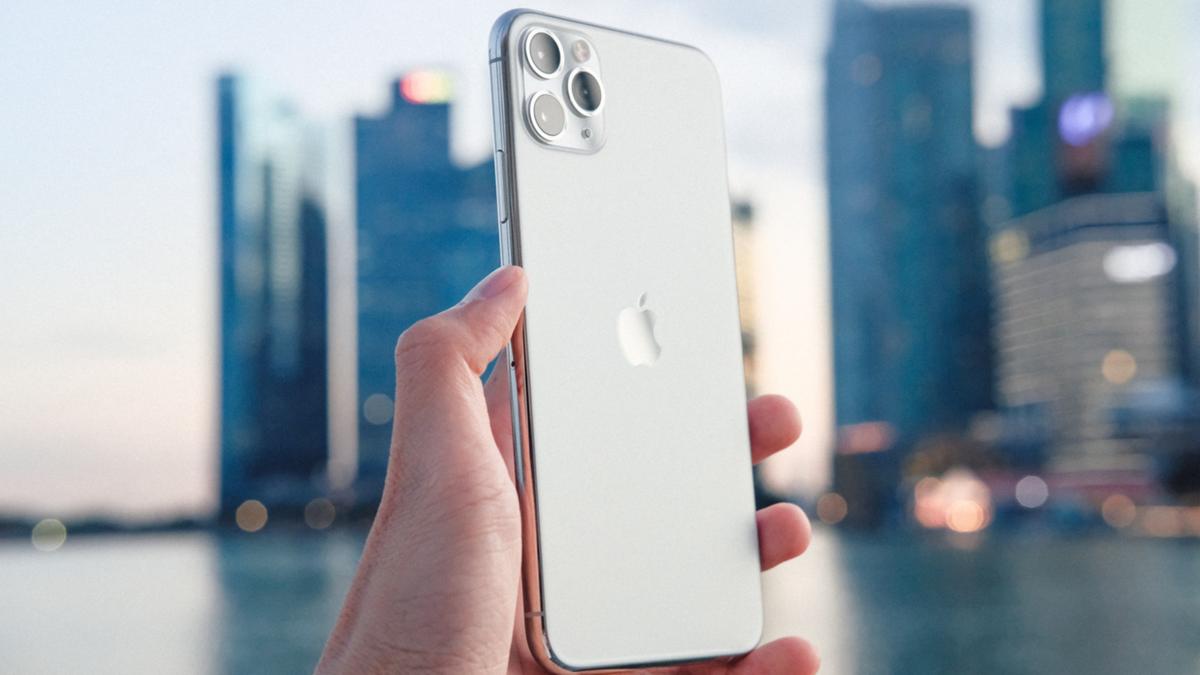
How you can get an iPhone for $600 – but what’s the catch?

The process of owning an iPhone these days feels like you’ll need to take out a small loan.

While its intuitive design makes it an easy choice among consumers, they’re not always the most affordable option. But one telco is turning the tables, allowing you to upgrade your device for less, while also offering a more sustainable solution for purchasing a new device.

In recent weeks Telstra MVNO Belong announced its partnership with Kingfisher Mobile Australia to bring customers to Second Life Shop, which offers both refurbished iPhones and Samsung Galaxy smartphones for a fraction of the price.

Watch the latest News on Channel 7 or stream for free on 7plus >>

Here’s what you can expect from your refurbished device:

  • 12-month warranty
  • A SIM card loaded with $80 of credit. This is available for use on any of Belong’s three postpaid mobile plans
  • 100 per cent functionality
  • A minimum of 80 per cent battery health

When you do the maths, you can potentially receive as many as the first three months’ worth of phone bills covered with the purchase of a given device. But it’s important to note these devices are not available on a traditional Belong repayment plan. Even if you’re not after a new phone, it’s a great bonus if you’re after a new SIM.

Sounds like a great deal? Check out the widget below for a quick round-up of Belong’s current postpaid plans:

Another perk to partnering with Belong is that it has doubled the data on these two plans:

  • $35 monthly plan with 40GB of data + 40GB bonus data for 12 months = 960GB total data per year
  • $45 monthly plan with 100GB of data + 100GB bonus data for 12 months = 2400GB total data per year

These plans offer 480GB and 1200GB bonus mobile data, respectively, when you total the monthly bonus across the year. Take advantage of double the data on their $35 and $45 monthly plans over 12 months when you stay on your chosen plan.

So which models are up for grabs? At the time of writing, Belong’s refurbished device reseller stocks the following brands and models:

  • Apple iPhone X from $399
  • Apple iPhone XR from $419
  • Apple iPhone XS from $429
  • Apple iPhone 11 from $599
  • Apple iPhone 11 Pro from $739
  • Apple iPhone 11 from $829
  • Samsung Galaxy S20 5G from $669
  • Samsung Galaxy S20 Ultra 5G from $769
  • Samsung Galaxy S20+ 5G from $659
  • Samsung Galaxy S21 Ultra from $949
  • Samsung Galaxy S20 FE 5G from $609

The range of devices on offer via the Belong Second Life Store is, however, more limited than what you’ll find at both carrier-agnostic retailers like Amazon and major carriers like Optus.

At the time of writing, numobile and Boost Mobile are the only other MVNOs on Telstra’s network offering refurbished devices.

The Refurb Shop, aka Boost’s competing refurbished phone store, offers some devices at a slightly cheaper price but they only include a $30 prepaid SIM rather than $80 of credit.

Compare Boost Mobile, numobile and Belong’s mobile plans to make sure you’re getting the most bang for your buck:

This article contains affiliate links, whereby 7NEWS.com.au may earn a commission if you click on a link – at no extra cost to you.

Watch: Scientists stunned by discovery of a ‘walking shark’.

Watch: Scientists stunned by discovery of a ‘walking shark’.

.
Categories
Technology

We Miss These Quirky Android Phone Experiments

Being an Android user can be a clunky experience sometimes, but it can also open you up to a bunch of new device quirks you won’t find elsewhere. Whereas Apple chooses to put only features that match its sleek image on the iPhone, Android manufacturers have taken more risks in pursuing market share. It’s one of the fun parts of wielding an Android device.

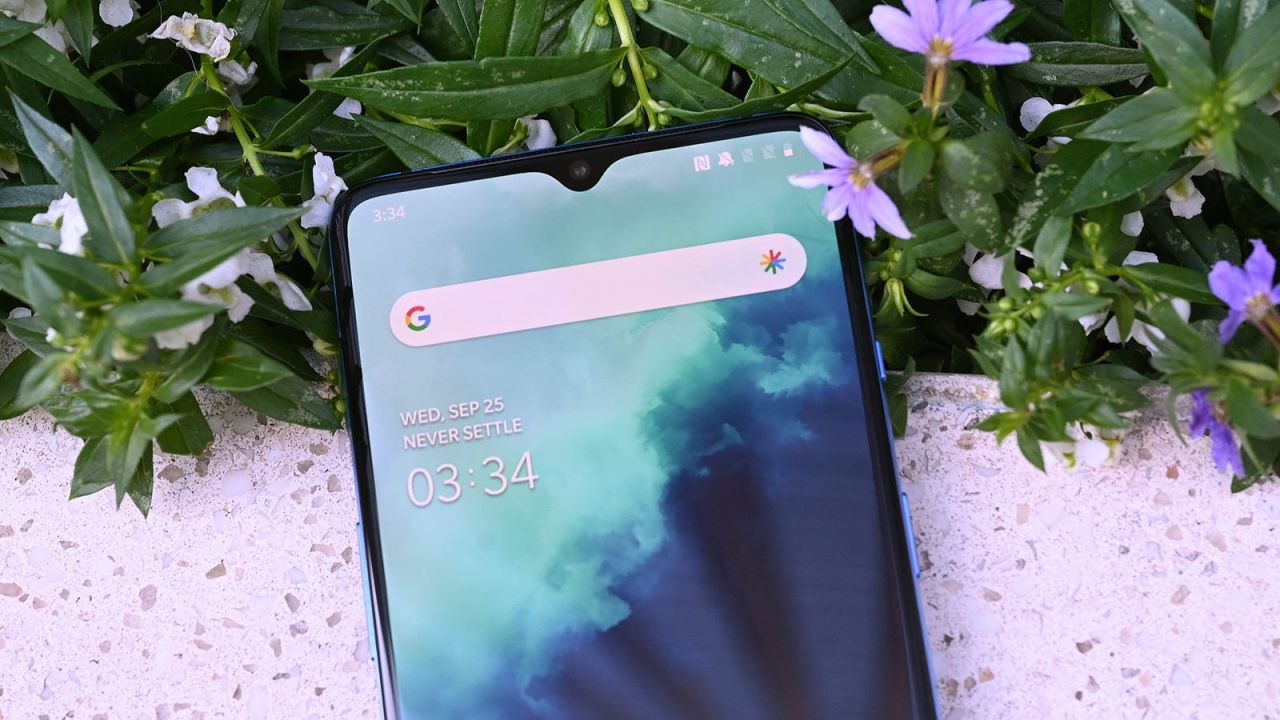
This week reminded me what it’s like to have that suddenly taken away. OnePlus launched the 10T smartphone without its signature alert slider. The company knew it would cause some of its fans to protest enough that it released an official statement as to why it had to remove the physical alert slider. It made me think: how many random and interesting Android device features have we lost because they were just a little outlandish?

OnePlus 7 Pro’s pop-up camera

Photo: Sam Rutherford/GizmodoPhoto: Sam Rutherford/Gizmodo

Let’s start with another OnePlus feature that is no longer with us. The OnePlus 7 Pro was an impressive flagship launch from the company. But it arrived before OEMs figured out how to implement the punch-hole camera. To deliver on its promises of an all-screen display, OnePlus introduced a front-facing pop-up camera on the 7 Pro instead. It would peek out when you wanted to shoot a selfie or engage in video chat, and would make a cutesy whirring sound every time.

Of course, every gimmick has its caveats. The pop-up camera wasn’t the most robust, and some people complained about lint and debris getting into the module after some use. Not to mention, it’s not very repairable.

Sony’s pop-out PSP phone

Photo: Kat Hannaford/GizmodoPhoto: Kat Hannaford/Gizmodo

OK, sorry, this is actually called the Xperia Play, and you might have seen it making the blogging rounds over ten years ago. Made by Sony Ericsson, the phone was based on Android, but it was a handheld gaming machine at its core. The phone featured a slide-out controller with “joystick touchpads” so you could play any of the 50 pre-formatted PlayStation games, plus whatever was on the Android Marketplace at the time.

Asus’ transforming tablet-phone

Photo: Sean Hollister/GizmodoPhoto: Sean Hollister/Gizmodo

Before foldables, if you wanted a phone/tablet hybrid situation, you had to buy one of these: an Asus Padfone. This one, in particular, is the Asus PadFone X Mini, which featured a main 4.5-inch smartphone that could dock inside a 7-inch tablet. It was available at AT&T in 2014, though it didn’t have the best specifications. In addition to having a crappy display and even crappier cameras, the duo of devices was powered by an Intel processor back when the company was trying its hand at smartphone chips (and not exactly making strides).

We miss YotaPhone’s e-ink backside

Photo: Darren Orf / GizmodoPhoto: Darren Orf / Gizmodo

The YotaPhone 2 was a second-generation Russian smartphone that was very cool! It had a 4.7-inch LCD on the front that let you access the Android OS and an e-ink display on the back to serve as backup. You could use that part of the screen for reading or even navigating maps if you were trying to save on battery. But according to our review of the device at the time, a “plethora of graphical issues and sluggish responsiveness” ultimately killed the smartphone’s chances of success.

Why were Samsung and LG making round phones?

Image: SamsungImage: Samsung

Ah, yes. The round phone trend. Samsung attempted it in 2013 with the Galaxy Round, a smartphone with “the world’s first commercialized full HD Super AMOLED flexible display.” The phone’s 5.7-inch display curved vertically when you were holding it in portrait mode, and it didn’t lay flat on a table on its backside.

LG also had its hands on the curved screen trend with the G Flex, which it followed with a second-generation release. I remember one of the major caveats of the device was being able to press down on the screen, since it was made of a flexible P-OLED.

All hail the original Android rollerball

Photo: Jason Chen / GizmodoPhoto: Jason Chen / Gizmodo

Android started its journey into weird and wacky add-ons with the rollerball on the first ever Nexus One. Back then, you could navigate through Android home screens using the touch-swipe mechanism or by rolling left and right on the rollerball, placed in the same area as the former Home button on the iPhone. Other Android phones adopted this feature, including my first ever Android phone, the HTC Incredible. But it was eventually phased out to make more room for the screen.

Wait, we still need a phone with a radiation detector

Image: Engadget / PantoneImage: Engadget / Pantone

Sorry to bring the mood down, but these colorful smartphones from Pantone released back in 2012 were also capable of reporting your radiation level. It’s called the Sharp Pantone 5 ICS, and it was a Japan-only release. Sharp reduced the radiation circuits needed for the phone into a tiny package, which was quite a manufacturing feat at the time. Unfortunately, this seems like a feature that could make its way back around after all the climate disasters we’ve been facing. Eep.

Plug-and-play modularity, a la Project Ara

Photo: Sean Hollister/GizmodoPhoto: Sean Hollister/Gizmodo

Google’s modular smartphone made me hopeful for a future where smartphones weren’t contributing to the massive piles of e-waste sequestered from immediate human view. Project Ara let you easily swap out modules from an “endoskeleton” so that you could upgrade the camera, processor, or whatever else. Unfortunately, those tiles cost way too much to produce for a phone that didn’t yet have mainstream appeal, and Google ultimately killed the project in 2016.

We now have a version of the modular phone with the Fairphone, but it requires a bit of a tinkerer’s touch to change components comfortably.

Categories
Technology

How to Take a Screenshot on a OnePlus Smartphone

A screenshot is the easiest way to capture the contents on your phone’s screen and share it with others. However, depending on the smartphone you use, there will be different ways you can take a screenshot on it.

take a screenshot on a oneplus phone

As a result, if you’ve recently switched phones, you might be wondering how to capture screenshots on it. If it’s a OnePlus smartphone, there are multiple ways to do this.

Follow along as we list down all the different methods to take a screenshot on a OnePlus smartphone.

Method 1: Take a Screenshot on a OnePlus Phone Using Hardware Keys

One of the most common methods of capturing a screenshot on Android devices is to use the hardware keys. OnePlus smartphones also employ this method, and it’s pretty convenient.

With this method, you simply need to press a key combination, and the device immediately captures the screen. Here are the steps to take a screenshot using the hardware method:

  1. Open the screen you want to capture on your phone.
  2. Press the Volume Down and Power key together quickly and release them as soon as your phone screen flashes.
    taking screenshot on a oneplus phone using hardware keys

    IMAGE: OnePlus

Once captured, you’ll see a screenshot preview in the screen’s bottom-left or bottom-right, depending on where you set the preview window location.

screenshot preview on a oneplus phone

Click it to open it for editing. Or press the Compartir button to open sharing options to send the screenshot. If you missed clicking on the preview in time, you could swipe down on the status bar to access the screenshot in the notification bar.

Clicking on the screenshot also gives you multiple editing options, such as crop, markup, text, and many more, which you can use to annotate, highlight, or crop your screenshot. Hit Save after you’ve finished editing to save the screenshot image.

Captured screenshots are saved to the screenshots album in the Photos app.

Method 2: Take a Screenshot on a OnePlus Phone Using Gestures

OnePlus offers a bunch of gestures on its smartphones to give you quick access to various system features. There’s also a dedicated gesture for taking screenshots, which makes screenshotting much easier than the hardware-based method.

First, follow these steps to enable gesture screenshotting on your OnePlus phone:

  1. Open Settings and go to System settings > Screenshot.
  2. Toggle on the switch for 3-finger swipe down and 3-finger touch and hold screenshot options.
    enabling gesture screenshot on a oneplus phone

Now, you can capture the screenshot using gestures like this:

  1. Open the screen to capture.
  2. Yo. To screenshot the entire screen: Swipe down with 3 fingers on the screen.
    ii. To screenshot part of the screen: Tap and hold with three fingers on the screen to bring up the area selection. Drag down to select the area and lift your fingers to capture it. To re-adjust your selection, move the selected box up or down on the screen and tap the tick button on the top-right corner to save it.

How to Take a Scrolling Screenshot on a OnePlus Device

At times, taking a regular screenshot or capturing one of a selected area might just not be enough. For example, if you’re on a screen with a long list of items, perhaps an article on a website, a settings page, or a long chat, and you want to capture all of them, you need the scrolling screenshot functionality.

Here’s how to take a scrolling screenshot on a OnePlus phone:

  1. Open the screen with content that goes beyond a single page.
  2. Take a screenshot using either hardware buttons or the 3-finger swipe.
  3. Once the screenshot is taken, click on the Scroll button below the screenshot preview, and it will automatically start capturing the entire screen.
    screenshot preview on a oneplus phone
  4. Hit donate at the bottom to save the captured screenshot. If you don’t wish to capture the entirety of the page, swipe up or down on the captured page to adjust the capture length.
    taking scrolling screenshot on a oneplus
  5. Hit the checkmark in the top-right corner to save the screenshot.

Never Miss A Screenshot Opportunity Again

Screenshotting is possibly one of the best features on any device, including smartphones. It’s a sure-shot way to record what’s displayed on your screen, be it from an app, a picture, or a frame in a video.

With OxygenOS, you get multiple ways to take screenshots on your OnePlus smartphone, as we discussed earlier in this post. So now, the next time you come across something interesting/informative on your screen, you can take a screenshot of it easily and save it for future reference.

FAQs About Taking Screenshots on OnePlus Smartphones

Screenshots are saved to the Screenshots album in the Photos app. To access them via a file manage, navigate to Internal Storage > Pictures > Screenshots.

While the hardware-based screenshot method is really helpful, it can sometimes accidentally capture a screenshot when you don’t need it. If this keeps happening to you, you can disable the screenshot shortcut and rely on the gesture-based method instead.

Here’s how to turn off the screenshot shortcut:

  1. Open Settings.
  2. Go to System Settings and select screenshot.
  3. Toggle off the switch for Power and Volume Down buttons.
Categories
Technology

Sony drops the price of these headphones, the competition of the AirPods

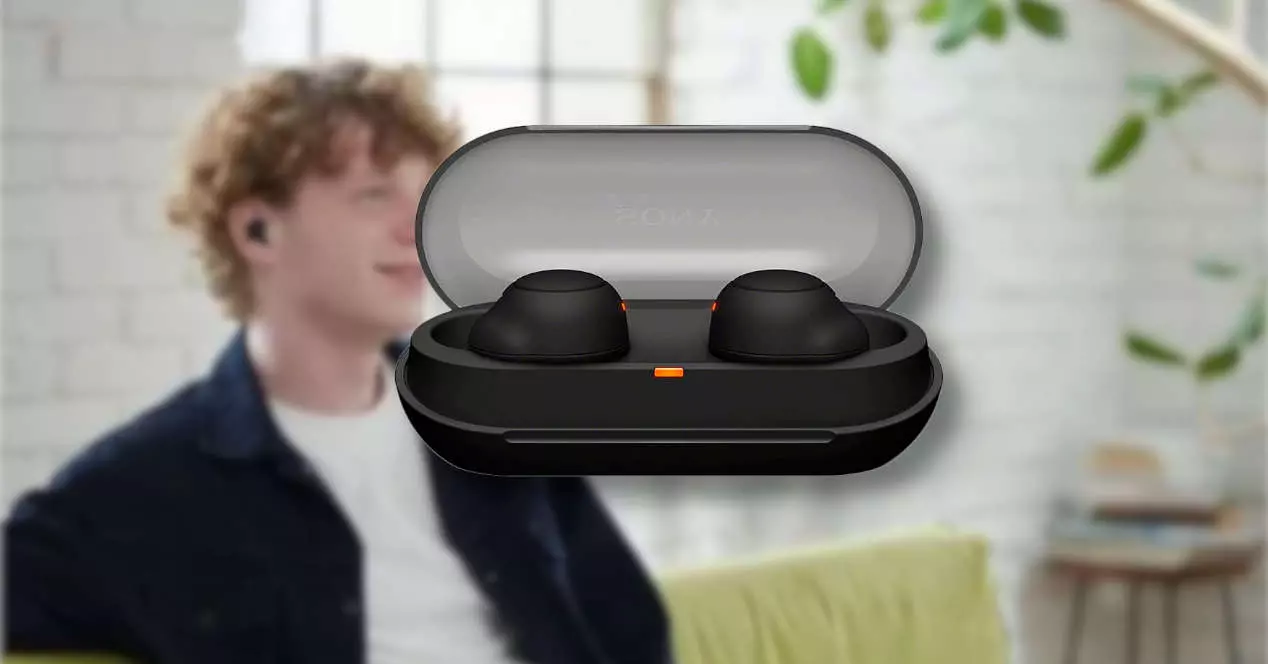
We talk about the model Sony WF-XB700. Totally wireless, in-ear and most ergonomic headphones. They are suitable for any ear size, and stand out for their comfort and, above all, their sound quality. We are sure that, if you are looking for an alternative to Apple AirPods, these inaurals will not disappoint you in the least. Let’s see them!

Sony WF-XB700: the alternative to AirPods

Its appearance, we can guarantee you, it is unique and daring, as you can see in the reference image of the product. They bear a resemblance to Google’s Pixel Buds. They will make them attach to any ear quickly and comfortably.

Something of the most remarkable, before moving on to the sound section, is their autonomy. You will be able to listen to up to 18 hours of music thanks to a practical and small charging case that will provide you two loads of up to 9 hours.

And if you’re in a hurry, you can quickly charge the headphones for 10 minutes and enjoy other 60 range. Couldn’t ask for more for this great quality! And it is that choosing new headphones is not an easy task.

it has to chip that transmits sound in both ears simultaneously, with an optimized antenna design to ensure the most stable connection. That will also give you low audio latency to enjoy even surround sound in videos.

likewise, equips IPX43 water resistance, which will ensure that nothing happens when there are splashes of water or sweat. Of course, do not go to put the water.

What stands out most about the audio is its powerful bass and bass that will reverberate in your ear. Your favorite bass lines have never sounded so good. We can guarantee that it will compete with any headset on the market.

Also include voice assistant from both Google and Siri. You won’t have to take your hands out of your pocket even to change songs. Simply activate the assistant through voice commands and ask him to change the list, change the song, or make a call. What you want.

Half price on Amazon

As we told you, the offer leaves these headphones at a truly price good for a limited time. They are originally priced at 150 euros. But if what you want is to get the top of the range for the lowest possible price… Now they are only 65.60 euros. That’s 56% off, nothing more, nothing less!

We think they are well worth it for this price. So take advantage and get them in the following link for a limited time:

Categories
Technology

The Rise Of Steam Deck Alternatives Is Growing Larger

So it has been some time since the Steam Deck has been out and quite a few people have started getting their hands on Valve’s latest new invention. The man himself, Gabe Newell went out to hand-deliver people their Steam Decks in Seattle, even giving out many of them away for the low cost of nothing.

One of the best things that the Steam Deck does, even beyond just providing the powers of a handheld console, is that Nintendo finally has a bar to live up to. They are no longer the bar itself, while Nintendo still thrives in the quality of its exclusive titles, there are just as many people who buy the Nintendo Switch solely to play third-party indie titles.

But today, it seems that even more competition have entered the arena. The Ayeneo Air is a new alternative, and it does not disappoint. At almost half the size of the Steam Deck and standing at around 400 pounds, coupled with it able to fit in your pocket, it actually lives up to its own name.

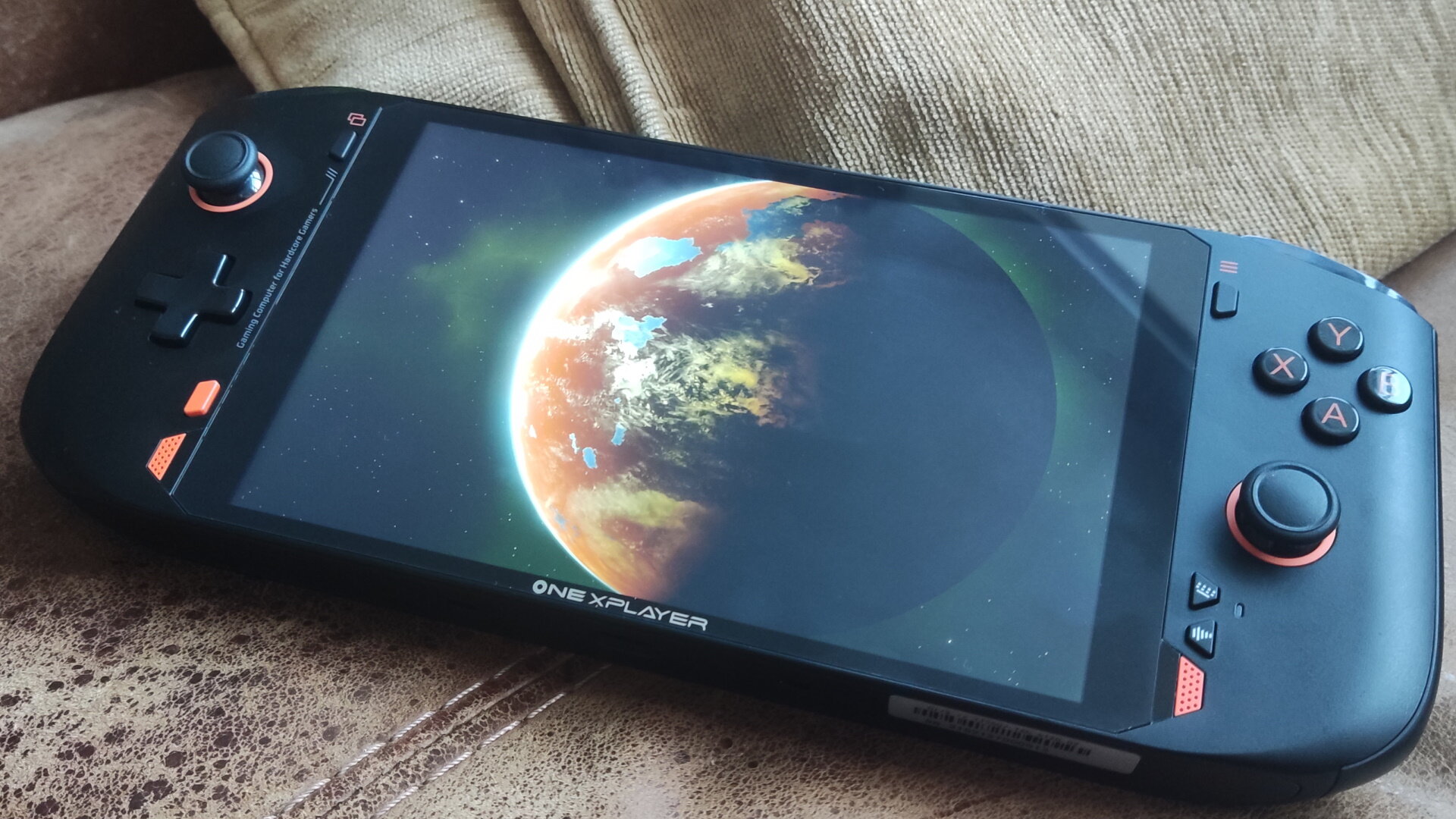
It is truly a marvel, having actual practical use with it being small, compact, and light, things like these go a long way to the consumer. But this is not the only one of interest. The All-New ONEXPLAYER Mini is another small and compact handheld gaming pc is powered by an AMD Ryzen 7 5800U.

Games like Forza Horizon 5, God Of War, Elden Ring and Cyberpunk 2077 work on this Handheld console at a very decent 60-100 frames with a good battery life. Emulation is also possible differentiating it from other alternatives.

This just shows that other industries have a chance to pull off some great work. Of course the Steam Deck is amazing, these other alternates do much of the same, maybe even better. What do you think of these handheld PCs? let us know in the comments below.

Categories
Technology

Clamshells are the best foldables, fight me

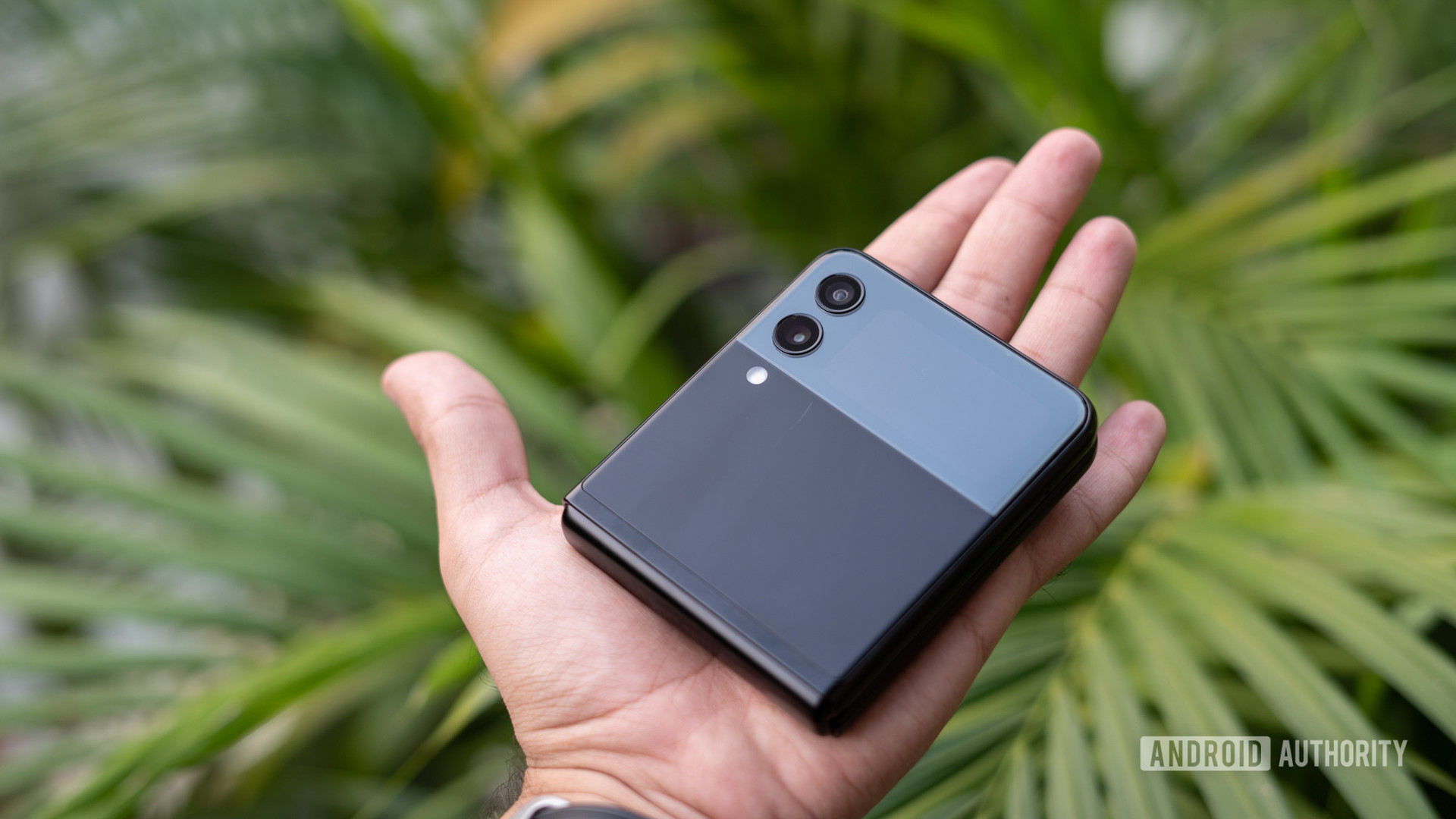
Samsung Galaxy Z Flip 3 in hand closed up

Dhruv Bhutani / Android Authority

The future is foldable — at least if Samsung has anything to say about it. I’ve spent plenty of time with the company’s Galaxy Z lineup, and I’m inclined to agree. They haven’t reached their final forms yet, but the Fold and Flip series are the most fun I’ve had with a pair of devices in a long time. A year later, I’m still reaching for Samsung’s pocket-friendly foldable when I switch phones, and it hasn’t lost any of its charm. The Galaxy Z Flip 3 might not be perfect, but it’s enough to convince me that clamshells are the best foldable phones on the market.

How is it holding up? Samsung Galaxy Z Flip 3 six months later

The friendliest form factor

Sliding into a pocket

Dhruv Bhutani / Android Authority

Samsung’s Galaxy Z Flip 3 is a large phone, as most 6.7-inch devices are. However, it’s a large phone that rarely feels like one, thanks to its unique folding ability. You never feel like you’re wedging a phablet-sized monster into your pocket, nor do you have to worry about how much space it will take up once you add a case. Instead, it’s friendly enough for most users, even those concerned about the limited real estate of women’s pants pockets.

The Galaxy Z Flip 3 is, as I see it, the perfect form factor for foldable phones. Its internal and external displays have distinct purposes, offering access to notifications and widgets without demanding that you open your phone every time. It’s easier to use your phone less, checking notifications as needed rather than getting distracted whenever you just need to check the weather. The different uses are a distinct contrast to the Galaxy Z Fold 3, where you could easily get by with the external display alone — defeating the point of the larger internal folding display.

The Galaxy Z Flip 3 encourages the use of both displays, while you could easily get by with the Galaxy Z Fold 3’s external option.

Also, if you’ve ever tried to prop up a Galaxy Z Fold device to take a picture, you know it feels like a house of cards ready to tumble. You’re relying on a slim, folded edge and a healthy dose of balance. On the other hand, the Flip sits comfortably on a wide, flat platform that’s ready for TikTok dances or carefully posed family photos.

I’ll admit to not having the largest hands, so the ability to open the Flip with one hand and reach everything I need is essential. Of course, I can’t reach the top edge of the display, but that’s what one-handed mode is for. The Fold series, on the other hand, is impossible to use with one hand, at least while open. Its size and weight turn single-handed use into a balancing act, and you’re already limited to the length of your thumb. You can always tap into the S Pen, but you’ll need a second hand or a desk on which you can set your Fold.

There are book-style foldable phones that approach the usability of the Galaxy Z Flip, most notably the Oppo Find N. However, Oppo’s stout device isn’t readily available in the US, which kneecaps its potential for many buyers. If Samsung were to copy the smaller foldable’s approach, we might have a real battle on our hands.

All the rumours: Samsung Galaxy ZFlip 4 | Galaxy ZFold 4

Software sensitivities

Halfway open with the camera app

Dhruv Bhutani / Android Authority

One UI is already one of our favorite Android skins, and the foldable wrinkles make it even better. I’ve customized all of the widgets on my external display so that I seldom have to open my phone unless I want to. I can get the gist of text messages and emails and check the day’s weather without ever laying eyes on the main display. Even better, Samsung keeps adding widgets to the mix, so there are usually new ways to make the phone feel more like your own.

Widgets that encourage light phone usage somehow make the overall experience even more enjoyable.

While widgets are great, the unique twist to the camera app makes the Galaxy Z Flip 3 shine. I mentioned above that it’s much easier to use when folded, and Samsung’s camera controls automatically adapt to the folded shape. Instead of splitting your viewfinder above and below the crease, the image lives above while all your controls live below. You can also use the external display as a selfie preview, giving you a pair of 12MP selfie cameras instead of the internal 10MP option.

Even something as simple as streaming video helps to illustrate the difference between the Galaxy Z Flip 3 and its Galaxy Z Fold sibling. Sure, TVs used to be square, much like the Galaxy Z Fold 3’s internal display, but those days are behind us. Watching a movie leaves you with thick black bars across the top and bottom, chopping the 7.6-inch display to a fraction of its original size. On the other hand, the Samsung Galaxy Z Flip 3 is ready for the widescreen way of life with minimal loss.

Learn more: Samsung Galaxy Z Flip 3 buyer’s guide

room to grow

Samsung Galaxy Z Fold 3 rear camera on bench left

Eric Zeman/Android Authority

I said it up at the top, but the Galaxy Z Flip series isn’t perfect — at least not yet. Its smaller form factor limits some of its internal components, while the Galaxy Z Fold has more real estate to flex its muscles. The battery and charging capabilities are the biggest gap between the two, with the larger device picking up an extra 1,000mAh over its pocket-friendly sibling. Samsung’s Galaxy Z Fold 3 also charges at 25W compared to the Flip’s 15W wired rate.

Make the most of a small battery: Good charging habits to get into

Then, there’s the matter of the cameras. The diminutive Flip carries a pair of 12MP shooters, which are excellent as dual selfie lenses, yet they feel underpowered as a primary array. You get a third 12MP lens with the Fold and the cool — but not overly helpful — 4MP under-display lens. I’m not asking for an under-display lens on the next Galaxy Z Flip (mostly because it’s not ready yet), but it’s about time the clamshell took a few steps forward.

Samsung has the clamshell market in the palm of its hand, yet it’s barely changed the Galaxy Z Flip from its original tooling.

The Galaxy Z Flip 3 is essentially unchanged from the first version, even though it’s become the most popular foldable phone in the world. Samsung has captured a whopping 88% of the global foldable market yet seems content to sit on an existing design, at least for the moment.

Further, Samsung has the clamshell market by the horns. Its only real competition is the Huawei P50 Pocket, which suffers from Huawei’s usual list of issues. However, the P50 Pocket offers sharper cameras overall and a 4,000mAh battery with much faster 40W charging. Its lack of Google services relegates it to a supporting role, but its hardware should be enough to push Samsung for loftier goals.

In my eyes, the clamshell is safe in its position as the best foldable for most people. The form factor, software tweaks, and touch of nostalgia make it easier to pick up and use daily. However, the Galaxy Z Flip (and, by extension, the Motorola Razr) has some lessons to take from its book-style siblings if it wants to get even better. I’ll continue to reach for my trusty clamshell, but I’m ready for it to take the next step forward.

Which type of foldable do you prefer?

56 votes

Categories
Technology

The Google Meet name is landing on the app formerly known as Google Duo

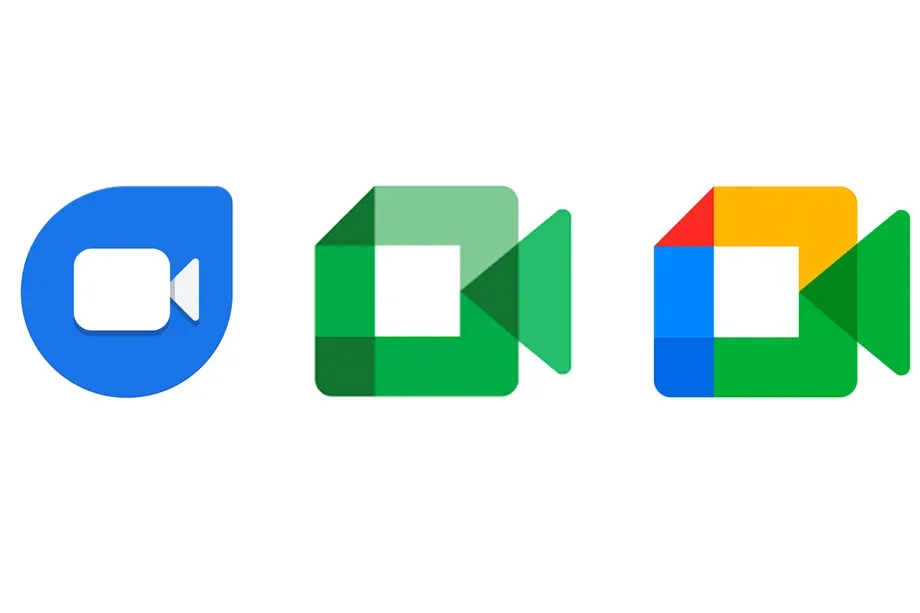
Google Meet (original), meet Google Meet (formerly Google Duo)

Source: Google

How many messaging apps does Google want out there this hour? Guess we can’t be ashamed of all the trite jokes we nerds have made when the company seems to think putting its customers through the semi-permanent ordeal of transitioning between chat apps is an acceptable user experience. Hopefully it doesn’t screw up the merging of consumer-facing video messenger Duo with Google Workspace conferencing app Meet. It’s a multi-step process that’s just getting underway and it looks like Google has put its next foot forward.

ANDROID POLICE VIDEO OF THE DAY

App repository APK Mirror has taken in a submission for version 172.0.464862022.duo.android_20220724.16_p4 of the app which replaces Duo’s indigo logo and name with Meet and Google’s quad-color camcorder icon. You can sideload the app with the above link (or seek further help if you need it from one of our handy guides).

For individual users, not much changes. There’s a new splash page sequence when you first open the “new” app and a reminder prompt which directs users to learn more from a Google Meet Help page. Other than that, if you used Duo for one-on-one encrypted video chats, you’ll now use Meet. You’ll still receive calls through your phone number and, if you’ve enabled it, your Gmail address.

If you’re signing onto “Google Meet (formerly Google Duo)” with a paid Google Workspace account, you’ll see the app’s interface as illustrated by the above tweet from Android Police founder Artem Russakovskii.

If you’re using the Workspace-oriented Google Meet app, it’ll still remain its own app for the time being and hold the modified “Meet (original)” moniker. This app will be deprecated at a later date, though.

If you receive the updated Duo/Meet app from the Play Store, you may see the app listed as “Google Meet (formerly Google Duo),” but it’s pretty much the same app as before. We sideloaded the new Duo/Meet app and was able to open it up through the Google Play Store where it was still feeding us the app as Google Duo. That may still be the case for most other users for the next few weeks as people on different tracks with different versions get updated.

Categories
Technology

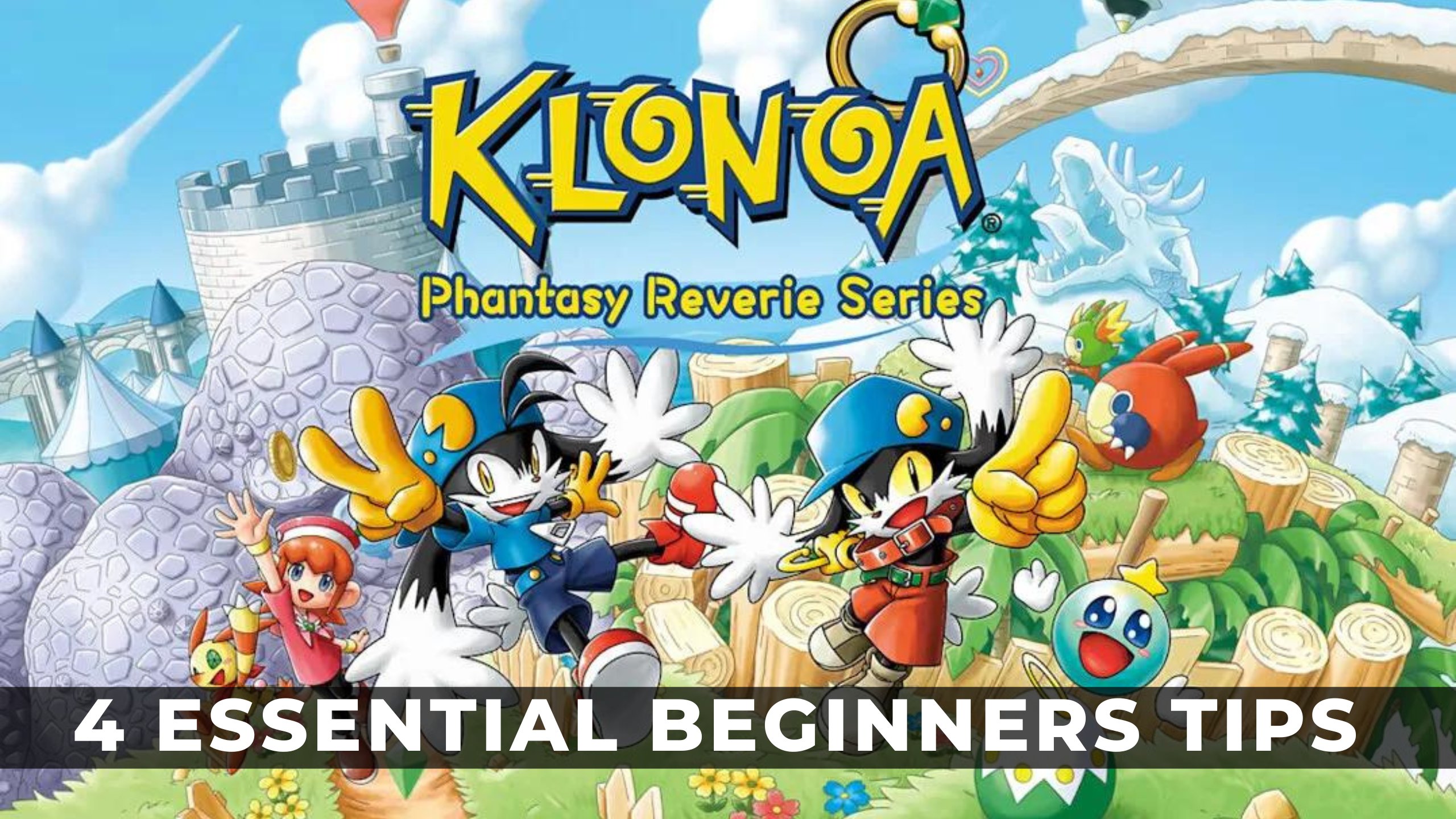
Klonoa: Phantasy Reverie Series – 4 Essential Beginners Tips

Klonoa Phantasy Reverie Series - 4 essential beginners tipsKlonoa: Phantasy Reverie Series bundles the original and sequel into one remastered package. Whether you’re new to the 2.5D platformer, returning after many years, or a bit rusty on the basics, we have four beginner tips for you. Equip yourself with these tips, and you’ll be on your way to defeating Ghadeus, the king of Sorrow and any bouncing bad guy who gets in your way.

Know Your Enemy

The ancient Chinese general Sun Zhu once wrote, “know thy enemy, and know yourself”. While Klonoa doesn’t require such leaps of military genius, having a firm grasp of the various enemy types will stand you in good stead, especially if you’re attempting to speed run visions (levels). Each buoyant enemy holds valuable properties to help you scale heights and dangerous drops. In contrast, others can open paths yet unexplored with a bang! Knowing how to use these creatures to your advantage will also help unlock many collectables that require extra effort.

In Klonoa, the enemy aren't there to simply be beating.  They are a thing to be used to your advantage

In Klonoa, the enemy aren’t there to simply be beating. They are a thing to be used to your advantage.

The common enemy is the round creatures that’ll walk forward and backwards. These aren’t dangerous unless they have armor plating. You’ll want to use these guys to jump high for gems and collectables or as cannonballs to wipe out other enemies. Often you’ll have to jump to much higher ledges, and this is where the second enemy type comes in. These green birds fly upwards and downwards in formation, so time your jump carefully. Lastly, dog-like bombs can blast blockages, but be careful! Some have shorter fuses than others. You’ll encounter other creatures, but their usage is pretty apparent when you meet them.

Popping The Clock

You’ll come across large red clocks floating in bubbles at each level. These are not to be ignored and will make your experience much smoother. Pop these bubbles with an enemy or wind bullet, and your current progress will be saved. You will die a lot in Klonoa, whether through ill-timed jumps, eagerness to rush through a level or allowing an enemy to get too close, so this checkpoint system is invaluable.

If you see a clock, pop it!  Checkpoints will help you avoid redoing difficult platforming sections

If you see a clock, pop it! Checkpoints will help you avoid redoing difficult platforming sections.

Be warned, however. Popping these clocks will have no impact if you exit the level. You’ll be sent back to the start if you rage quit because of a specific section’s difficulty. While neither game’s numerous levels aren’t tricky per-say, extra vision in Klonoa: Road To Phantomile and Chamber o’ Horror/Chamber o’ Fun in Klonoa 2 is very difficult. If you’re a completionist, you’ll have to beat all three, so if you see a clock, pop it and move on with the mission. Just don’t rage quit.

Don’t Ignore Collectibles

Klonoa is a hero, and what do heroes do? Save people! Specifically, in the first game, many citizens of the world have been hidden in bubbles that Klonoa must pop to liberate. These trapped citizens act as collectables, all of which must be found for total completion and the extra vision upon finishing the game. Luckily, there’s no need to get all these collectables in one go. Finish the main narrative, popping those you see and returning to the levels as often as you like once the credits roll.

Tracking down all collectibles will open extra visions that'll put your skill to the test

Tracking down all collectibles will open extra visions that’ll put your skill to the test.

Klonoa 2 takes a different path, but the goal and outcome are the same. A character called Moomet requires you to collect a total of twelve dolls, of which pieces can be found Strawen throughout almost every level. Returning six dolls will unlock a Chamber O’ Fun extra level. Bring all twelve back, and the last and most challenging, Chamber O’ Horror, will open. These two levels will put your platforming skills to the test.

Time Your Jumps

Knowing how and when to jump is critical in all platform games, and Klonoa is no different. Much of your time is spent shooting wind bullets to grab enemies and using them to propel yourself to the next platform. Sometimes you’ll have to chain together jumps, catching and jumping multiple times to reach higher places. These sections can be tricky, especially in later levels. The sequel adds snowboarding levels that demand precision jumps while staying on the path, but, thankfully, you also get checkpoints.

Catching some air!

Catching some air!

These snowboarding sections make for a refreshing change of pace from what is a homogenous experience throughout both games. Boss fights also take advantage of these sections, making things feel fresh, despite using the exact same method of defeating the boss as you would on foot. There are boarding levels late in Klonoa 2 that require near pinpoint accuracy or risk falling into the endless void. Ultimately, all this comes down to repetition and practice. Thank god for those checkpoint clocks mentioned above, huh?

Conclusion

I sincerely hope that these Klonoa: Phantasy Reverie Series beginners tips give you some idea of ​​how to hit the ground running through the worlds of Phantomile and Lunatea. Both games still hold up well, but the extra lick of paint will surely help welcome new players and those looking for a dose of nostalgia.

Klonoa: Phantasy Reverie Series is available on PS5/4, Xbox Series S/X, and Nintendo Switch.

Categories
Technology

Top 5 Upcoming Nintendo And Steam Games Releasing In August 2022

This year has seen some of the best video game releases so far with games like Horizon Zero Dawn and Elden Ring. Players also got their hands on Nintendo games like Kirby and the Forgotten Land (the first 3D Kirby game) and awaited titles like Xenoblade 3.

ADVERTISEMENT

Article continues below this ad

Since July was a bit slow in releases, here are some games that players should look out for in August. Notably, these games can be played on Nintendo Switch, Xbox X|S, PlayStation 4&5, and PC.

ADVERTISEMENT

Article continues below this ad

Two Point Campus – August 9

Two Point Campus is the spiritual successor of the critically acclaimed Two Point Hospital. It is a sim management and base-building game, with the main purpose of building a university with different and unique students, items, and classes.

Two Point Campus is published by SEGA and costs $39.99. Players can buy it on Steam as well as Nintendo Switch Online. Notably, the game can be pre-ordered along with additional bonus content if ordered before the game is initially released. The game has a download size of 1.8 GB

Arcade Paradise – August 11

Arcade Paradise is a blend of Arcade-style gaming and First-person management. In the game, the player plays as a laundromat owner, but with a twist. As a business owner, the player has to manage their day-to-day business as well as grow it in order to start a new Arcade Game center.

Arcade Paradise is published by Wired Productions and costs around $19.99. The game is around 1.9 GB and can be purchased both digitally and physically on steam as well as Nintendo Switch Online. Notably, the game is inspired by three decades of gaming and is a must-play.

Cult of the Lambs – August 11

Cult of the Lambs is a rogue-like action-adventure game. In the game, the player is saved by an ominous stranger and plays as a possessed lamb. Thus, the player has to repay their debts to the stranger by any means possible.

Cult of the Lambs is developed by indie developers, Massive Monster and published by Devolver Digital. The game costs $24.99 and can be pre-ordered on Steam and Nintendo Switch Online. The game is around 1.5 GB and can be purchased digitally only, as physical copies are specially pre-reserved.

Cursed to Golf – August 18

Cursed to Golf is a golf-inspired adventure game. In the game, players are tasked to play golf after death to escape from the golf purgatory. Notably, in the game, every shot matters as the shot management system keeps track of how the player is performing.

Cursed to Golf is developed by Chuhai Labs and is published by Thunderful Publishing. The game is around 4 GB in size and can be played on both PC and Nintendo Switch. Notably, there is no official announcement on how much the game might cost.

ADVERTISEMENT

Article continues below this ad

Tinykin – August 30

Tinykin is an action adventure game that follows the story of Milo, who arrives to earth from space and finds that he is too small! The game is based in 1991 and follows his story of finding what happened to humans by getting help from his minion like alien friends tinykin.

ADVERTISEMENT

Article continues below this ad

Tinykin is developed by Splashteam and is published by tinyBuild. The game is around 2 GB in size and can be purchased from Steam and Nintendo Switch Online. There is no official announcement on how much the game might cost.

WATCH THIS STORY: Ranking The Highest Selling Nintendo Games of All Time

Categories
Technology

Black Ops 4 Will Cause Gamers to Choose an Xbox Over a Playstation.

Microsoft is within the method of exploiting Activision Blizzard, however, the large trade has got to overcome some vital hurdles. numerous regulatory bodies around the world can need to plow ahead before it’s formally passed.

Alternative corporations within the computer game trade are asked to form statements on the impact of Microsoft’s acquisition of Activision Blizzard, with Sony’s victimization the chance to voice their considerations, particularly because it involves the decision of duty selection.

Photo credit – Google

Assuming that everything goes as planned and Microsoft acquires Activision Blizzard, it’ll suddenly take charge. the decision of duty complete. the decision of duty is well one of the foremost widespread computer game Franchises of All Time, If Not the foremost widespread, the annual decision of duty is usually A-one on the charts because of the popular game each year.

Microsoft has instructed a decision of duty A multi-platform franchise can stay afloat albeit it acquires Activision Blizzard, however, it’s like Sony continues to be involved concerning it, as discovered by its statement to the Brazilian government.

Sony believes a decision of duty will influence shopper selection once it involves shopping for a replacement console. Therefore if the decision of duty is Xbox exclusive, fans of the franchise will develop Xbox on PS5.

Console exclusives are the most method corporations contend for shopper greenbacks, though Microsoft has emotional aloof from that strategy in recent years, focusing instead on merchandising Xbox Game Pass subscriptions.

Sony isn’t simply processing smoke concerning its considerations decision of duty, because it puts it on fans of the franchise to select PlayStation over Xbox by securing their exclusivity deals. some decision of duty The content has been PlayStation-exclusive in recent years, with some game modes solely accessible on the PS4 and PS5 for upwards of a year in some cases. Sony makes deals as a result of its hopes to convert the decision of duty fans to require the PlayStation version over the Xbox version, therefore it’s clear the corporate beliefs codAbility to sell consoles.

While Sony and Activision have had an in-depth partnership over the years, once it involves a job of duty, of course, it is accustomed to receiving Microsoft Timeline-exclusive content for the Xbox. there was a time when the decision of duty The DLC would launch on Xbox 360 and Xbox One 1st, however, those deals eventually emotional to PlayStation instead. This shows that Microsoft has found a price in securing itself the exclusive decision of duty content for Xbox, therefore it’ll be fascinating to check if it lives up to its word concerning keeping the franchise multi-platform.

Always be Updated with us visit GeeksULTD for Real-Time Updates