Categories
Technology

Zoom’s Auto-Update Feature Came With Hidden Risks on Mac

Many of us have been there: You fire up the Zoom app as you rush to join a meeting you’re already late for, and you’re hit with a prompt to download updates. If something like this has happened to you, you’re enrolled in Zoom’s automatic update feature.

Launched in its current form in November 2021 for Zoom’s Windows and Mac desktop apps, the feature aims to help users keep up with software patches. You enter your system password when you initially set up the feature, granting Zoom permission to install patches, then you never have to enter it again. Easy. But after noticing the feature, longtime Mac security researcher Patrick Wardle wondered whether it was a little too easy.

At the DefCon security conference in Las Vegas today, Wardle presented two vulnerabilities he found in the automatic update feature’s validation checks for the updates. For an attacker who already had access to a target Mac, the vulnerabilities could have been chained and exploited to grant the attacker total control of a victim’s machine. Zoom has already released fixes for both vulnerabilities, but onstage on Friday, Wardle announced the discovery of an additional vulnerability, one he hasn’t yet disclosed to Zoom, that reopens the attack vector.

“I was curious about exactly how they were setting this up. And when I took a look, it seemed on first pass that they were doing things securely—they had the right ideas, ”Wardle told WIRED ahead of his talk about him. “But when I looked closer, the quality of the code was more suspect, and it appeared that no one was auditing it deeply enough.”

To automatically install updates after the user enters their password once, Zoom installs a standard macOS helper tool that Wardle says is widely used in development. The company set up the mechanism so only the Zoom application could talk to the helper. This way, no one else could connect and mess with things. The feature was also set up to run a signature check to confirm the integrity of the updates being delivered, and it specifically checked that the software was a new version of Zoom, so hackers couldn’t launch a “downgrade attack” by tricking the app into installing an old and vulnerable version of Zoom.

The first vulnerability Wardle found, though, was in the cryptographic signature check. (It’s a sort of wax-seal check to confirm the integrity and provenance of software.) Wardle knew from past research and his own software development that it can be difficult to truly validate signatures in the types of conditions Zoom had set up. Ultimately, I have realized that Zoom’s check could be defeated. Imagine that you carefully sign a legal document and then put the piece of paper facedown on a table next to a birthday card that you signed more casually for your sister. Zoom’s signature check was essentially looking at everything on the table and accepting the random birthday card signature instead of actually checking whether the signature was in the right place on the right document. In other words, Wardle found that he could change the name of the software he was trying to sneak through to contain the markers Zoom was broadly looking for and get the malicious package past Zoom’s signature check.

For all the latest Technology News Click Here

For the latest news and updates, follow us on Google News.

Read original article here

Denial of responsibility! NewsUpdate is an automatic aggregator around the global media. All the content is available free on the Internet. We have just arranged it in one platform for educational purpose only. In each content, the hyperlink to the primary source is specified. All trademarks belong to their rightful owners, all materials to their authors. If you are the owner of the content and do not want us to publish your materials on our website, please contact us by email – [email protected]. The content will be deleted within 24 hours.

Categories
Technology

Gboard is getting ready for more stuff: Shortcuts bar

Last August, Google rolled a bunch Who are you? Thrives to Gboard for Android, and a few more are now coming to the keyboard, including the shortcut bar.

About APKInsight: In this “APK Insight” post, we have unpacked the latest version of an app that Google has uploaded to the Play Store. When we decompile these files (called APK files, in the case of Android apps), we can see different lines of code within this hint in possible future features. Keep in mind that Google may or may not ship these features at all, and our interpretation of what they are may be incomplete. We’ll try to enable those who are about to finish, however, to show you what they would look like if they did charge. With that in mind, keep reading.

Currently, clicking the badge icon in the upper-right corner brings out several tools, layout, and shortcuts. Today’s menu includes: Settings, Theme, Edit Text, Clipboard, GIF, Floating, One-handed, Translate, Share and Sticker. There is also a file Split keyboard on folding (but not tablets).

Gboard 12.1 goes live on the beta channel today and reveals work on a material that redesigns this tape RKBDI Friend It has been successfully enabled. The corner button is still a circle but now uses a 3×3 grid icon.

Meanwhile, the shortcuts (or “access point” items as they are referred to) are now in rounded rectangles that look very similar to Material Chips You (MD3). It’s not much different from the Google Assistant’s voice typing user interface on Pixel phones (shown in the cover photo above). The background of each element is lighter than the keyboard, which is more visible in the colorful themes.

You can now have another shortcut to a total of five in the bar, although Gboard is working on the ability to let users customize the number of impressions if they really only need one or two. However, the new cap is due to Gboard removing the three dots/excess on the right and using the existing corner button for input.

Google has redesigned this view with a tighter grid that is no longer centered. It allows for more functionality to be easily added in the future, while the text editing layout gets a texture that updates on its own with rounded corners for each button.

Another article you are updating is the settings. The main menu is getting bigger, while MD3 switches are now being used all the time.

It’s not clear when Gboard will widely roll out the Material Bar and other design changes.

FTC: We use affiliate links to earn income. more.


Check out 9to5Google on YouTube for more news:

Categories
Technology

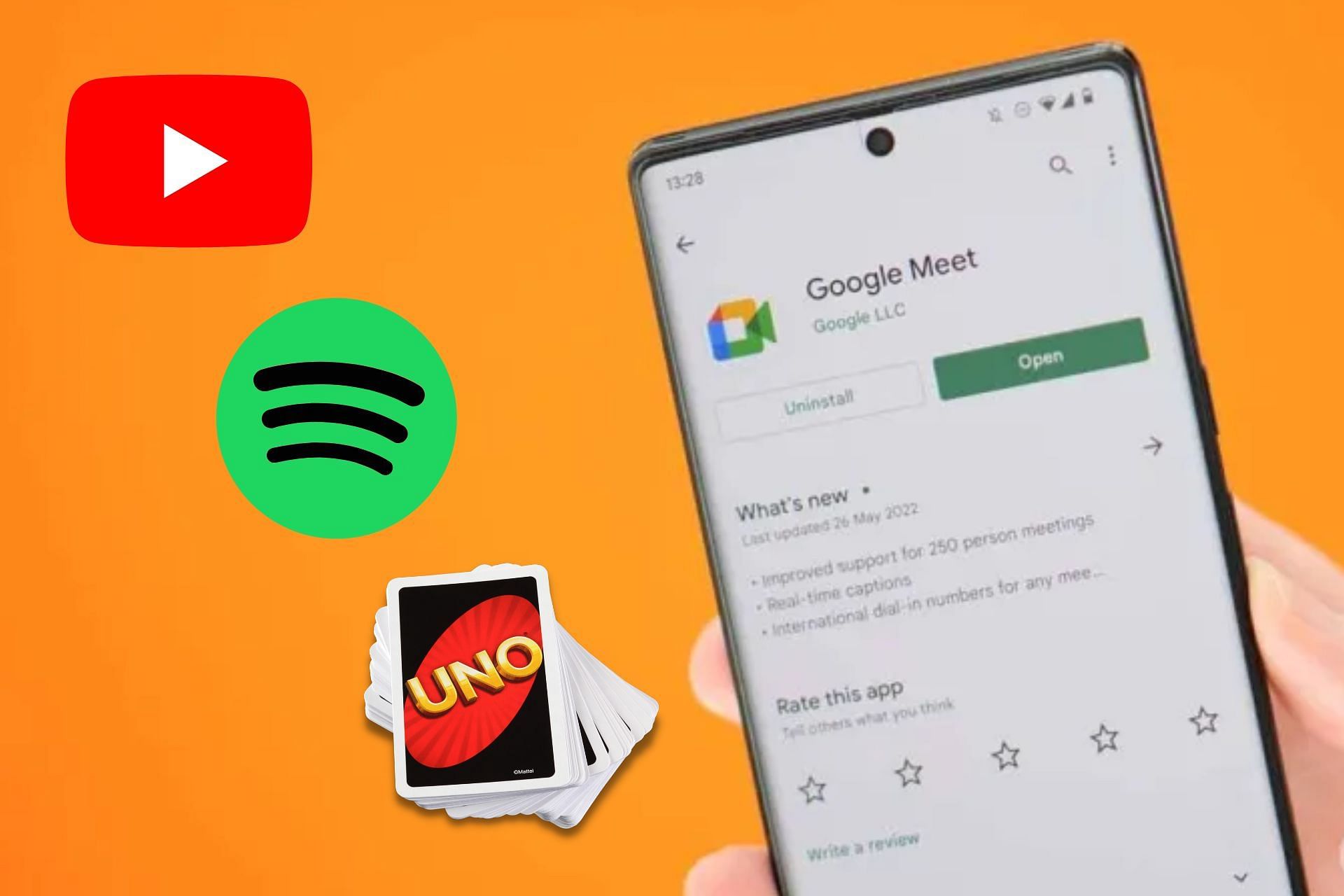
How to stream YouTube, Spotify, and play games with the new Google Meet

Google Duo and Google Meet have been merged for nearly a week now. Google Duo has been renamed as ‘Google Meet’ and the Google Meet app has been renamed as ‘Google Meet (Original)’. Furthermore, the original Google Meet app now has a green icon to help users distinguish it.

Initial speculations say that Google is trying to merge its professional and personal video calling apps into one. Google has also suggested using the new Meet app for a better combined video call and meeting experience. However, it is still quite confusing for many users.

youtube-cover

The new Meet app carries the best features of both apps. The 2022.07.23 beta version of the new Google Duo app first hinted that some exciting features might be coming to the app. Earlier this year in February, the live-sharing feature was introduced on Google Duo as a Samsung device exclusive.

But now in August, the merged app is receiving the same feature as users can now enjoy videos, songs, or games together in lengthy meeting sessions.


Google Meet users can now stream YouTube, Spotify, and play games, here’s how

Google Meet users can now stream videos from YouTube, songs from Spotify, manage tasks using GQueues, and play games like Heads Up!, UNO! Mobile, and Kahoot! during a meeting. This new feature can have two to five participants involved in any shared activity.


How to use these all new features

To stream YouTube, Spotify, play games, or use any other newly added features, users have to follow the steps mentioned below:

  • Update the Meet app to the latest version.
  • Go to the three dots menu.
  • Go to the Activities tabs (where the Q&A and Poll options are available).
  • From that point, they can start any desired shared activity just by selecting the option. Icons of all the available shared activities will be shown. For example, users have to press the UNO! Mobile icon if they want to start the game.

However, it should be mentioned that Spotify is currently only allowing its Premium users to use this group session feature, which is also the same for Samsung device users. The group session feature is quite similar to Apple’s SharePlay, although SharePlay doesn’t allow users to stream from either YouTube or Spotify.

SharePlay currently supports a large number of apps, like Apple TV+, TikTok, Disney+, Hulu, HBO Max, NBA, Twitch, TikTok, MasterClass, ESPN+, Paramount+, Pluto TV, Apple Fitness+, and Apple Music. The new Google Meet is also expected to spread its domain of supported apps in the future.

Speaking about the future of the new Meet app, Google stated:

“We will continue to invest in bringing more features to Google Meet to help people to connect, collaborate and share experiences on any device, at home, at school and at work.”

Features like scheduled recurring meetings, virtual backgrounds, and in-meeting chats have also come to the new Meet app. The new update will be available to all mobile and tablet devices by the end of August. Later on, Google is expected to bring this change to other platforms as well.


.

Categories
Technology

When light is the switch: nanometric photodio

In a novel approach, a new study at SISSA uses technology that can activate individual nerve cells with a light impulse. A targeted, non-invasive approach that can be used for fundamental studies into the nervous system as well as the development of innovative therapies for neurological diseases.

‘A jolt of light’ to modulate the activity of a single neuron in real time. This is how innovative nanometric photodiodes work, the protagonists of a new research study published in Science Advances. The technique developed by Professor Laura Ballerini’s team at SISSA in Trieste, in collaboration with the Universities of Chicago and Cambridge, is a truly innovative and sophisticated one. When activated with an infrared ray, photodiodes of nanometric dimension are able to send an electrical message to the nerve cell to which they are bound, regulating its function. The effect of the stimulation can then be extended and amplified to the surrounding network of neurons by virtue of their synaptic contacts. Working like a real electrode, but with a non-invasive and very selective approach, these nanotechnologies could be extremely useful for basic research, to investigate in-depth the mechanisms of the nervous system, but also to develop targeted therapies for neurological diseases.

Nanometric photodiodes: here is how they work

“To investigate the functioning of the nervous system, there is now great interest in technologies that must be both very precise and non-aggressive. Our strategy goes precisely in this direction. Differently from what explored so far, where metal electrodes or the optogenetic combination of genetic manipulation and optical techniques were used, we pursued a new, more specific and less invasive approach” say Professor Ballerini and her collaborators Denis Scaini and Mario Fontanini. In the study, the SISSA research group used innovative nanometric photodiodes, developed by the University of Chicago, which are capable of binding to the surface membrane of nerve cells.”The photodiodes light up when illuminated with infrared light,” explain the scientists.”In this way they can act electrically on the nerve cell, activating it. This is extremely useful for research purposes because it allows us to see what role a specific neuron plays in a given process and, since infrared is able to pen treat tissue, modulate its activity from the outside in an agile and non-aggressive way.” But how do you get the photodiode to the neuron you wish to study?Thanks to an ingenious mechanism developed in collaboration with Ljiljana Fruk’s group from University of Cambridge: “The photodiode is bound to an antibody that works like a courier taking and hooking it exactly where we wish to.This is because the antibody recognizes with great specificity a structure that we know is on the surface of the target neuron.”

New technology with a huge potential

Working in the laboratory on explant sections of the spinal cord, the SISSA staff focused on the study of the sensory neurons involved in pain pathways: “We realized that our method is able to selectively stimulate individual cells, allowing us to activate individual neurons with opposite functional roles, eg excitatory or inhibitory,” explain the researchers. “By activating an excitatory neuron on the spinal dorsal horn with the photodiode, we witnessed an amplification of the pain signal. Vice-versa, by acting on an inhibitory neuron the opposite effect was obtained: the amplification of the pain signal was switched off.” Interestingly, the research also shows that acting on just one neuron can have a much wider effect, affecting the activity of a whole area. The researchers confirmed: “This is exactly what we verified: by stimulating a target neuron we can modulate the response of the whole circuit, and this is very interesting for a number of reasons.”

More generally, concludes Laura Ballerini: “Thanks to its functionality and efficiency this technique, which has so far only been developed in-vitro, could allow us to define neurosensory circuits in a very sophisticated way, obtaining highly detailed information on the role played by individual nerve cells in different mechanisms. This in-depth knowledge would consequently allow increasingly specific therapeutic approaches to be designed at the spinal cord level.”


Disclaimer: AAAS and EurekAlert! are not responsible for the accuracy of news releases posted to EurekAlert! by contributing institutions or for the use of any information through the EurekAlert system.

Categories
Technology

This Privacy Service Tries to Prevent Your Cell-Phone Carrier From Tracking You

Who’s tracking your cell phone? Probably more people than you’re comfortable with. Working in a Guatemalan refugee camp, Paul Schmitt noticed an “IMSI catcher” at the entrance, presumably so authorities could track the residents’ comings and going. These devices, also known as “Stingrays,” are used by governments around the world to track citizens.

“Commercial surveillance” is also now in the government’s crosshairs, as the FTC now seeks comment on “the business of collecting, analyzing, and profiting from information about people.”

The IMSI (international mobile subscriber identifier) ​​is the code attached to your SIM card that lets the network know you’re a subscriber in good standing. Thing is, that number lets your mobile provider track you, and it can give that data to partners or authorities if it wants. Even worse, third parties can set up Stingrays, and collect subscriber IDs and locations for their own purposes.

So along with ex-Googler Barath Raghavan, Schmitt founded Invisv, a startup dedicated to figuring out how to cloak its users’ IMSIs. Its new “pretty good phone privacy” product, available for Android phones that have eSIM capability, combines a virtual carrier (using AT&T’s network in the US) with special software that lets you churn your IMSI.

“We were hopeful this would be picked up by the [phone] companies. We approached the telecoms, and the response wasn’t what we hoped for,” Schmitt says. “We wanted to show this is actually possible.”

The company also offers a two-hop VPN service for Android that costs $5/month, to hide your internet traffic. (Apple’s iOS doesn’t offer third-party developers the APIs needed to do IMSI switching.)

So Invisv offers a mobile service, provided via eSIM, which has an app that cycles your IMSI. For $40/month, you get 9GB of data and eight IMSI changes per month; for $90/month, you get unlimited data and 30 IMSI changes. Essentially, you’d appear to the network as a different person each day.

The actual connectivity is provided through various physical networks. In the US right now that’s AT&T, with T-Mobile coming on board down the road. They make a deal with Invisv, and they never see your current subscriber information.

That’s paired with a two-hop VPN, also available as a $5 separate service. A two-hop VPN sends data to Invisv, which then hides your IP address and sends your data to VPN firm Fastly, which finally sends it to the target website. It then becomes very hard to connect your requests with any traffic heading to the destination.

“There’s mobile privacy, there’s internet privacy, and there’s app privacy,” Raghavan says. “We’re trying to solve the two [mobile and internet] which nobody has addressed.”

App-interface

The app has a very simple interface.

5 Ways They Track You

There are a lot of ways carriers, platform providers, and application providers track your phone, and a lot of ways that data can be sold to brokers. Invisv’s premier product takes care of a particularly tricky one, and Schmitt walked me through some of the others.

1. MSISDN (Your Phone Number)

Along with your IMSI, every phone with a voice line has an MSISDN, otherwise known as a phone number. It’s easy enough for your carrier to track your phone by MSISDN even if you cycle your IMSI. Invisv’s data-only SIMs have no phone number. If you want to make calls or send texts, you sign up with a cloud-based provider such as Line2.

2.SS7 Attacks

There’s a massive flaw in 2G and 3G networks that lets well-resourced attackers—typically, spy agencies—intercept traffic. The newer Diameter protocol, introduced with 4G, closes that hole, but it can open up any time someone makes a call or sends a text (because those functions often use parts of the 2G or 3G system.) Schmitt says he avoids that by buying only 4G and 5G service; if there’s no 4G coverage, the phone shows no signal.

3.GSM(Google Mobile Services)

The core Google service on mainstream Android smartphones, GMS “fingerprints” your device so its own ad products, and clients’ ad products, can target you. The way to avoid this is by loading a “non Googled” Android OS on your phone. Schmitt says Invisv works on Graphene and Calyx. Raghavan says the app will be available through the F-Droid store and as a direct APK download, to avoid Google Play.

4. App-Based Tracking SDKs

Many third-party apps on your phone collect personal and location data, which the app makers then resell to brokers. (New York Times has a terrifying example of the kind of precise location data the brokers can provide.) The answer for this one is to say no when apps on your phone ask for your location. An even better solution would be to use a feature phone with no apps, but Schmitt says “there’s not a huge market” for feature phones.

5. Behavioral Fingerprinting

Unfortunately, this last one is very difficult to avoid. Even if you don’t give apps permission, they may be “fingerprinting” your behavior using data available through the platform APIs, combining that information into a unique identifier. In the wake of its location-data story, the Times Times recommended the app Disconnect.me to block these trackers.

“We would suggest that in addition to using PGPP, privacy-conscious users should use better apps—such as Signal or Matrix for communication and a privacy-preserving mobile browser, etc. (But they won’t need the VPN service from such apps .) These are complementary privacy practices, as we see privacy as a layered problem,” Raghavan says.

Invisv’s plan is now available on the Google Play Store.

.

Categories
Technology

Tower of Fantasy: When is it Coming to Steam?

Starting to get burned out on Genshin Impact? How about trying something new that still feels familiar? From publisher Level, Infinite and developer Hotta Studio comes a brand new anime-styled open-world action RPG called Tower of Fantasy. In this game, humanity has traveled to a distant alien world, Aida, because of dwindling resources. There, they tried to harvest Omnium energy from comet Mara, but the energy radiation end up causing catastrophic disaster. Like Genshin Impact, Tower of Fantasy can also be enjoyed on Android and iOS mobile devices, as well as your own high-end PC gaming rig. Speaking of the PC version, will Tower of Fantasy come to Steam?

When Will Tower of Fantasy PC Come to Steam?

Currently, you can already play the game through its own stand-alone launcher. None, if PC players are waiting for Tower of Fantasy to be released on your favorite gaming platform, either Steam or Epic Games Store, then you have to wait until Q4 2022.

As mentioned on Tower of Fantasy‘s official download page, the game is set to be launched on Steam and Epic Games Store sometime around the fourth quarter of 2022. Meanwhile, the Steam page mentioned an even broader release window, H2 2022 — or the second half of 2022. As you can expect, it corresponds to July, August, September, October, November, and December. With that in mind, Level Infinite and Hotta Studio might release the game sometime between October 1 to December 312022.

The developer team is yet to announce the specific date when Tower of Fantasy will finally hit Steam, so don’t forget to follow their official global social media channels, such as their twitter-account and Discord server, for more updates. Below is Tower of Fantasy PC system requirement according to the game’s Steam product page:

Minimum Recommended
YOU Windows 7 SP1 64-bit (requires 64-bit OS) Windows 10 64-bit
processor Intel Core i5 or equivalent Intel Core i7
Memory 8GB RAM 16GB RAM
GPU NVIDIA GeForce GT 1030 NVIDIA GeForce GT 1060 6GB
DirectX DX11 DX12
Storage 25GB 30GB

Related:
Tower of Fantasy: How to Fix ‘Server Under Maintenance’ Error

Tower of Fantasy is available on PC, Android, and iOS.

Categories
Technology

Black and Gold Nucleus locations on Astra

Tower of Fantasy’s summoning system hinges on a very simple set of tokens called Nuclei that you can find dotted all over the world. There are two different types of Nucleus Cache, Black and Gold, and they have their own set of tokens to spend on spinning them. There is also the exceptionally rare Red Nuclei, but they’re used for the specialty gacha. We have a full Tower of Fantasy currency guide if you need more information.

As you may expect, Black is more common than Gold, but you can still find plenty all over Astra if you know where to look. You can take a look at this pair of maps to see exactly where you can find all of them on Astra.

Tower of Fantasy Nucleus map 1

Tower of Fantasy Nucleus map 2

You can collect them primarily from interactable objects and locations in the world like Tar Pits or Kerosene Plants, but Gold nuclei are usually in much tougher locations like Strongholds. There are also different Caches you can find out in the world, Purple Caches indicate Black Nuclei, while Gold Caches will give you both Gold Nuclei and Dark Crystals.

Bare in mind that some locations will require time after activation before they yield any Nuclei, and we recommend keeping a fire weapon on hand to make the process go smoother. It’s also possible we’ve missed a few spots on this map, but what we’ve marked out should give you more than enough to get started.

Written by GLHF.

.

Categories
Technology

LG Unveils Vibrating TV With Speakerless Audio – channelnews

LG Display has revealed a 97-inch 4K OLED.EX TV panel that is capable of producing sound without the need for built-in speakers.

The new panel makes use of the tech company’s Cinematic Sound OLED technology, which involves a thin film that is applied to the back of the panel that vibrates the display, generating audio for the TV’s 5.1 channel sound system. LG says that the technology delivers a “cinematic level of immersion.”

LG previously implemented the technology on their LG G8 smartphone, the audio performance which was “lackluster” according to TheVerge.

However there is precedent to say that the technology of a vibrating TV generating audio does indeed work, with Sony’s A80K TV amongst others making use of similar Acoustic Surface Audio Plus technology. Sony’s TVs, unlike the LG panel, are assisted by front facing speakers, tweeters and actuators that vibrate the screen, which acts as a main speaker.

Credit: That Home Theater Dude

The lack of additional speakers does raise questions of LG’s claim of a “cinematic level of immersion”, where a surround sound system would make use of speakers around the viewer to pull them into the soundscape of what’s on screen.

It also begs the question of how LG plans to prevent image interference with a panel that vibrates.

Before the mention of speakerless technology, LG debuted its OLED.EX technology in its latest run of flagship G2 OLED TVs, and previously announced the 97-inch 4K panel back in January, which would make it the largest OLED TV ever released.

According to FlatPanelsHD, TV’s with the new panel will cost 25,000 Euro (roughly A$36,318) upon release in Europe, where it is expected to appear late this year. Pricing regarding the vibrating panel is yet to be disclosed.

Categories
Technology

Free-to-play games aren’t necessarily zero cost

This Week in Games is a weekly column where Vikki Blake pulls apart the biggest stories in gaming each week. This week, she wants to remind you that even though something is “free”, that doesn’t mean it won’t cost you anything…

Yyou know the old saying, right? “If you don’t pay for a product, you are the product”. It started circulating back when we were stupid and naive and downloaded any old shit onto our devices without reading the small print. Were we wary of viruses back then? You bet we were: malware was nothing new. Were we wary about where our data was ending up? Were we fuck.

That’s why EA’s recent decision to turn its fan-favorite skating franchise, skateboarding, into a free-to-play title should raise eyebrows as well as expectations. In a bid to appeal to “Gen Z and Gen Alpha players”, the company announced at its last earnings call that it was switching from a “premium plus live service” to a free-to-play (F2P) model to better match, ahem, “how they consume content”.

Beyond the grimly obvious – each generation of UK kids grow up to be UK adults with less money than the one before it, with increasingly less disposal income with which to indulge hobbies like games and music – it’s an indicator not just about EA’s shifting marketing priorities , but also perhaps how game makers as a whole think about monetisation. After all, F2P titles no longer sit at the edge of the industry, but at the very heart of it.

skateboarding
Pre-Pre-Alpha footage of ‘Skate’. CREDIT: YouTube

Take a peek at Steam Charts’ biggest games right now. Of the titles with the most people playing – CS:GO, dota 2, apex legends, PUBG: Battlegroundsand GTA 5 respectively – all but one (GTA, the last-last-gen blockbuster that refuses to die) are free-to-play. It’s not hard to see why the people in suits are clamoring to ensure games with their logos are listed amongst them, is it?

However, there’s nothing inherently wrong with F2P games. Whilst arguably more insidious on mobile (I briefly worked as a copywriter for a Very Well-Known Company and the amount of shovelware I had to write about almost broke me; no, I didn’t last long there), when done right, F2P titles have every right to sit shoulder to shoulder against premium ones. EA’s own apex legends is just one such example. Though not without its issues, it’s still one of my favorite shooters, and a fabulous example of how an F2P model can not just exceed but excel.

Its monetization strategy is a little less fabulous, sure, but I’m not even against that – at least, not in theory, anyways. Apex you have given me many, many hours of unbridled enjoyment, all for the princely outlay of zero pounds and zero pence. I bought the first battle pass not because I particularly wanted it, but because I wanted to support Respawn. I wanted to ensure these servers stay live for a long time to come. Buying a battle pass a couple of times a year seems more than fair reward for a game that’s given me and my pals so many good times.

apex legends
Apex Legends. Credit: Respawn Entertainment

Multi Versus – also free-to-play – seems to be making waves for all the right reasons, too. Sure, we’ve learned the hard way that some publishers sneakily hold back some games’ monetization strategies until they’re out of beta and fully launched, but we’ve spent some time with it, and reckon “the marketplace and in-game transactions are fair, balanced, and nothing you buy with ‘real’ money will enhance your current performance”. Our preview also revealed that “everyone get[s] a fair shot at unlocking the characters they’ve got their hearts set on without parting with their cash, if they don’t want to”. Don’t quibble here, then.

The issue with these cosmetic microtransactions is not a discussion of balance, rather a separate issue – players who find it very hard to ignore the flashing store banners and irresistible pull of completing collections, even if they are “just cosmetic”. That rings doubly true when studies have found links between gambling and gaming – at the end of the day, there is absolutely a subset of players that will struggle to play games for zero cost.

Multiversus Garnet and Jake the Dog
Multiverse. Credit: Player First Games.

In today’s world, a spiraling cost of living crisis means that an increasing amount of gamers will struggle to pay full price for the latest title – and if a game being free means more people can access it, it’s hard to argue with that. However, the issue with microtransactions – really – comes down to what they offer. Gamers quite rightly refuse to accept that those who can afford them should get a competitive advantage against those who cannot, which means for now, these additional costs are chiefly locked to “cosmetic” items. That doesn’t mean we’re not seeing our tolerance tested, though, with those premium mobile “timesaver” shortcuts slowly making their way onto console and PC gaming.

Maybe the idea of ​​paying for “extras” when a game is F2P is more palatable? I know I often think that way, especially as we navigate a gaming world heaving with expansions and DLC and battle passes and premium editions, all of which are designed to get us to part with more of our hard-earned cash even after we’ve paid top whack for the latest game. A freebie can be brilliant for gaming on a budget, but be cautious: just because a game is free-to-play doesn’t mean it won’t cost you in the end.

What else?

  • A brand new Splatoon card game spin-off was announced during the recent Splatoon 3 Direct for the game, and it’s based on the multiplayer Turf War game mode.
  • Xbox has announced plans for Gamescom 2022, and it includes five first-party titles available to play at its booth this year: Age Of Empires 4, Grounded, Microsoft Flight Sim, Pentiment, and Sea Of Thieves. There will also be nine third-party titles available at the booth, too.
  • Breaking Bad creator Vince Gilligan has revealed there have been “quite a few attempts” at making a video game set within the Breaking Bad universe and while he’s “not much” of a gamer, he’d asked a couple of people “who owns Grand Theft Auto?” with the intention of working together on a project.

Categories
Technology

Best Galaxy Buds 2 Pro features: Improved ANC, Samsung Seamless Codec HiFi, and more

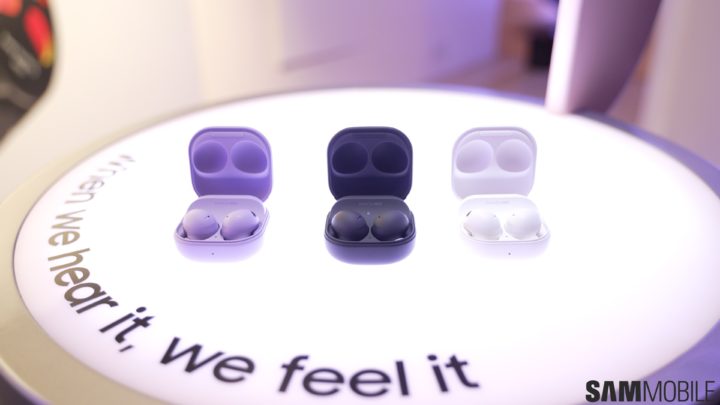
Today, Samsung unveiled its latest flagship wireless earbuds, the Galaxy Buds 2 Pro. These earbuds are the successors of the Galaxy Buds Pro that were launched back in early 2021. They bring an improved design, better audio quality, a more stable wireless connection, and brand-new audio codecs.

If you are interested in the Galaxy Buds 2 Pro, here are some of its best features that you should be looking at.

Best Galaxy Buds 2 Pro features

1. Bluetooth 5.3 chip with Samsung Seamless Codec HiFi

The Galaxy Buds 2 Pro is Samsung’s first set of truly wireless earbuds that use a Bluetooth 5.3 chip. They are also the company’s first earbuds to support Samsung Seamless Codec HiFi, the South Korean firm’s near-lossless audio codec. They support 24-bit wireless audio transmission, so if you have access to Hi-Res Audio tracks, you can listen to them in near-lossless quality. However, this feature only works when the Galaxy Buds 2 Pro is paired with a Galaxy device running One UI 4.0 (or newer).

They also support AAC and SBC codecs, similar to previous Galaxy Buds. The Galaxy Buds 2 Pro also supports Auto Switching. This feature switches the connection of the earbuds between Galaxy devices (such as smartphones, tablets, laptops, or smartwatches), depending on which device you are actively using.

2. Dual-driver setup and improved ANC performance

Samsung’s newest wireless earbuds use a set of two drivers (woofer + tweeter) for rich audio quality. Although it might seem similar to the Galaxy Buds+, Galaxy Buds Pro, and the Galaxy Buds 2, Samsung says that it has optimized those drivers and their size for even better audio quality.

The South Korean firm has also improved the performance of ANC (Active Noise Cancellation), so the outside noise will be filtered with even higher accuracy. Plus, when you want to talk to someone, the Voice Pickup unit detects that you’re talking and switches the Galaxy Buds 2 Pro to the Ambient Mode.

3. 360 Audio with Direct Multi-Channel

The Galaxy Buds Pro was the first Samsung product with 360 Audio. It is a head-tracking feature that simulates the direction of audio when you move your head so that you know where the audio is coming from. With the Galaxy Buds 2 Pro, the company has added support for 5.1-channel, 7.1-channel, and Dolby Atmos for even better spatial audio performance.

4. IPX7 rating for water resistance

Compared to the Galaxy Buds 2, the Galaxy Buds 2 Pro offer better protection against water and sweat. The new set of earbuds has an IPX7 rating for water resistance, which means you can use them in the rain or during workouts without any worries.


Samsung has also equipped the Galaxy Buds 2 Pro with features often found on high-end truly wireless earbuds, including automatic wear detection, touch controls, audio and control customizations through a companion smartphone app, a USB Type-C port for charging, and Qi wireless charging. The earbuds also feature Bixby and SmartThings Find.

Picture of Galaxy Buds Pro 2

SamsungGalaxy Buds Pro 2