All of today’s best deals are now up for the taking and headlined by $80 Samsung Galaxy Buds Pro discounts. That’s on top of NVIDIA Shield TV Pro/Stick from $125 and Samsung Galaxy Watch 4 Classic LTE models starting at $300. Hit the jump for all that and more in the latest 9to5Toys Lunch Break.
Amazon clears out Samsung Galaxy Buds Pro with $80 discount
After seeing the new Galaxy Buds Pro 2 debut earlier in the week, Amazon is now offering the Samsung Galaxy Buds Pro for $120 in two styles. Typically fetching $200, today’s clearance offer matches the Prime Day discount from last month and is $10 under our previous mention. This is also matching the all-time low at $80 off.
Just as you’d expect from their pro designation, Samsung’s now previous-generation earbuds arrive with improved active noise cancellation alongside an Ambient Mode. Other notable features enter as 28-hour battery life on a single charge, a workout-ready form-factor thanks to IPX7 water-resistance, and seamless pairing to your Galaxy handset. We noted that they are “simply excellent” in our hands-on review, as well.
Be sure to join 9to5Toys live over on our official YouTube channel as we cover all of the week’s best news, reviews, and deals starting at 12 p.m. EST.
NVIDIA Shield TV Pro/Stick return to 2022 lows from $125
Amazon is now discounting both of NVIDIA’s streaming media players, with the flagship Shield Android TV Pro leading the way at $170. Down from the $200 you’ll regularly pay, today’s offer amounts to $30 in savings. This is only the third discount of the year and matches the 2022 low set back on Prime Day.
NVIDIA Shield Android TV Pro arrives as one of the more high-end streaming media players on the market with plenty of notable features. First and foremost is onboard Plex support with hardware transcoding, allowing you to create a server just by plugging in a USB hard drive or connecting to a NAS. Of course, there’s access to all of the usual streaming services on top of 4K HDR playback, Alexa support, and more. A new update also rolled out that brings low-latency playback, night listening, and more to the Android 11 experience.
Save $100 on Samsung Galaxy Watch 4 Classic LTE models
Earlier this week, Samsung debuted the new Galaxy Watch 5/Pro models and now Amazon is looking to clear out previous-generation stock with some deep discounts attached. Those who don’t need the latest and greatest can now instead bring the Samsung Galaxy Watch 4 Classic to their wrist starting at $300 for the 42mm LTE style. Normally fetching $400, this is $100 in savings and a new all-time low at $20 under the previous mention. The 46mm model is also on sale and sitting at the all-time low of $330, down from $430. Galaxy Watch 4 Classic delivers a more premium build than usual with a stylish stainless steel case. The fitness tracking experience is also well-equipped with all of the usual workout monitoring tech, heart rate and ECG readings, and much more. Dive into our hands-on review for a closer look.
Sony’s unique new true wireless LinkBuds at $158
Amazon now offers the Sony LinkBuds True Wireless Earbuds for $158 in two colors. Normally fetching $178, today’s offer amounts to $20 in savings and matches the second-best price to date. This is still only the fourth price cut since launching earlier this year and comes within $10 of the all-time low.
Taking a hardware approach to the software transparency mode feature, Sony’s new LinkBuds are centered around open ring-style drivers that all sound to naturally pass through from the outside world. Our hands-on review explores what to expect on that front, though the spoiler is that these are ideal for public transportation commuters and the like. The Sony V1 processor balances the sound profile and rounds out the package alongside 20-hour battery life, IPX4 water-resistance, and an ultra-compact charging case.
Synology’s popular DS220j 2-Bay NAS hits $150
Amazon currently offers the Synology DS220j 2-Bay NAS for $150. Normally fetching $190, today’s offer is marking only the second discount of the year and beating our previous mention from back in May by $20. While this model originally sold for $170, the ongoing chip shortage raised the standard price, making today’s discount all the more notable for getting in on the always-on storage game at $40 off.
As one of the more entry-level offers in the Synology stable, its DS220j NAS arrives with two hard drive bays and support for up to 32TB of storage. Ideal for everything from configuring a routine backup server, playing around with smart home services like Home Assistant, and more, there’s a 1.4GHz processor and single Gigabit Ethernet port to deliver 112MB/s speeds. Learn more in our hands-on review from World Backup Day.
Best trade-in deals
9to5Google also keeps tabs on all the best trade-in deals on Android smartphones and more every month. Be sure to check out this month’s best trade-in deals when you decide it’s time to upgrade your device, or simply head over to our trade-in partner directly if you want to recycle, trade, or sell your used devices for cash and support 9to5Google along the way!
Subscribe to the 9to5Toys YouTube Channel for all of the latest videos, reviews, and more!
Insta360 Link review: The new webcam king [Video]
Apex Pro Mini Wireless review: SteelSeries delivers adjustable switches in a 60% board [Video]
Review: Valve’s Steam Deck changes the handheld game [Video]
FTC: We use income earning auto affiliate links. More.
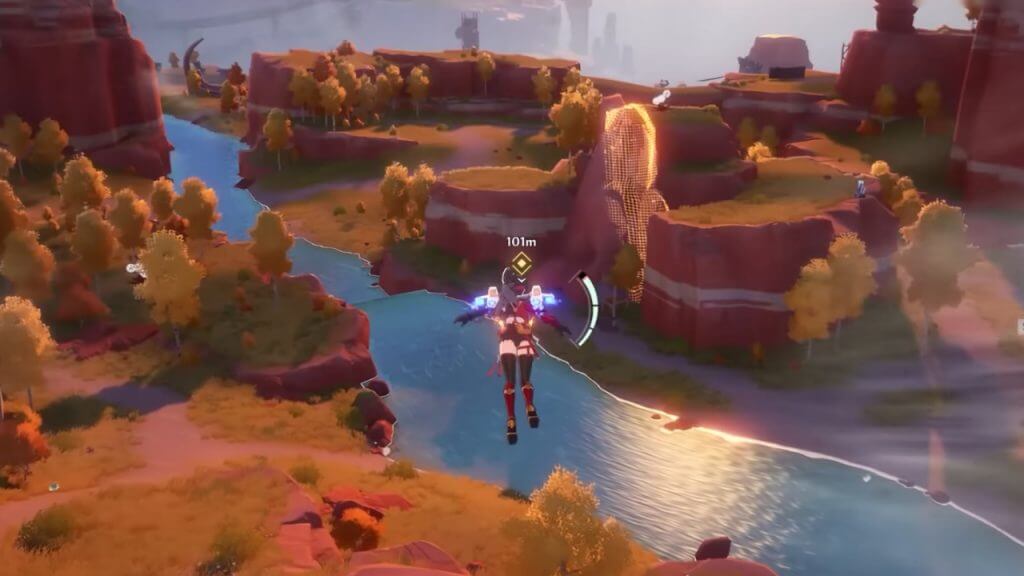
One contentious feature common in third-person action-adventure games is Motion Blur, and while many might not mind this graphical setting in Tower of Fantasy, some may dislike it. For those unfamiliar with the term, Motion Blur is a feature that causes the visuals around a player character to become a blurry haze. Primarily, this option is used to reduce the chances of the game’s framerate dropping or hide any potential screen tearing while the screen is turning. For some, this effect might make the visuals cleaner, while others will detest the blurry appearance of their world. However, it will benefit fans to know how to turn off Motion Blur in Tower of Fantasy.
Disabling Motion Blur In Tower Of Fantasy
Unfortunately, the in-game settings do not offer an option to toggle Motion Blur in Tower of Fantasy. This predicament might seem like a hopeless case, but luckily a clever Reddit user has found a way to modify the game’s files to resolve this graphical dilemma.
Related:
Tower of Fantasy: How to Equip a Vehicle
According to Reddit user Maharahji in r/TowerofFantasy, Wanderers can disable their Motion Blur in Tower of Fantasy by conducting the following steps:
Step 1: Open the in-game menu by pressing Esc or clicking on the tri-hexagon icon in the upper-right corner of the HUD.
Step 2: Select Settings, and choose Display, the second tab within the list of options.
Step 3: Scroll down to Post Production and select the lowest possible setting: “Low.”
Step 4: Next, the player will need to manually enter the game’s files by using the following address: “C:Users%USERNAME%AppDataLocalHottaSavedConfigWindowsNoEditor”
Step 5: Open the Engine.ini file using a text editor such as Notepad and then add this text to the file’s contents: “[SystemSettings] r.DefaultFeature.MotionBlur=0”
Step 6: Save the changes to the file and close the document.
Step 7: Launch Tower of Fantasy to confirm if Motion Blur has been disabled successfully.
To reverse this process, all players must do is reopen the same file and delete the added text above. Keep in mind that modifying the game’s files should be done at one’s own risk. While this solution should resolve the issue for most usersthose on mobile or a separate OS might have trouble disabling Motion Blur in Tower of Fantasy. The only option for those who prefer not to mess with the data files is to turn down the Post Production and tweak other settings to alleviate Motion Blur’s effect.
Tower of Fantasy is available on PC, Android, and iOS.
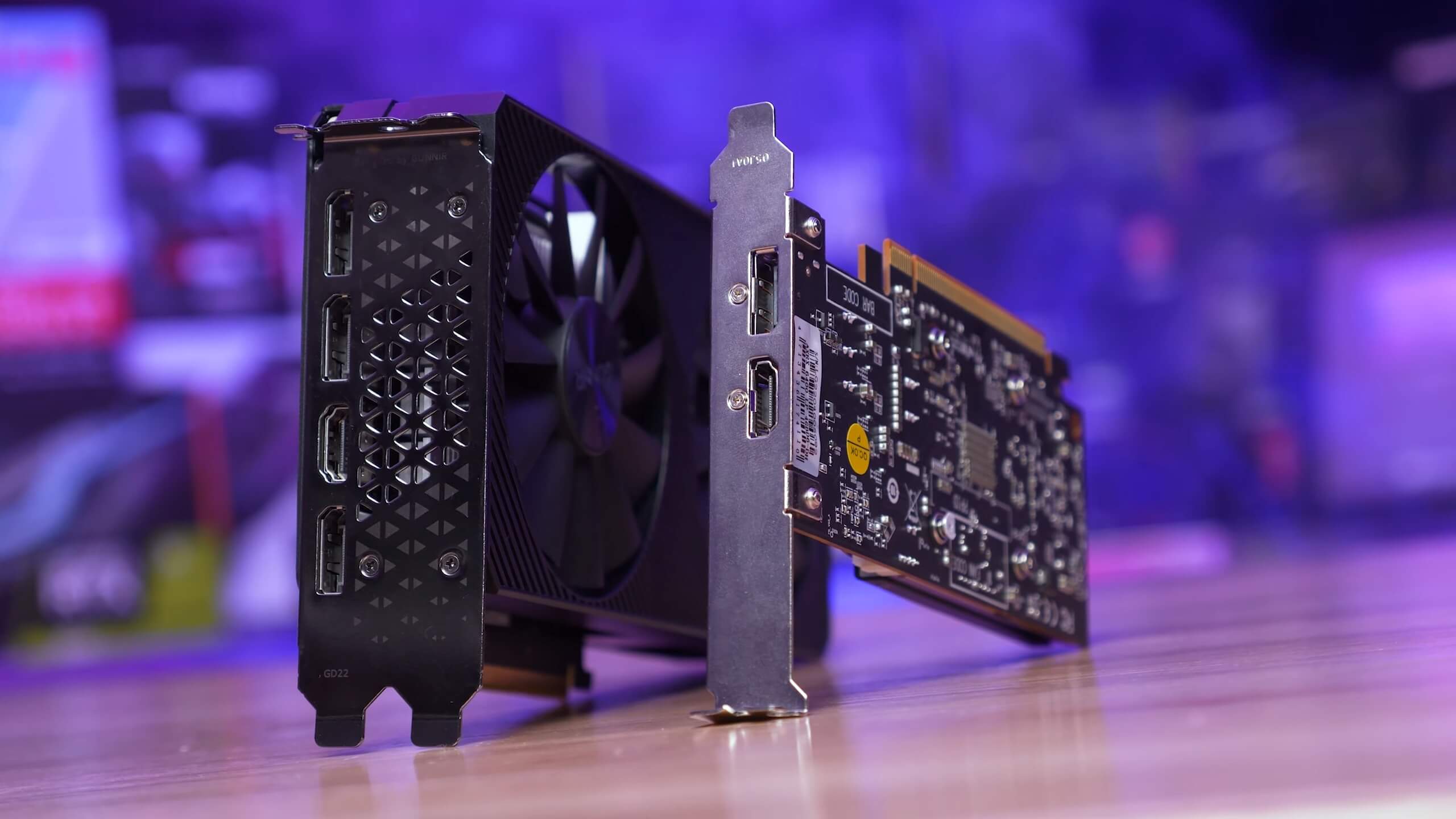
Today we’re taking another look at Intel Arc 3 A380, but this time with a 51 game benchmark head to head against AMD’s $150 Radeon RX 6400. This will give us a better idea of how the Arc A380 performs across a wide range of titles and — spoiler alert — it wasn’t all smooth sailing, but there were some positive signs as well, it’s a very mixed bag and we’re keen to show you the results.
If you missed it earlier, we covered the A380 for the first time about 2 weeks ago with our standard review format, which looked at performance in a dozen games, compared it with a range of other budget GPUs, while also evaluating power consumption and thermals .
The aim for this comparison is to take that testing a big step further with a 51 game benchmark covering 1080p and 900p (1600×900) resolutions using dialed down quality settings. At some point we might also look at overclocking performance as a lot of you have requested, but first we wanted to prioritize stock performance to get a clear baseline for how the Intel Arc 3 A380 performs.
As of writing, Intel has yet to release the A380 outside of China, so for most gamers this is still an unreleased product. But this is less about buying advice and more just taking a look at what’s going on with the first Intel Arc GPU which is targeting the entry-level market.
For testing we’re using our Ryzen 7 5800X3D GPU test system, and yes, we know no one is going to pair a budget graphics card with this CPU, but the point is to test pure GPU performance while avoiding to introduce a CPU bottleneck which would skew the data.
For low-end to entry-level graphics testing we typically use medium quality settings in games, or settings that make sense for a given title. Also please note, for this testing both the A380 and RX 6400 were tested exclusively with Resizable BAR enabled. As we found in our original A380 review, ReBAR is mandatory for this product as performance is simply horrible without it.
On the drivers front, we’re using AMD’s Adrenalin Edition 22.7.1 and Intel Graphics Driver 30.0.101.1743. As mentioned before, benchmarks were run at 1080p and 900p and we’ll go over about a dozen or so titles individually before getting into the 51 game breakdown graphs.
Gaming Benchmarks
Starting with Death Stranding, we find comparable performance between these two GPUs which is not a bad result for the A380 if it ends up costing ~$50 less than the Radeon 6400.
At 900p the Intel GPU was 3% faster and then at 1080p the average frame rate performance was much the same, though the A380 did offer 20% stronger 1% lows.
The A380 was incredible relative to the Radeon 6400 in Hitman 3, delivering over 70% more performance at both tested resolutions. The game was noticeably smoother and much more enjoyable with the Arc GPU, hitting 77 fps at 900p and just shy of 60 fps at 1080p, while the RX 6400 was good for just 34 fps.
Quite a remarkable result here, and while we did see other similar examples, I regret to inform you that they were few and far between…
Another great showing for the Intel A380 was The Division 2, where it was 64% faster than the Radeon 6400 at 1080p, taking the average frame rate from a laggy 45 fps to a rather smooth 74 fps with 1% lows of 62 fps.
The experience using the Arc GPU was worlds better and it’s a shame we didn’t see more of this.
Wolfenstein: Youngblood was another successful title for the Arc GPU. Both the A380 and RX 6400 performed very well at 900p with over 100 fps on average, though the Radeon GPU did end up coming out on top by a 10% margin.
However, we were able to use the ‘Ultra’ quality preset and this gave the A380 and its larger 6GB VRAM buffer an advantage at 1080p, allowing it to pull ahead by a 36% margin to deliver a very respectable 75fps on average.
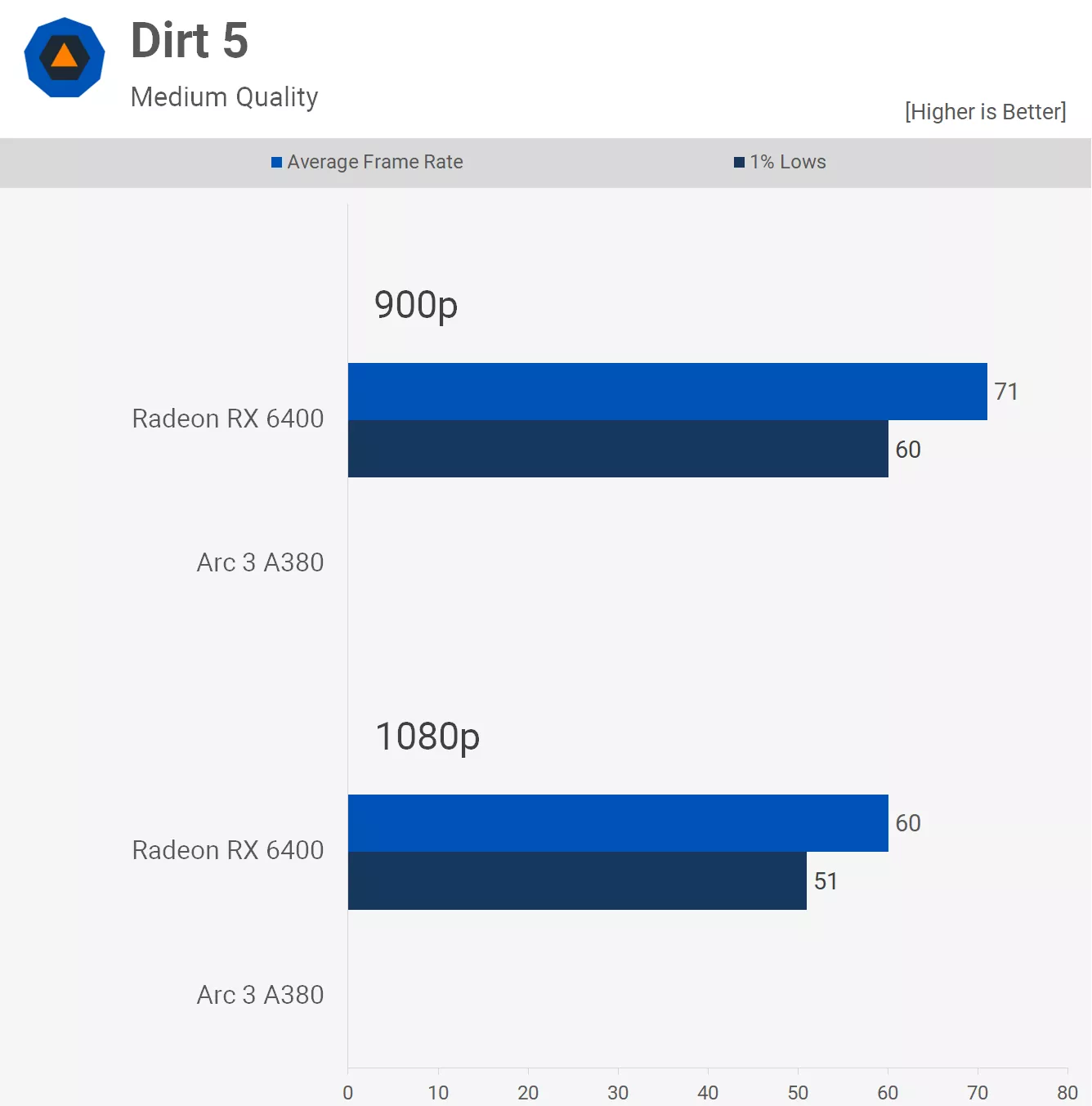
We hit our first road block with the A380 when trying to fire up Dirt 5 which flat out just doesn’t work with the Intel GPU, the game won’t even load, you just get served an error message.
Obviously that’s an unfortunate software issue, but it’s also a shame as this modern title runs very well on lower end hardware using modest quality settings, and as such is highly playable using the RX 6400.
Next we have Apex Legends, and here the A380 was competitive with the Radeon 6400, trailing it by just a few frames and that means both were good for over 90 fps at 1080p. A good result for the A380, especially if it does end up being cheaper than the RX 6400.
It’s a similar story in F1 22, here the A380 was 10% slower at 1080p which isn’t too bad, though the 16% margin it trailed by a 900p is starting to get up there and for those with high refresh rate monitors you’ I’ll certainly notice the difference here.
Battlefield V ran much better using the Radeon GPU at 900p, the A380 was 15% slower when looking at the average frame rate and 20% slower for the 1% lows.
The margins did close up at 1080p, but even then the Intel GPU was 10% slower. Overall the game was playable, but you’d rather play it with the RX 6400 if you had a choice.
We’ve heard how Intel has prioritized support for new APIs such as DirectX 12 and Vulkan, so perhaps these results shouldn’t come as a surprise. Still CSGO is a wildly popular game, so these results are going to be a complete and utter deal breaker for a good many of you.
You’re looking at more than twice the performance with the Radeon 6400 in CSGO versus the Intel A380…
You’re looking at more than twice the performance with the Radeon 6400 and while the A380 still looks very playable, stability was a real concern here.
Twice during our testing the game crashed to desktop, and that’s not something that has ever happened with a Radeon GPU, at least not in the last few years of benchmarking with this title. Intel has a lot of driver work to do here still.
Another title where the Intel A380 struggled was Fortnite. Granted, these frame rates are playable, but they’re less than ideal for a competitive shooter and what we received from the Radeon 6400 was significantly more impressive, and far more desirable for those of you rocking a high refresh rate monitor.
Halo Infinite using the lowest quality settings saw the A380 fail to hit 60 fps, even at 900p, so overall performance was disappointing, especially considering that at 1080p the Radeon 6400 was almost 40% faster.
Moving on to Red Dead Redemption 2, where we ran into more driver related issues. This time the Vulkan API caused crashes, it was possible to run our benchmark but it did take a number of passes to get the results, basically the game was completely unstable.
However, DirectX 12 appeared to run without issue so the A380 was benchmarked using DX12 while the RX 6400 was tested using Vulkan. The end result being a 26% performance advantage for the Radeon at 900p and 22% at 1080p.
The God of War experience with the A380 was interesting because at first we thought this was going to be another non-starter. The game did load, but the initial menus were extremely slow and almost impossible to navigate, but once we managed to hit the ‘continue’ button the game loaded and was quite playable.
Like with CSGO, we did experience a few crashes while testing, so although we managed to gather our results they’re only for reference given the stability issues.
In World War Z Aftermath we ran into more issues. For some reason it wasn’t possible to use Vulkan in this title either. We could only run with DX11 and while the game ran fine, it would crash on exit and hang the entire system for 30-60 seconds, so that was fun.
This all means that the Radeon 6400 was tested using Vulkan while we ran the A380 using DirectX 11. The performance was horrible, especially relative to the RX 6400 which offered over twice the performance.
Far Cry 6 also suffered from a menu bug which resulted in very slow navigation, making it difficult to change settings or even get into the game. That aside, the game didn’t crash, at least during our testing and overall performance was decent. This was one of the strongest results for the A380.
Performance Summary
We’ve looked at the individual results of 15 of the 51 games tested, now it’s time to see how the Arc 3 A380 and Radeon RX 6400 compare in all 51 games at 900p and 1080p…
Starting with the 900p data, we see how much of a mixed bag the Arc 3 A380 is and sadly it’s a bit more “bad” than it is “good.” As seen earlier, the A380 showed impressive returns in a handful of games including Hitman 3, The Division 2, Doom Eternal, Rainbow Six Extraction and Metro Exodus…
In 7 of the games tested performance was highly competitive with margins within 5%. Unfortunately though, 14 of the games saw the A380 trail by a 20% margin or greater with most seeing a 10% or larger margin for an 11% difference on average.
Of course, these results omit Dirt 5 where the A380 failed to launch while playing games such as God of War and CSGO suffered from stability issues.
The margin at 1080p moves slightly in favor of the Intel A380 where it was 7% slower on average. But again, that doesn’t give us the full picture as we’re looking at a mixed bag of results, and that’s ignoring the titles that either didn’t run or had some kind of game breaking issue.
What We Learned
We have to admit the Intel Arc 3 A380 didn’t perform as poorly as we had expected in this 51 game benchmark, but that’s not to say the experience was good overall. There were a few titles where the experience was great and many where it was just decent, but there were many where the performance was horrible or stability was a problem, or even both.
There’s also two sides to Intel driver problem… first, there’s game support which we’ve just tested and clearly there’s a lot of work remaining to improve performance, compatibility, and stability. The other side of the driver equation is the control utility, or Intel’s version of Nvidia’s GeForce Experience or AMD’s Adrenalin software.
Intel’s Arc Control is horrible with so many issues we simply can’t cover them all in this review. It would require its own dedicated space, case in point, that’s what Gamers Nexus did with a video titled “Worst We’ve Tested: Broken Intel Arc GPU Drivers” and we can confirm we’ve experienced almost all of the issues discussed there. So it’s broken and Intel has a mountain of work ahead of them, especially if they plan to release Arc later this year in “official capacity.”
It’s also worth noting that the Radeon RX 6400 is a truly terrible product, so we’ve intentionally set the bar extremely low for Intel at the entry-level. Right now the RX 6400 costs at least $150 and is only a justifiable purchase for those who require a single-slot low-profile graphics card. Outside of that you’re either best off saving up for a Radeon RX 6600 or shopping second hand.
In our A380 review we said we’d be tempted to roll the dice on the A380 in the hope that Intel comes through with the driver support, but after spending more time with it, we’re not so confident about willing to take that bet . With half decent drivers it would be a much better product than the Radeon 6400, but if and when they’ll get there it’s hard to say.
Put in a situation where we required an entry-level graphics card, we think we’d take to eBay or a similar site in search of a second hand GeForce GTX 1650, Radeon RX 580 or something along those lines. We really hope Intel can turn things around, but it’s going to take some major changes and we’re not sure Intel is capable of that. Only time will tell.
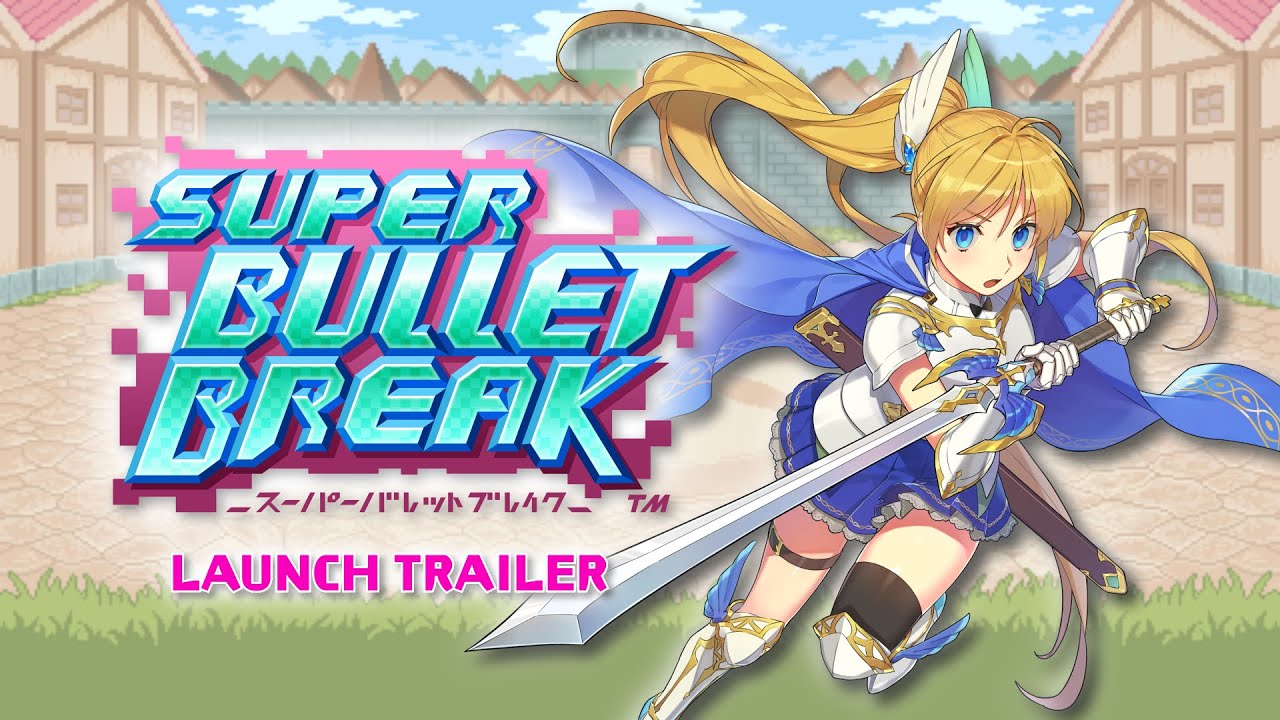
Publisher PQube and the development team at BeXide has this weekend released their anime-style deckbuilding roguelike game super bullet break on the PC (via Steam), Nintendo Switch and PlayStation 4 – with backwards compatibility with the PlayStation 5. At the moment this is a digital-exclusive release, with plans to offer a physical ‘Day 1 Edition’ via select retailers on the Switch and PS4 from next month.
In super bullet break, players will be able to collect over 160 ‘Bullets’, cute anime-style girls each with their own special skills who you can opt to put in your deck. Once your deck is compiled, you will need to use them to defat the rogue AI and its minions, reaping rewards from bosses and potentially saving the world.
super bullet break is pitched as offering ‘Gacha without the microtransactions’, as you obtain bullets and other valuable items through battle rewards, open treasure, and/or roll for them in the in-game shop without paying a cent in those troublesome microtransactions.
Promoted features of super bullet break include:
Cute and Colorful Deckbuilding Gameplay!
Save the online game world from total destruction in the world of ‘Super Bullet Break‘where online multiplayer games have been taken over by a rogue AI!
With levels inspired by your favorite games, this one-of-a-kind strategy deckbuilder is filled with a wild bunch of cute and colorful characters –’Bullets’ – each and every one of them unique in their own way.
Can you save the world and defeat enemies in strategic turn-based battles and beat ‘Super Bullet Break’?
Use Our Guide to Master ‘Super Bullet Break’!
‘Super Bullet Break’ is all about strategy, cute girls, and a little bit of luck! We’re here to help you out with the strategy bit in our new video guide! This simple guide will help you battle your way through Super Bullet Break by explaining its core and level mechanics, and by giving you some useful tips to help you pave your way to victory.
Want to be the best at ‘Super Bullet Break’? Use this guide to become an expert in no time and defeat the Buggo menace!
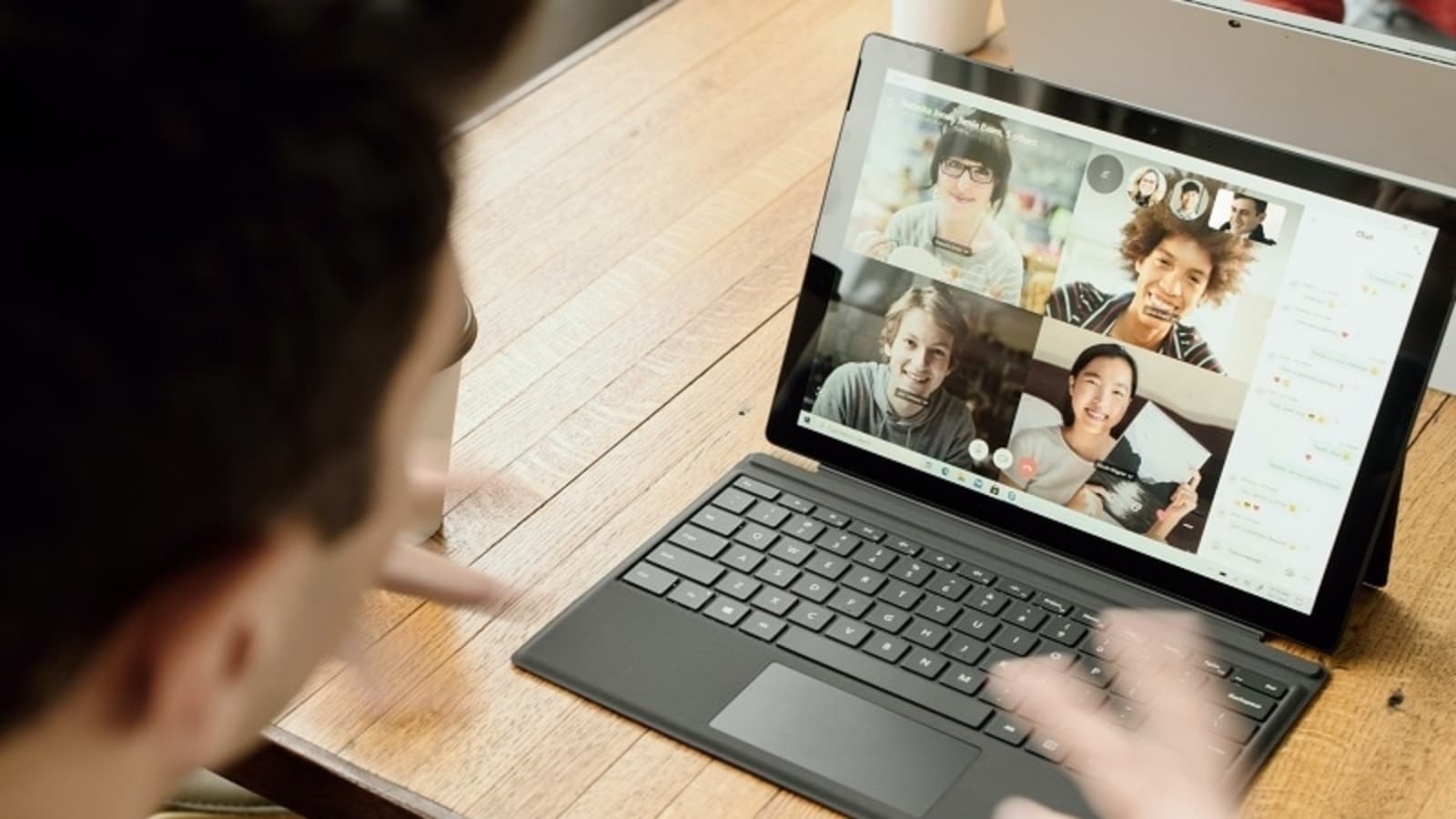
Google Meet has merged with Google Duo and it brings exciting new features like scheduling and joining meetings, virtual backgrounds and much more.
Google has announced that it has brought all Google Duo features to its unified video calling platform Google Meet after the two video calling services merged into a single platform. The technology giant said in its blog post that the new update would bring a bunch of features like scheduling and joining meetings, virtual backgrounds, in-meeting chat and much more in addition to the existing video calling features. Additionally, Google Meet is also getting the live sharing feature which would allow participants to enjoy their breaks in a fun and interactive way. Check out all the interesting features Google Meet will be getting.
New features on Google Meet:
According to Google’s blog post, Google Meet users will now be able to start an instant video call with their friends or connect their classmates at a scheduled time. They can make their video calls more fun by changing their background or applying visual effects before joining a meeting. Further, the users will also be able to use in-meeting chat and captions during the meeting. Besides these, Google Meet will also have the Apple SharePlay-like live sharing feature that lets all meeting participants interact with the shared content in real time.
That’s not all! Interestingly, with the new merger, users can co-watch YouTube videos, curate a playlist on Spotify and take turns while playing games like Kahoot, Heads Up!, UNO Mobile and others. Google Meet users need to update the app to the latest version in order to access the new features. All these new features will be spotted under a new Activities tab accessible through the three-dot menu. Users can click on a three dot menu and start a shared activity like listening to a Spotify track together.
Meanwhile, the tech giant has stated that it will continue to add more features to the video calling platform of Google to help people interact, connect, collaborate and share experiences on any device.
Do you make music? Surely you know of Arturia. Do you want to know what we think their top 5 products are? Come with us as we run through the highlights.
Starting in France way back in the year 2000, Arturia founders Frédéric Brun and Gilles Pommereuil met as students at the Grenoble Institute of Technology. The technological university was the perfect breeding ground for two great minds to learn the craft of software engineering and hardware design.
Fast forward to 2022 and they have arguable the best emulations of vintage synths and keyboards on the market, a huge range of analog synths, iconic software recreations of hardware audio effects and every studio — both home and professional, plus more.
With an overwhelming amount of product and the music community unaware of the other offerings Arturia have, we decided to put a list together for you of Arturia’s Top 5. We’ve asked the musicians in the office and members of the Sydney music scene about their favorite products from the legendary company, including some we’ve spent some time with on review.
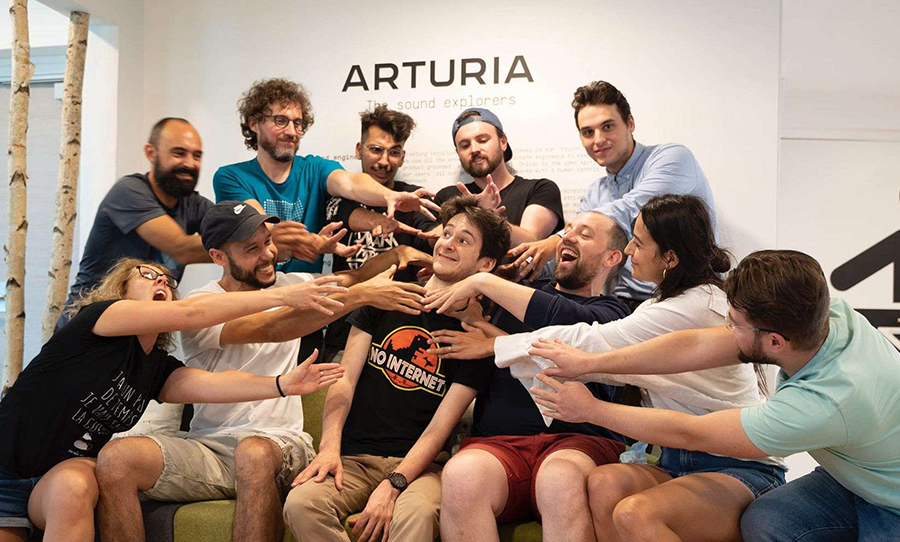
The Arturia family at their HQ in France
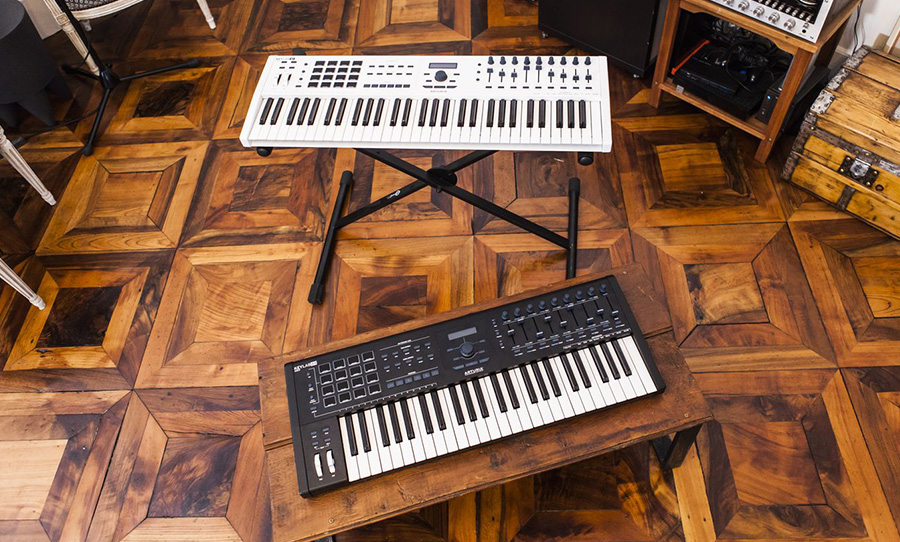
The Keylab MkII: the midi controller with everything
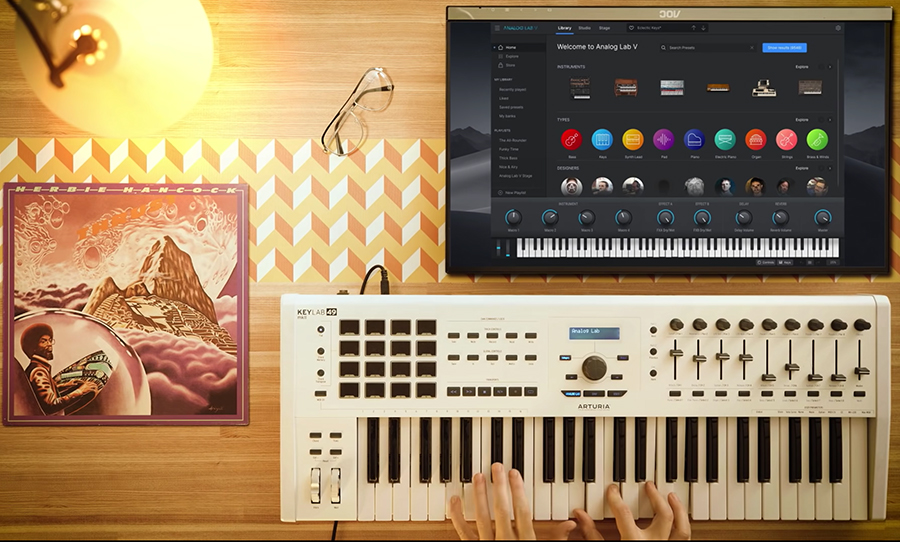
Arturia’s midi controllers have seen many variations over the years and they have always had all the bells and whistles for stage and studio. The Keylab MkII — which comes in either 49 key or 61 key — has full-size keys, 16 pads, 9 faders, 9 control knobs, a transport section for DAW control (or anything really!), a screen, 5 pin MIDI in and out, sustain, expression, USB powered and heaps and heaps of other features.
The design of Arturia’s midi controllers has always caught the eye of musicians with the wooden veneer inlays, a small enough profile to be portable, but solid enough to feel like you are playing an analog synth and the tangible controls. The Keylab MkII also comes with Analog Lab V, Piano V and Ableton Live Lite.
Whether you want a controller for your studio or want to pair it with a laptop for live performance this hits all the marks of having creativity at your fingertips.
Check it out here: Keylab MkII
Arturia’s iconic midi controller: Keylab MkII
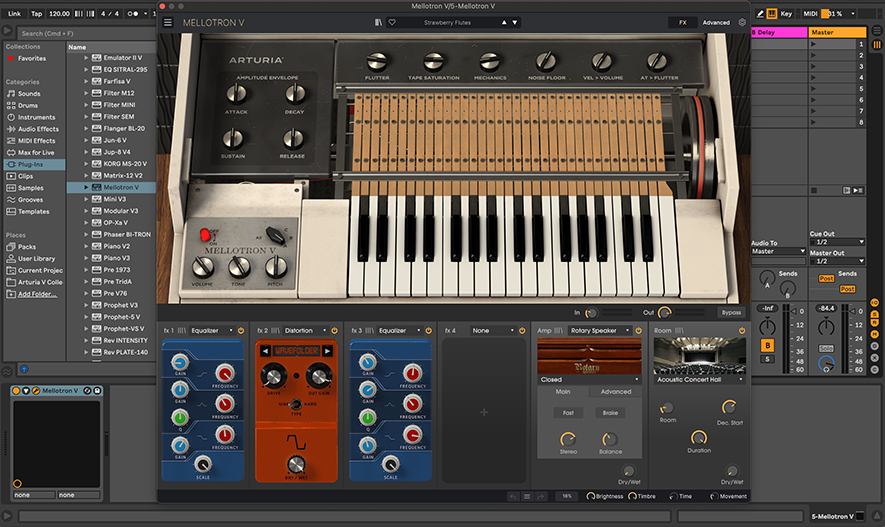
The Mellotron V: the sampled tape sampler
Who would have thought back in 1963 that the Mellotron — a keyboard instrument that played samples — would be sampled itself! Arturia’s emulation of the infamous Mellotron is one of the best, and they seem to have the newest addition to the software market. The controls are plentyful with and ADSR envelope, Tape Saturation, Noises, Wow and Flutter and the ability to change the original key range.
There’s presets galore — yes, they have Strawberry Flutes so you can get your Beatles vibes on — and there’s even a neat FX section to load up with guitar pedal looking effects and amp sims and reverbs. On top of all this, you can load your own samples in!
Worthy mentions, the price is well below other outdated Mellotron emulations and the CPU usage of this is quite substantial. Get yourself into a good practice of the bouncing/committing audio and you’ll be fine.
As part of our Engineering the Sound video series we reviewed the latest V Collection 9 where this Mellotron and 32 other instruments are bundled up. Watch that here: Arturia V Collection 9 | Full Demo and Review
Arturia’s Mellotron V
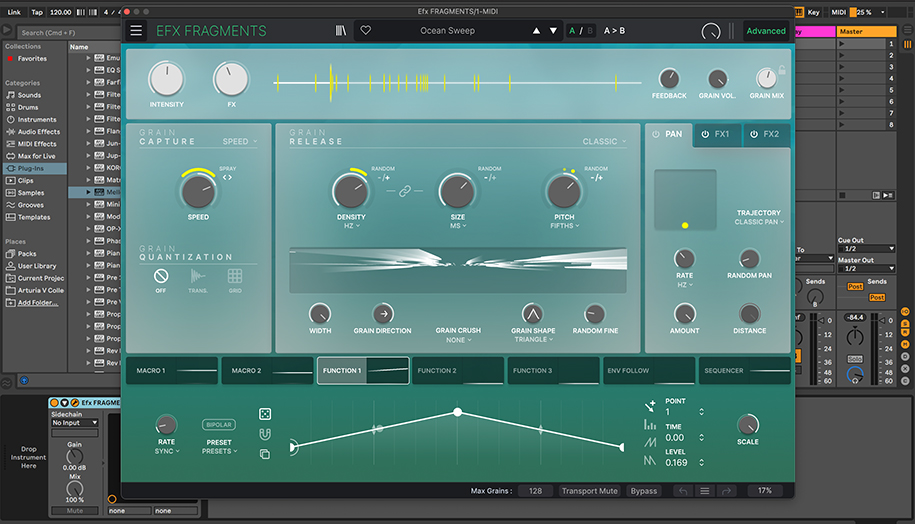
Efx Fragments: a chaos of sound in all the right ways
With effects and sound shape shaping being a huge part of modern productions, plugins that are somewhat uncontrollable can create new and interesting sounds you may have never shaped yourself. Enter the Efx Fragments. It’s new for Arturia and isn’t replicating a product from yesteryear.
They call it a creative sound shaper, but simply put it’s a granular delay with endless possibilities. If you’ve ever found yourself getting happily lost in the chaos that can be Soundtoys Crystallizer, than this is for you. In fact, it might just be what you will reach for instead.
With a space age display and tweaking for days, this plugin effect on a track or as a send will open up your mind and sound.
As part of the brand new FX Collection 3, we made a video focusing on the 4 new releases (Efx Fragments is one) within the collection. Watch it here: Arturia FX Collection 3 | Full Demo and Review
Arturia’s own sound shaper: Efx Fragments
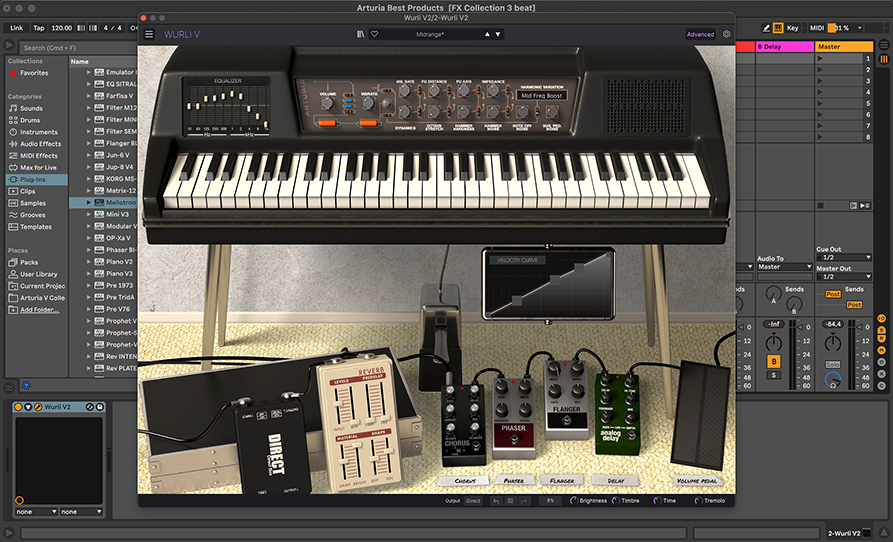
Wurli V: a classic recreation in Arturia’s lineup
The expense of buying, and then repairing a vintage keyboard instrument is jaw dropping. With emulations now fast overtaking the function and longevity of these hardware units, it’s no wonder that when someone on staff was asked about their favorite Arturia product, they quickly said ‘The Wurli!’ and they even own a 1970s Fender Rhodes!
This stunning recreation will do all the things an original Wurlitzer 200A Electric piano can do…and more. Open up that hood for extra tweaking and add guitars pedals at foot to expand your sound.
This emulation has been around since Arturia’s early days, but it’s only getting minor upgrades with each new collection — proving they got it right the first time.
Check it out here: Wurli V
Arturia’s Wurli V: a classic emulation
AudioFuse 8Pre: the interface you didn’t know you needed
Say what? Arturia make interfaces!? Yes they do and this one does all the things. The AudioFuse 8Pre is an interface, standalone 8 mic preamp unit, ADAT expander, and comes with Arturia’s FX bundle!
It’s a classy looking unit in which each channel has a dedicated Volume knob, 48v On/Off button, Phase button, Pad button and meter. In this price range, you don’t normally see this functionality. With 8 combo jacks as inputs, 8 outputs plus 2 main outs, Word clock, ADAT I/O supporting up to 96kHz I/O the USB C powered device has got all your connections sorted.
With Arturia’s classic design of sleek but slim, this interface might have slipped through the cracks due to the fact that they are more well known in the software emulation game. But you heard it here first, this interface will seriously upgrade or overhaul your studio — or stage.
Check it out here: AudioFuse 8Pre
Arturia’s audio interface: AudioFuse 8Pre
For more on this great company Arturia head over to their website: Arturia.com
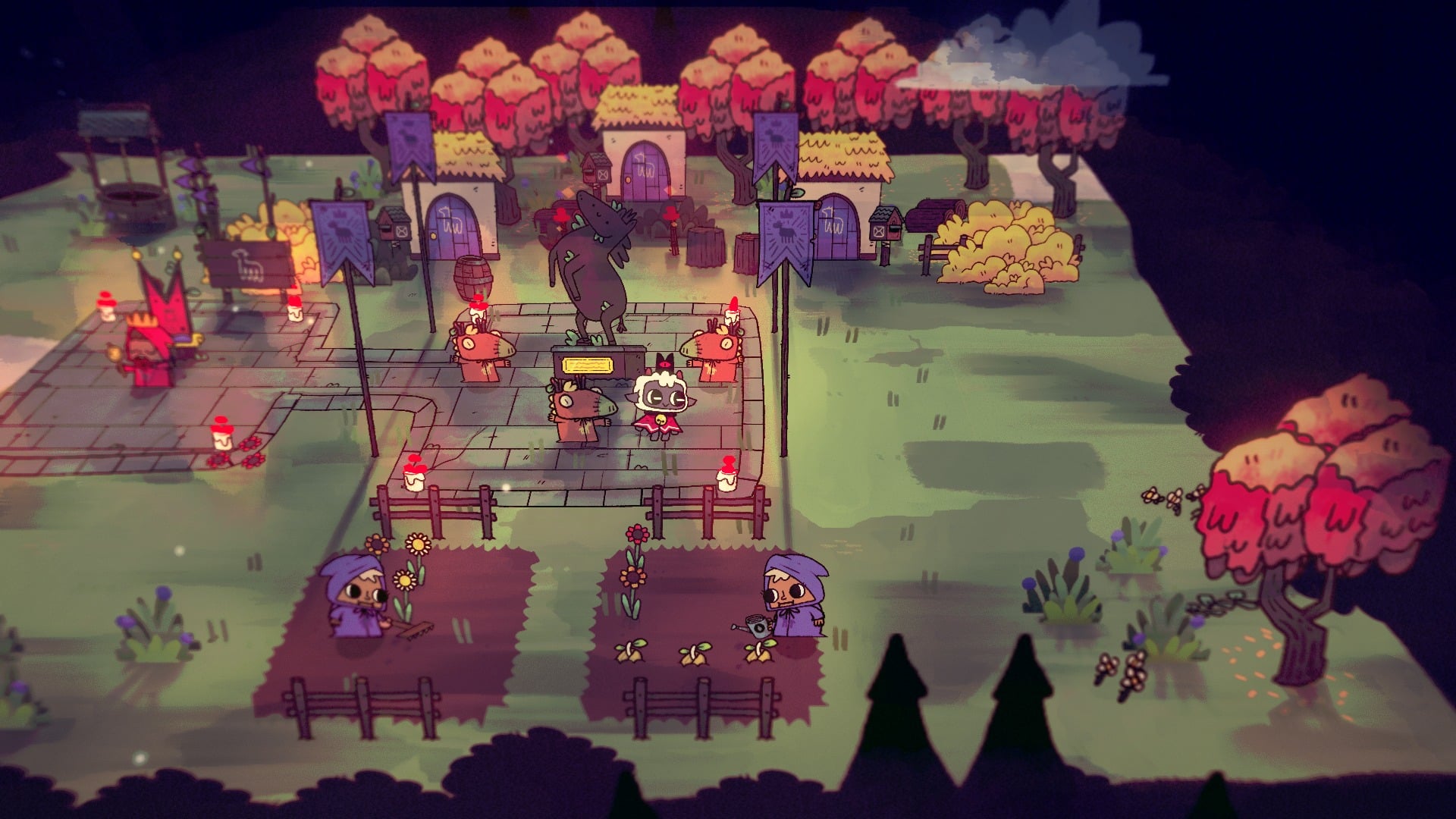
Julian Wilton, creative director at Massive Monster, is about a day away from releasing a little game called Cult of the Lamb. I say ‘little’, but Cult of the Lamb has already received overwhelmingly positive reviews, and at the time of writing, the game is a top seller on the digital PC storefront Steam. It’s not even available to play yet – those are just pre-purchases.
Cult of the Lamb has had a remarkable pre-release marketing cycle, which built a huge swell of anticipation for the game. Impressions of a public demo released a few months back were very positive. Video game content creators have been showcasing the game on Twitch to captive audiences. The merchandise – a plushie of the lamb protagonist – is adorable. The publicity stunt a limited edition custom controller – was hideous, but it got a lot of attention.
Much of that is thanks to the game’s publisher, the publicly listed, globally-recognized ‘punk’ games label, Devolver Digital. Devolver has provided the Massive Monster team not only with veteran PR and marketing support, but other considerations and resources that would typically be outside their scope as a very small team – localizations to different markets being a key example, something that expands their potential audience greatly .
But if Massive Monster had not received early funding for Cult of the Lamb from VicScreen – formerly Film Victoria, the state government’s creative funding body – its pitch and proofs-of-concept for the game many never have impressed the likes of Devolver Digital, and Wilton would probably be telling me a very different story about development.
Cult of the Lamb. Image: Massive Monster
But here’s the kicker that gets me, especially as a resident of Sydney – Julian Wilton is originally from New South Wales, and only moved down to Melbourne a few years ago because of the Victorian government’s support for its local video game industry.
If Wilton’s home state had any kind of support for directly funding its own video game sector – which includes several aspiring developers in tertiary colleges and university courses, a few independent studios, as well as larger multinational developers – Cult of the Lamb, the latest global independent video game darling could have been the pride and joy of Sydney and New South Wales. But it’s not.
‘We love games’ was the message VicScreen was promoting at an event attended by GamesHub, held at Paper House in Melbourne, as the creative organization showcased the work of several game developers who had received government grants for their projects.
Putting aside the big song and dance, we’ve known for a long time – through numerous conversations with Victorian game developers, as well as through the quality of games that come out of Victoria – that state government funding of independent projects is key to fostering a strong and vibrant game development community that produces excellent work.
It legitimises the creation of video games as a valuable creative industry, and Victoria has several avenues for funding and supporting game development at various stages of production, as well as other business needs.
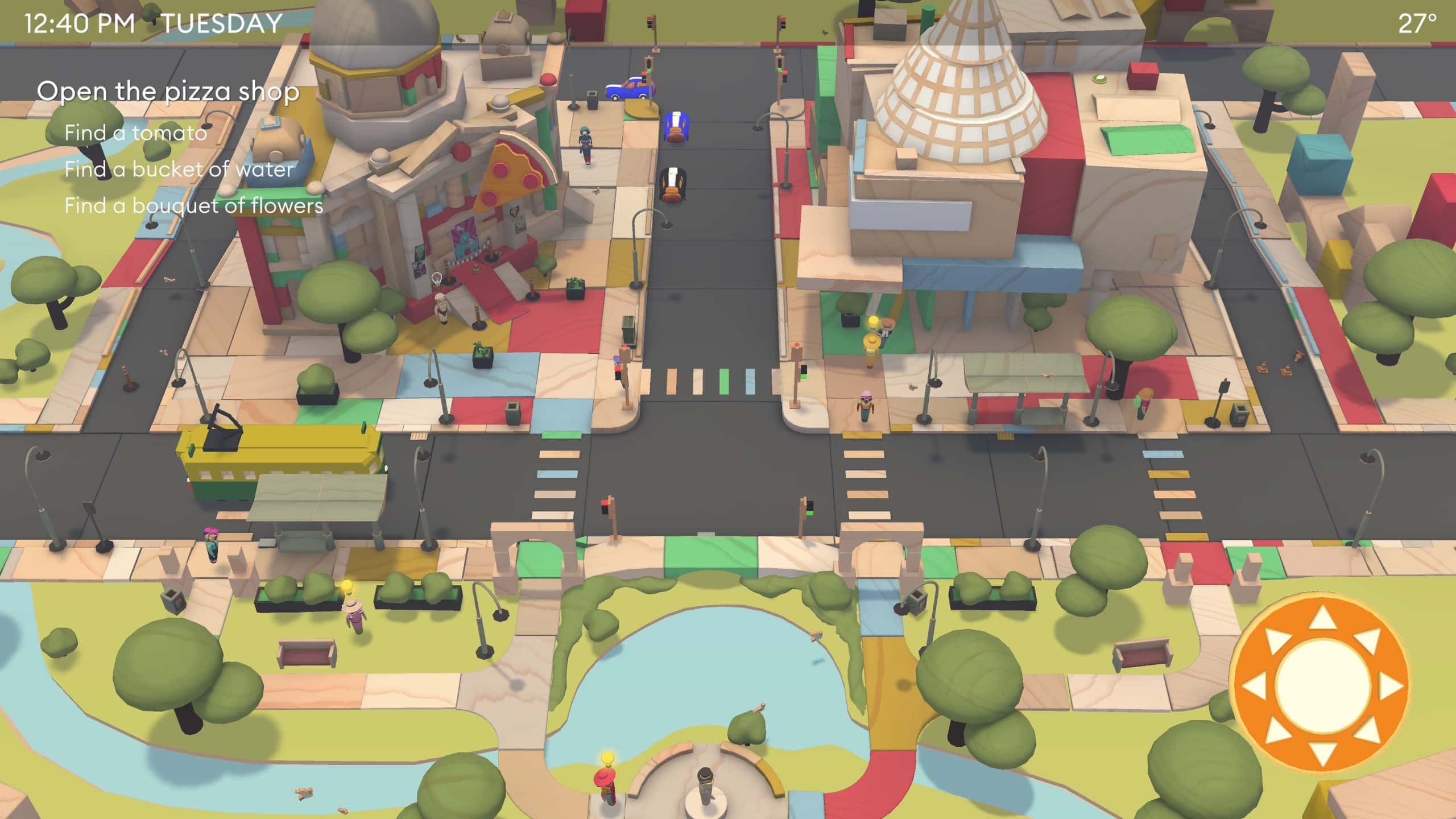
Terry Burdak runs Paper House, the small game development studio and boutique shop that hosted the VicScreen event. Paper House previously created Paperbark, a lovely game revolving around a wombat, the Australian bush, and the perils of the hot Australian summer – funded by what was then Film Victoria. The studio’s next project is Wood & Weather, a playful god game that lets you control the weather at will, and explores the persistent effects of extreme weather caused by climate change.
Wood & Weather. Image: Paper House
Read: Aussie developer Paper House will track its environmental impact going forward
These are not the kinds of games you conjure when you think about the lucrative business of blockbuster video games, the culture of ‘gamers’, and titles that rake in millions of dollars a day. But like any creative artform, the spectrum is vast, and video games created on the independent side of the scale – like the ones funded by VicScreen – are incredibly valuable. They use the medium to explore the kinds of ideas and stories that the biggest developers would never dare to touch, and in innovative ways that are rarely explored.
According to Burdak, though Paper House is largely run off the studio’s own back, VicScreen funding has helped to greatly minimize the studio’s financial risk drastically, providing more security for its creatives, which then allows the team to pour more energy into their creative work. ‘I’ve been able to make sure everyone (including myself) has moved from being contractors to actual employees, and all the benefits that come from that like sick and annual leave, and get[ting] super’, he says.
A similar story comes from Gucka relatively new First Peoples-led studio working on Future Folklore, a farming management game for mobile devices with a futuristic fantasy setting inspired by the Australian bush. Project director Hayley Percy, a Wiradjuri woman, says that the company has greatly benefited from VicScreen funding, especially since they’ve been putting a strong emphasis on going above and beyond to build out their team in a way that places Indigenous people in key positions throughout every facet of the company. Guck is currently feeling out the absolute best practices to implement this, in what Percy refers to as ‘building a substantial foundation of sustainability.’
Art from Future Folklore. Image: Guck
‘The things that we’re dedicated to are actually setting some different foundational practices in the industry,’ says Percy. She says that having the breathing room to build this has been key. ‘We need to give people the opportunity to build their skill set, and don’t assume everyone needs to be a top gun in their roles, because that’s not how you build diversity in the industry. It has to start from the ground up.’
That approach is a beneficial one for anyone operating in the industry. But Guck’s exploration into this new territory will hopefully also pave the way for how First Peoples are able to participate in the Australian games industry in the future. Percy cited things like understanding how First Peoples might operate differently as a creative team, how there might be differences in how they work with funding bodies and other organizations – and Guck’s hope is that it can filter an understanding of best practices elsewhere in the screen industry .
Wayward Strand from studio Ghost Pattern has long been in the eye of the local games community – it’s a unique narrative game set in 1970s rural Australia that explores aged care through the lens of a pre-teen girl, which uses principles of spatial theater to put the storytelling us on the player.
Victorian state government grants have helped the Ghost Pattern team at every stage of the journey, says Jason Bakker, and that consistency has ensured the game’s distinctive approach to exploring deeper themes has been well-resourced and supported, long-term.
Wayward Strand. Image: Ghost Pattern
Wayward Strand was actually one of the first games VicScreen funded a prototype of, according to audio director Maize Wallin – something that has since become standard practice. Now, over 6 years and 30 collaborators later, Wayward Strand is on the eve of its release in September 2022. It features an incredibly strong Australian voice cast, including screen veterans like Michael Caton and Anne Charleston, in a piece of work that incorporates game, film, and theater elements to create a very special identity for itself.
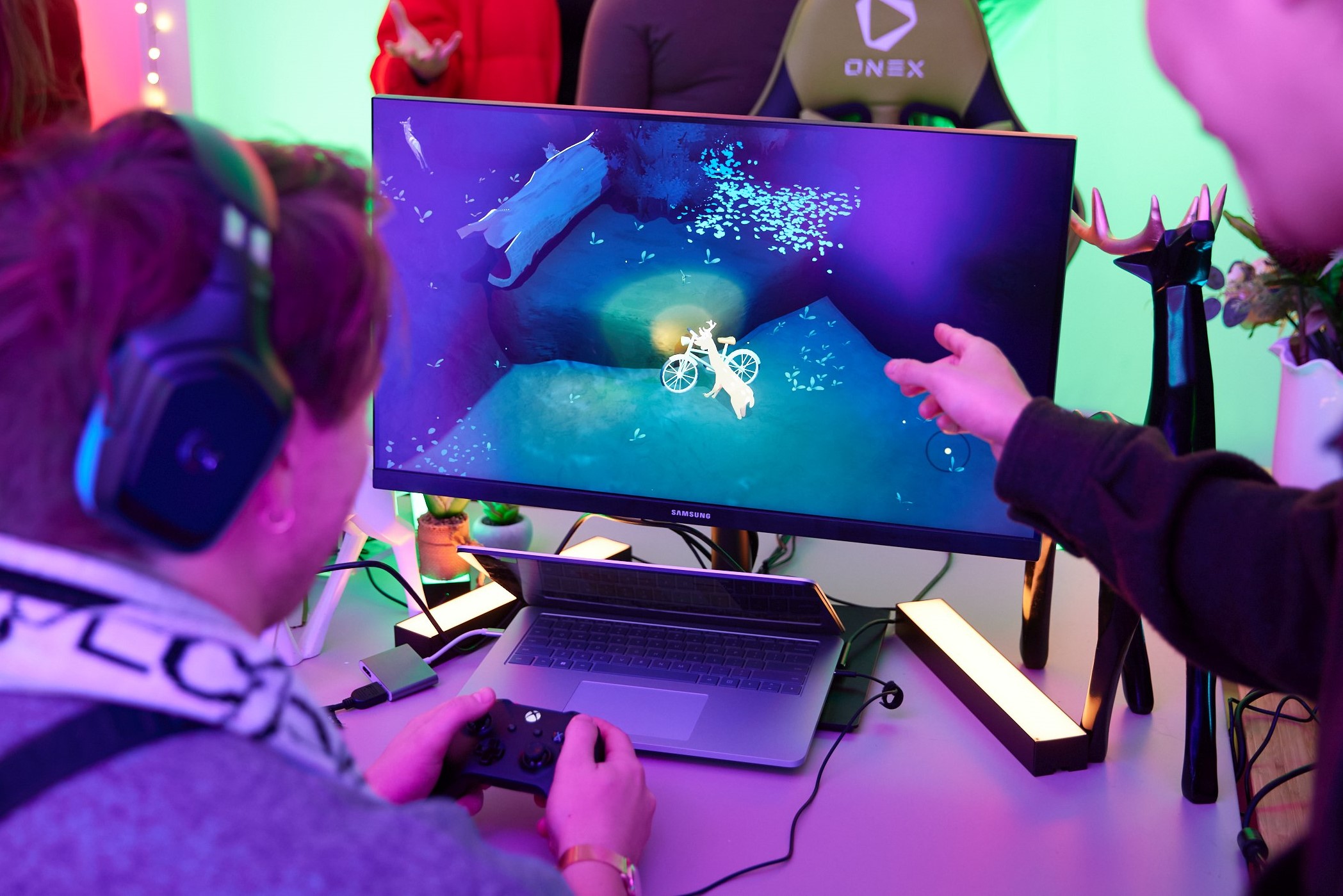
In that same period of time, Anthony Tan has been working on Way to the Woods, a game that follows a deer and its child through a magical-realist post-apocalypse. Tan began work on Way to the Woods when he was only 16, and the game quickly drew attention for its striking visuals and animation. A trailer that debuted at an Xbox press conference in 2019 caused interest in his passion project to skyrocket, along with expectations for the game.
Tan’s public communication more or less ceased in 2020, as he looked to refocus the game’s direction and reconsider everything about the project in the wake of its sudden popularity – he was, after all, still just learning how to make his first game – and as Anyone would expect, creating something on your own is hard enough without the weight of great expectation.
Tan had received some initial grants from commercial entities like Microsoft and Epic Games, but it was only just enough to keep him afloat as a solo developer for so long. Tan was the recipient of VicScreen funding in early 2022, which he says he has been key in getting Way to the Woods over the finish line, and improving the quality of his working life – which will hopefully feed back into the quality of the game. Now aged 23, he’s been able to move on from working out of his bedroom and in Melbourne’s State Library, to inhabiting a coworking space at ACMI X. This move allowed him to better connect with other game developers and creatives in Melbourne’s community, and catch a bit of sun, too.
All of these stories suggest the same thing: if a government truly cares about its creative arts – of which video games are one of the biggest and most widely appreciated – it needs to go out of its way to specifically fund the small, independent games creators that are vital to the continuation of the industry.
Victoria has been doing it consistently for around 30 years – through Film Victoria and now VicScreen – helping Melbourne become globally recognized as one of the cities where some of the most celebrated games in the world are made. Over half of Australia’s game development efforts are located in Melbourne, and if people like Julian Wilton are any indication, it’s where all the upcoming talent is going to end up.
Screen Queensland has followed suit in an effort to bolster its industry. Screen Australia has implemented similar measures at a federal level, to complement the Digital Games Tax Offset.
Now is the time for a wake-up call to the rest of Australia’s states and territories – and other countries and regions around the world – to develop (or in some cases, resurrect) the games funding programs that will ensure the country is making the most of the increasing global interest in the games sector – and, to ensure we’re tangibly supporting the talented developers who can bring great art into the world with video games.
Disclaimer: GamesHub traveled to Melbourne, Victoria on behalf of VicScreen for the purposes of covering this event.
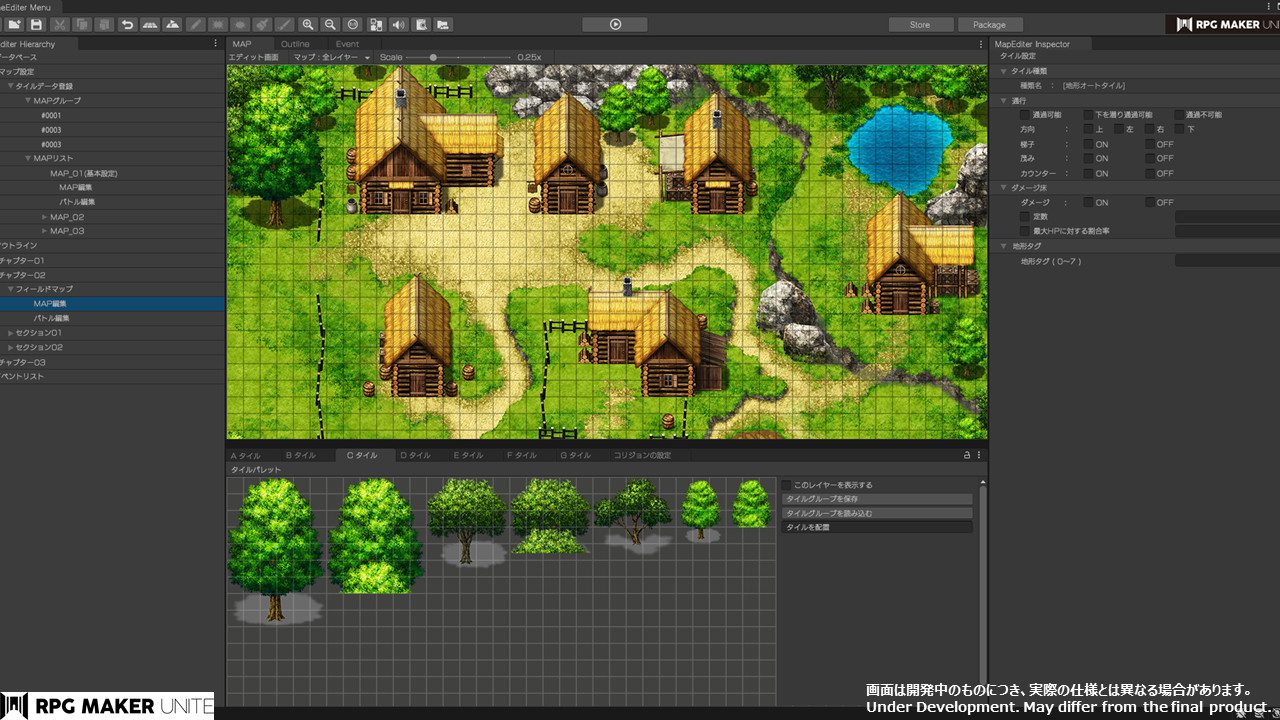
Developer and publisher Gotcha Gotcha Games are working on the next generation of software in the 2D RPG development software series RPG Maker, going by the title RPG Maker Unite. For those who may not have the time or resources to create/commission artwork of their party members, each facility has traditionally come with a range of default/generic party members and NPCs, consisting of overworld sprites and battle portraits.
This week, we have received a look at the default characters who will be available at launch. The first batch are the 24 character assets that will support being party members. These characters will have both map animations and side-view battle animations, and typically cover male and female versions of traditional RPG classes from the standard swordsman and mage, to warlock and monk.
The other 46 previewed character assets are focused on NPC non-party members, with each character set only including animations for map movements, which is a little bit of a shame as many of these would be solid options as party members in my opinion:
In development by Gotcha Gotcha Games, RPG Maker Unite is currently listed with a ‘2022’ release date, and will be available exclusively on the PC at this time.
Samsung has unveiled the Indian price of its latest Galaxy Buds 2 Pro.
The special thing is that customers will also get Rs 3,000 cashback on this.
The Samsung Galaxy Buds 2 Pro is already available for pre-booking.
Samsung Galaxy Buds 2 Pro was introduced this week at the Galaxy Unpacked event on August 10. Ah the company has unveiled its Indian price. According to the report, the price of the new TWS has been kept at Rs 17,999 in India. These buds will go on sale in India from August 16 and customers will be able to purchase them from Samsung.com and all retail stores.
The special thing is that customers will also get cashback of Rs 3,000 on it, after which its price will become Rs 14,999.
(Also read – From screenshot block to hide online status, 3 fantastic features coming to WhatsApp!)
The Samsung Galaxy Buds 2 Pro is already available for pre-booking. Those who pre-order the TWS headphones can purchase the Samsung wireless charger worth Rs 2,999 for Rs 499. Apart from this, financing options can also be availed and customers can get up to 3,000 rupees by exchanging their old device.
Two-way coaxial speakers are available in the Samsung Galaxy Buds 2 Pro. These headphones will deliver 24-bit Hi-Fi sound on Samsung devices running One UI 4.0 or above based on Android 12. 360 degree audio support is available in these TWS headphones .
(Also read: Gmail’s brilliant trick: just by enabling this setting, no unnecessary emails will arrive, that’s how it is)
Features of the Samsung Galaxy Buds 2 Pro Active noise cancellation (ANC) is also available on the Samsung Galaxy Buds 2 Pro. These headphones are also capable of detecting noise and voice. When there is sound, the sound happening in itself is reduced.
For power, it has a 515 mAh battery while both headphones have a 61 mAh battery. The company claims you’ll get 29 hours of listening time. The new Samsung Galaxy Buds 2 Pro will be available in Bora Purple, Graphite, and White color options.
Be the first to read the latest news in Hindi News18 Hindi | Today’s Breaking News, Live Updates, Read Most Trusted Hindi News Website News18 Hindi |
AppleInsider is supported by its audience and may earn commission as an Amazon Associate and affiliate partner on qualifying purchases. These affiliate partnerships do not influence our editorial content.
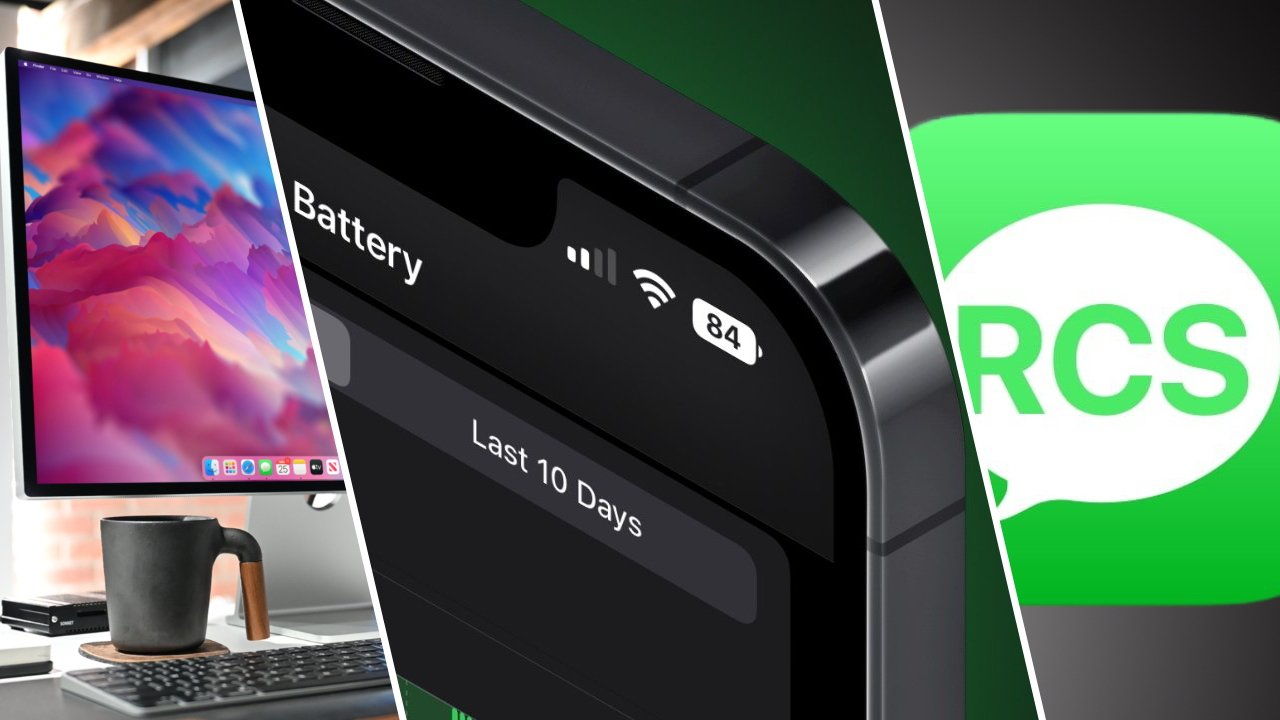
Apple brings battery percentage back to the status bar in iOS 16 beta 5, Google puts Apple on blast over RCS adoption, we review the VESA mount Studio Display, and more on the AppleInsider podcast.
We discuss how the new battery percentage indicator may be Apple’s most disruptive feature of iOS 16. Many Apple fans are excited by the new feature, though neither of your hosts Wesley and Stephen will be turning it on.
Next, Google’s latest campaign for Apple to adopt RCS continues to push a narrative that’s missing a lot of details. The hosts dive into what’s wrong with RCS today and what it would take for Apple to consider the new messaging platform.
Meanwhile, Stephen’s Studio Display has arrived and he shares some controversial opinions about its speakers and webcam — they’re fine. Also, your hosts consider what it would take for them to upgrade from the existing Studio Display and whether Apple would introduce such a product anytime soon.
The latest product rumors point to new HomePods arriving sometime soon, and the new entry model iPad may see big changes in 2022. There’s also a quick discussion of Apple TV+ and the new animated film “Luck.”
Zocdoc: Go to zocdoc.com/appleinsider and download the app to sign-up for FREE. Find doctors and specialists that take your insurance and even book appointments online!
Kolide: Send your employees automated Slack messages with security and privacy recommendations! Get a FREE Kolide Gift Bundle after trial activation when you visit: kolide.com/appleinsider
support the show
Support the show on Patreon or Apple Podcasts to get ad free episodes every week, access to our private Discord channel, and early release of the show! We would also appreciate a 5-star rating and review in Apple Podcasts.
Links from the show
More AppleInsider podcasts
Tune in to our HomeKit Insider podcast covering the latest news, products, apps and everything HomeKit related. Subscribe in Apple Podcasts, Overcast, or just search for Home Kit Insider wherever you get your podcasts.
Subscribe to AppleInsider on:
Keep up with everything Apple in the weekly AppleInsider Podcast — and get a fast news update from AppleInsider Daily. Just say, “Hey, Siri,” to your HomePod mini and ask for these podcasts, and our latest HomeKit Insider episode too.If you want an ad-free main AppleInsider Podcast experience, you can support the AppleInsider podcast by subscribing for $5 per month through Apple’s Podcasts app, or via Patreon if you prefer any other podcast player.